PMU 2Lite Configuration Guide (ArduPilot)
This chapter applies to scenarios where PMU 2Lite is used with the ArduPilot stack (controllers running ArduPilot firmware).
[!TIP] Under normal circumstances, the PMU 2lite is plug-and-play. No configuration mentioned in this chapter is required. Only hardware connections are required.
Enabling PMU 2Lite
To enable voltage and current detection, you need to configure the controller parameters related to PMU 2Lite. Connect the controller to the MissionPlanner ground station, set the following parameters in the Full Parameter List, and restart the controller after writing the parameters:
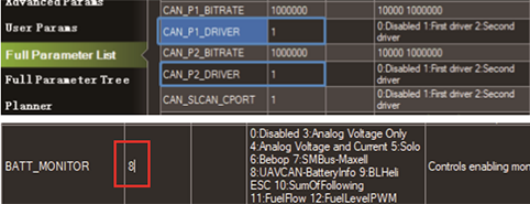
CAN_P1_DRIVER set to 1
CAN_P2_DRIVER set to 1
BATT1_MONITOR set to 8
[!TIP] For ArduPilot firmware versions below 4.6, set
BATT_MONITORto 8.
Viewing Power Information
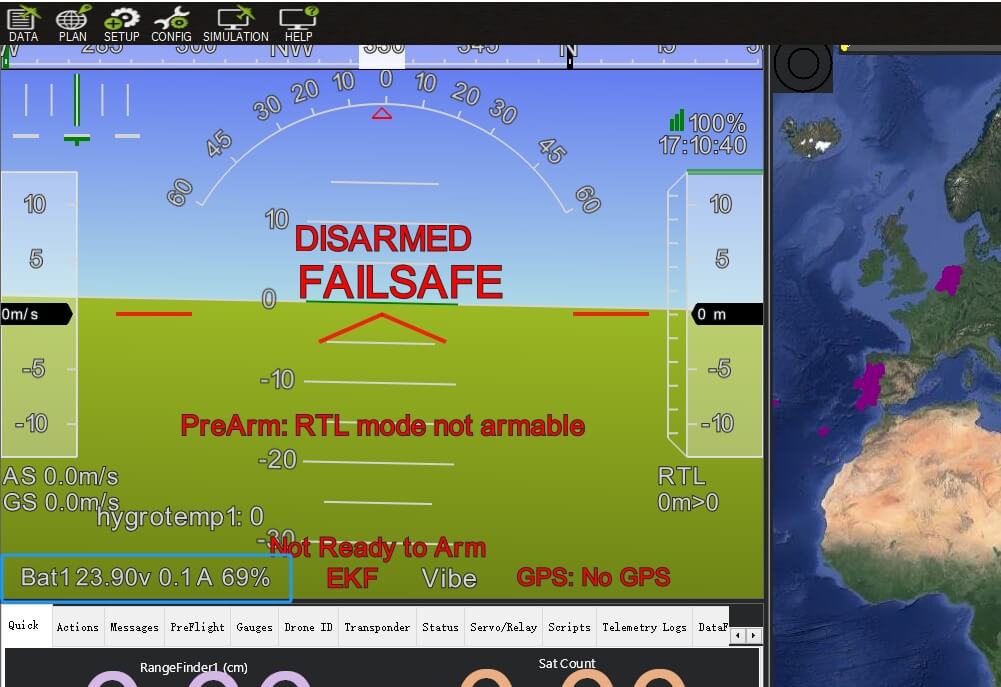
Custom Configuration
PMU 2Lite provides 7 parameters for users to customize:
- BATTERY_ID // Battery ID, Invalid
- CAN_NODE_ID // CAN Node ID
- CELL_SERIES_NUM // Number of battery cells, default value is 0 (automatic recognition), used to estimate battery percentage.
- CELL_FULL_VOLTAGE // Full voltage of a single cell, used to estimate battery percentage.
- CELL_EMPTY_VOLTAGE // Empty voltage of a single cell, used to estimate battery percentage.
- CALIBRATION_PARAM // Calibration status identifier; a value of 1 indicates calibrated (read-only, cannot be written).
- USE_TMP112 // Temperature sensor, default value is 1 (enabled); set to 0 to disable.
[!NOTE] Under normal circumstances, the default parameters can meet the needs of most users. Do not modify them unless necessary.
Modifying Parameters
- Connect the controller to the MissionPlanner ground station.
- Navigate to the Configuration > Optional Hardware > Dronecan/UAVCAN Setup interface.
- Click "mavlink-can1" and locate the PMU 2Lite Information section.
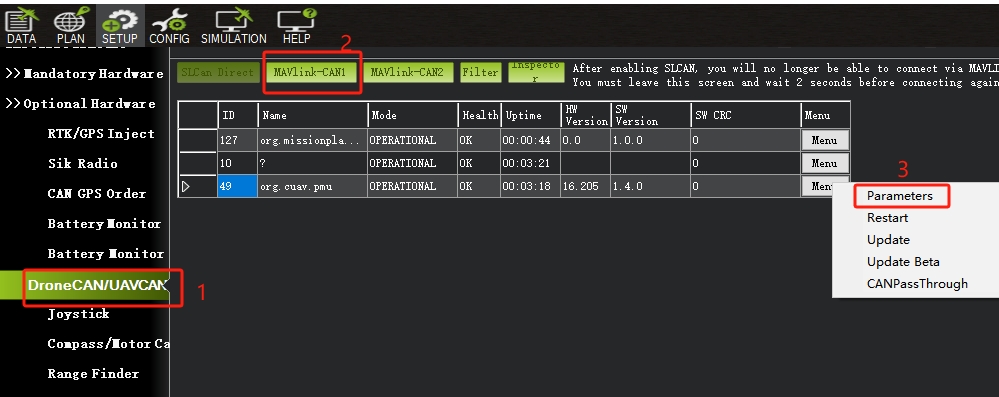
- Find and set the parameters to be modified, save them, then restart the controller.
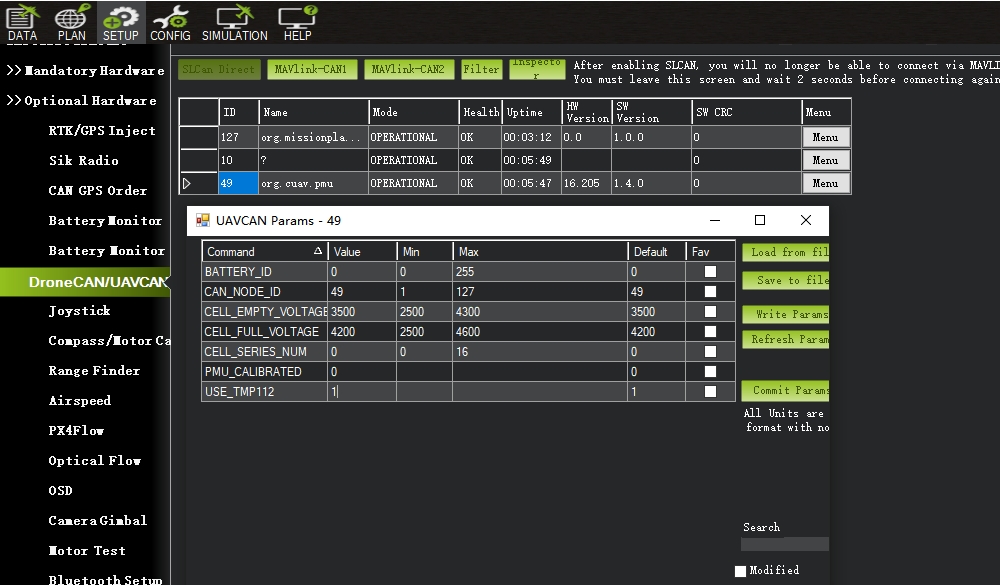
High Voltage (HV) Battery Cell Setup
The PMU 2Lite system is configured for a standard lithium battery voltage platform (4.25V when fully charged). For high-voltage battery platforms (4.35V/4.45V), the PMU 2Lite system parameters must be modified for more accurate power measurement.
Take a 6S battery pack (where the full voltage of a single cell is 4.35V and the empty voltage is 3.3V) as an example. Set the following parameters in the PMU 2Lite parameter list:
CELL_SERIES_NUM = 6
CELL_FULL_VOLTAGE = 4350
CELL_EMPTY_VOLTAGE = 3300
Click "Write params (Write Parameters)", then restart the controller.