C-RTK3 G5 (PX4) Configuration Guide
This chapter applies to using the C-RTK3 G5 with the PX4 flight stack (smart controllers running PX4 firmware).
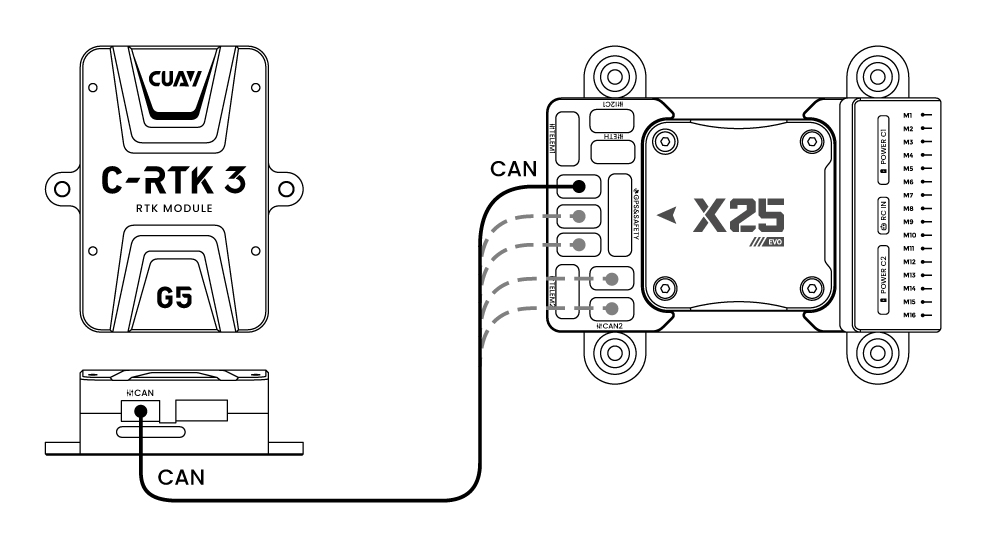
[!NOTE] The C-RTK3 G5 supports connection to the controller via CAN (DroneCAN) and UART. CAN is recommended. Before configuration, please mount both antennas with a minimum separation of 30cm, and ensure a clear view of the sky. Avoid placing near windows or other obstructions, as this may prevent the heading solution from being obtained.
Using DroneCAN
Enabling the C-RTK3 G5
[!NOTE] After setting the following parameters in QGroundControl > Vehicle Setup > Parameters, reboot the controller.
| Parameter Name | Value | Comment |
|---|---|---|
UAVCAN_ENABLE |
"Sensors Automatic Config" |
Enable automatic configuration of UAVCAN sensors |
EKF2_GPS_CTRL |
15 |
Use dual-antenna GNSS heading as the yaw source |
EKF2_GPS_POS_X |
(Fill in according to actual installation, unit: meters) | Set the offset of the primary antenna from the vehicle center of gravity (CG). Example: If the antenna is 25cm forward of the CG, set EKF2_GPS_POS_X to 0.25 |
EKF2_GPS_POS_Y |
(Fill in according to actual installation, unit: meters) | Set the offset of the primary antenna from the vehicle center of gravity (CG). Example: If the antenna is 25cm to the right of the CG, set EKF2_GPS_POS_Y to 0.25 |
EKF2_GPS_POS_Z |
(Fill in according to actual installation, unit: meters) | Set the offset of the primary antenna from the vehicle center of gravity (CG). Example: If the antenna is 25cm below the CG, set EKF2_GPS_POS_Z to 0.25 |
UAVCAN_PUB_RTCM |
Enable / UAVCAN_PUB_MDB |
If using RTK, subscribe to PX4 forwarding RTCM data to the base station |
EKF2_GPS_YAW_OFF |
0 / 90 / other angles |
Heading offset. Angles increase clockwise. Set to 0 if the primary antenna faces forward; set to 90 degrees if the primary antenna is on the right and the secondary antenna is on the left |
GPS_UBX_MODE |
Heading |
Configure the UBX GPS for heading (direction) mode |
UAVCAN_SUB_GPS |
Enable |
Enable UAVCAN GPS data subscription |
UAVCAN_SUB_GPS_R |
Enable |
Enable UAVCAN backup GPS data subscription |
[!NOTE] For PX4 firmware below V1.17.0, the
GNSS_YAW_MSG_MSKparameter of the C-RTK3 must be set to 2; otherwise, the controller cannot obtain heading data.
Verifying Heading Information
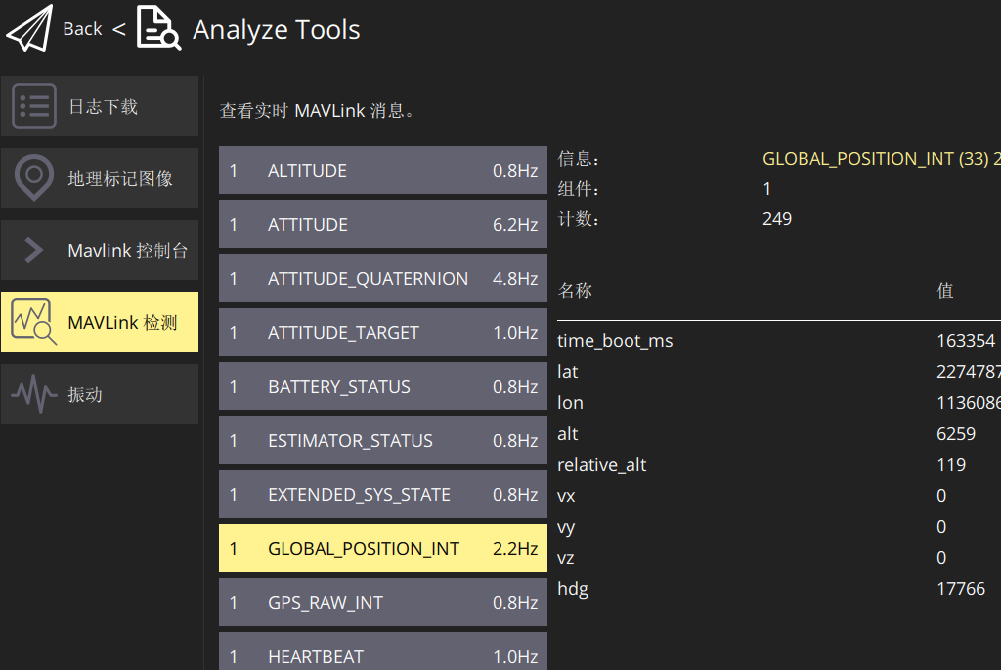
- After configuration, place the vehicle outdoors in an area with a clear view of the sky and wait for GPS lock. Once the GPS has a valid fix, check the
YAWvalue inGPS_RAW_INTin the QGroundControl > MAVLink Inspector. If it matches the vehicle's actual heading, the configuration is correct. If not, check theGPS_YAW_OFFSETsetting of the C-RTK3 G5.
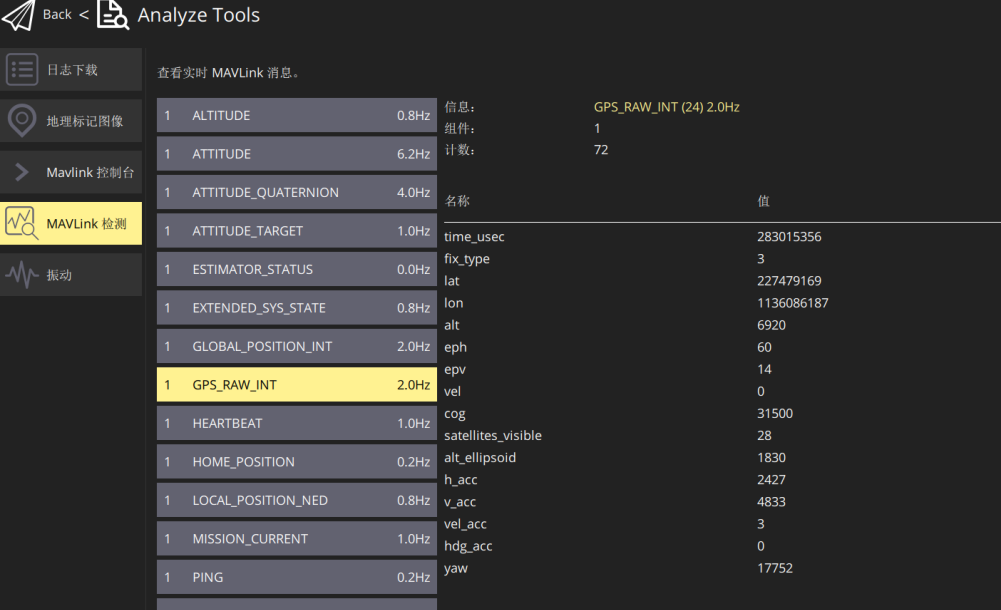
- Consistent values between the
hdgfield inGLOBAL_POSITION_INTand theyawfield inGPS_RAW_INTindicate that the vehicle's heading is using GNSS-derived direction data.