Set RTKbase in QGroundControl
This chapter mainly describes the configuration of RTK base stations in QGroundControl.
[!NOTE] QGroundControl does not support NTRIP yet.
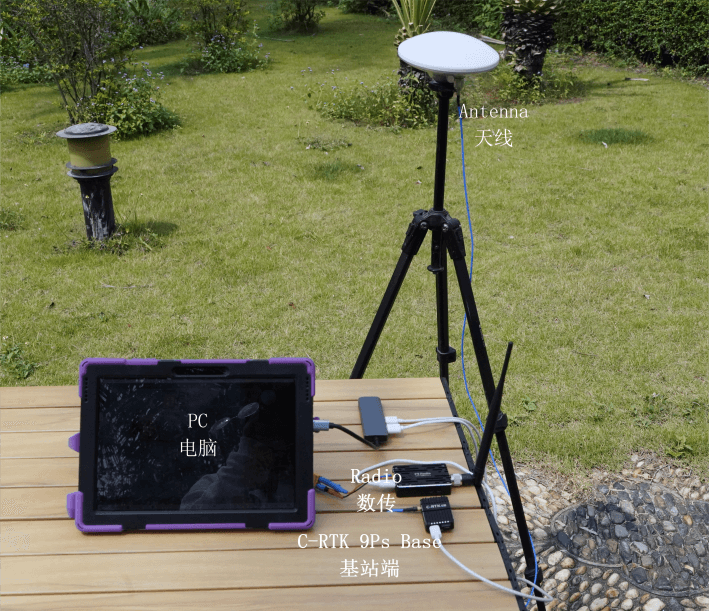
Build a base station
[!TIP] C-RTK 9PS has Base Station Set.
- Use a tripod to elevate the antenna at the base station, and use a feeder to connect the antenna to the base station.
Run QGroundControl to check the observation accuracy and the observation minimum duration setting.
- Survey in accuracy is set to 2.5 or 3 (The positioning accuracy of the rtk base station is not the final result of the rover. The larger the value, the longer the waiting time.)
- Minimum observation duration set to 30.
When the RTK base meets these two conditions at the same time, the RTK base will start sending RTCM correction data.
Connect the base station to the computer; QGroundControl to start RTK observation.
- Connect the flight controller with RTK Rover to the computer.
You can click on the GPS icon to view the current status and RTK accuracy.

- Observation completed: the GPS icon changes from red to white, and QGroundControl starts to transmit position data to the aircraft

Click the GPS status icon, the GPS Lock mode will change to 3D RTK GPS Lock.
