

Usage Guide for PX4
This chapter's setup and configuration is for applying SKYE2 to a controller running PX4 firmware.
Enable SKYE2
Run QgroundControl>, set the following parameters to save and restart the vehicle.
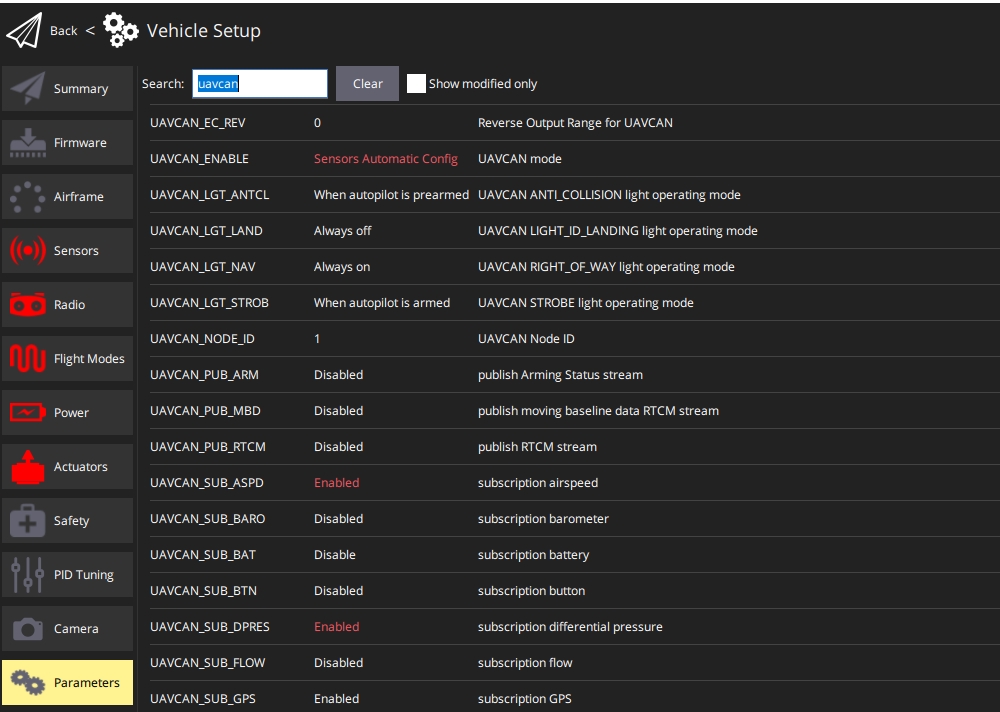
UAVCAN_ENABLEset toSensors automatic Config- Reboot
UAVCAN_SUB_ASPDset toEnableUAVCAN_SUB_DPRESset toEnable- reboot
Airspeed calibration
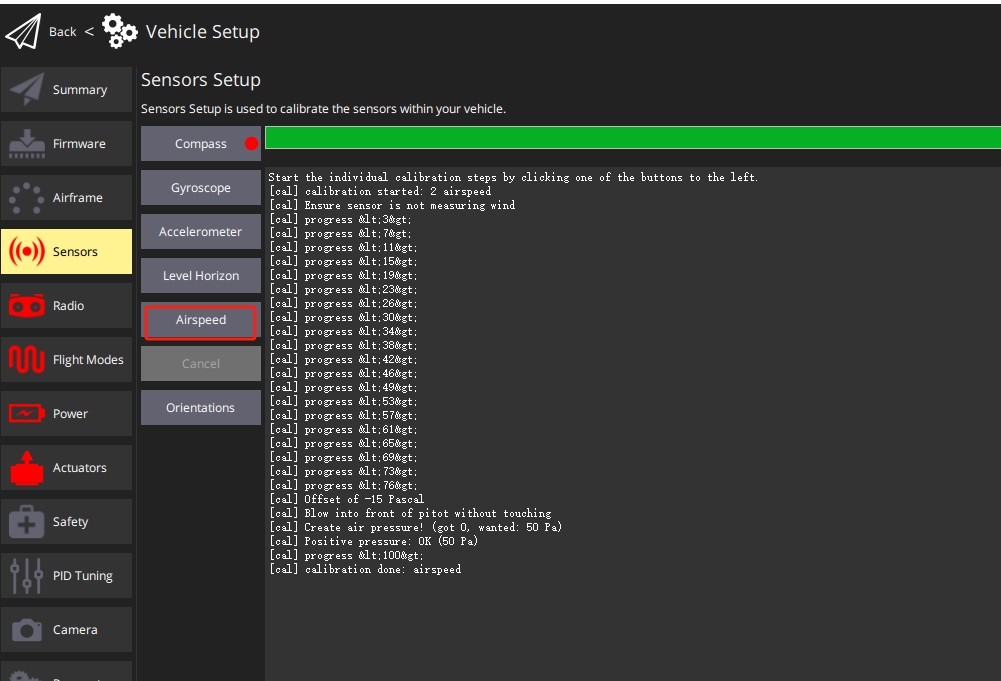
- Select the "Q" icon > Vehicle Settings > Sensors (sidebar) to open sensor settings.
- Click the airspeed sensor button.
- Protect the sensor from wind (i.e. cover it with your hands). Be careful not to block any holes.
- Click OK to start calibration.
- Blow air into the front of the pitot tube to check airspeed
- Wait for QgroundControl to prompt that calibration is complete
说明
If the calibration fails, it may be that the dynamic pressure pipe and the static pressure pipe are connected incorrectly, and the sensor reads a large negative pressure difference, so exchange them.