
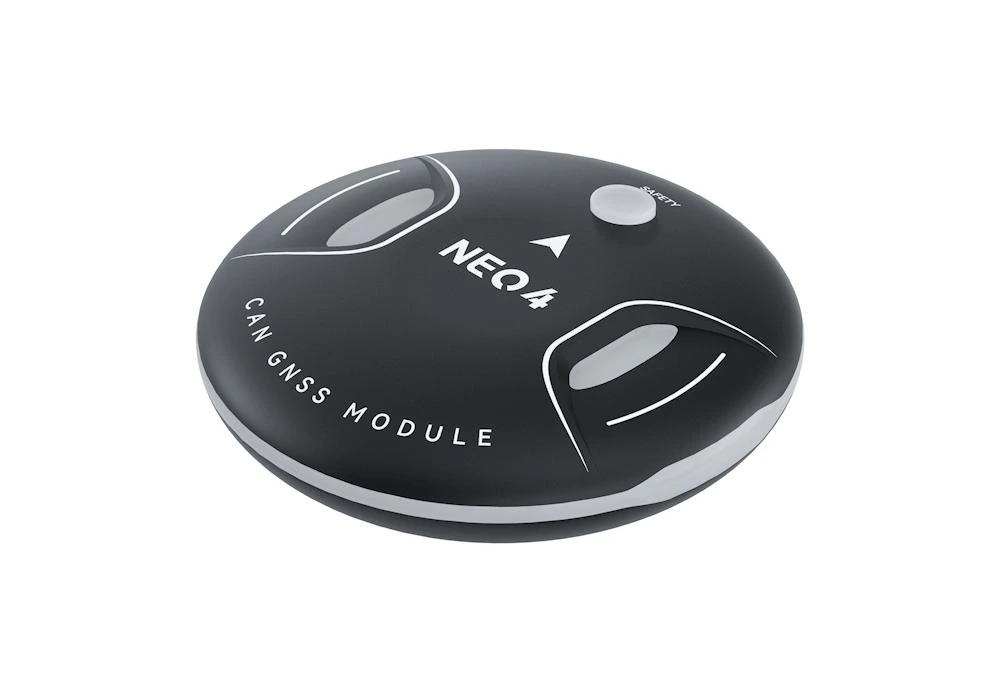
NEO 4 Dustproof and Waterproof GNSS
NEO 4 is a general-purpose satellite navigation receiver module with a two-shot over-molded integrated design and IP67 dustproof and waterproof protection. It integrates the u-blox M10 satellite receiver system, supports concurrent reception of signals from four major positioning systems, and is equipped with a high-performance STM32H5 processor and an ST IIS2MDC electronic compass, delivering accurate positioning and excellent anti-interference and environmental adaptability. It supports an RGB full-color status indicator, uses the CAN bus protocol, and can be widely used in various unmanned system devices.
NOTE
ArduPilot and PX4 open-source platforms support NEO 4.
Features
- u-blox M10 10th-generation GNSS receiver system
- Self-developed, highly flexible M4C architecture software
- IP67 standard dustproof and waterproof design
- Built-in ST IIS2MDC electronic compass
- SAW+LNA dual-filter design
- DroneCAN communication protocol
Data sheet
| Basic parameters | |
|---|---|
| GNSS receiver | u-blox MIA-M10Q |
| Processor | STM32H5 Arm® Cortex®-M33 250 MHz |
| Electronic compass | IIS2MDC |
| Frequency band | GPS: L1 C/A GLONASS: L1OF Beidou: B1I/B1C Galileo: E1B/C |
| GNSS augmentation system | SBAS: EGNOS, GAGAN, MSAS, WAAS, BDSBAS, KASS and SouthPAN QZSS: L1S (SLAS) |
| Number of concurrent GNSS | 4 (Beidou, Galileo, GLONASS, GPS) |
| Oscillator | TCXO |
| Acquisition | Cold start 27 s Reacquisition 1 s Aided start 1 s |
| Nav. update rate | Up to 10 Hz (4 concurrent GNSS) Up to 25 Hz (single GNSS) |
| Horizontal accuracy | 1.5 m CEP |
| Filtering | SAW + LNA |
| Anti-electromagnetic / RF interference | EMI + RFI |
| Communication protocol | DroneCAN |
| Upgrade support | Supported |
| Firmware | CUAV M4C GNSS |
| Protection level | IP67 (install on demand) |
| Interface type | |
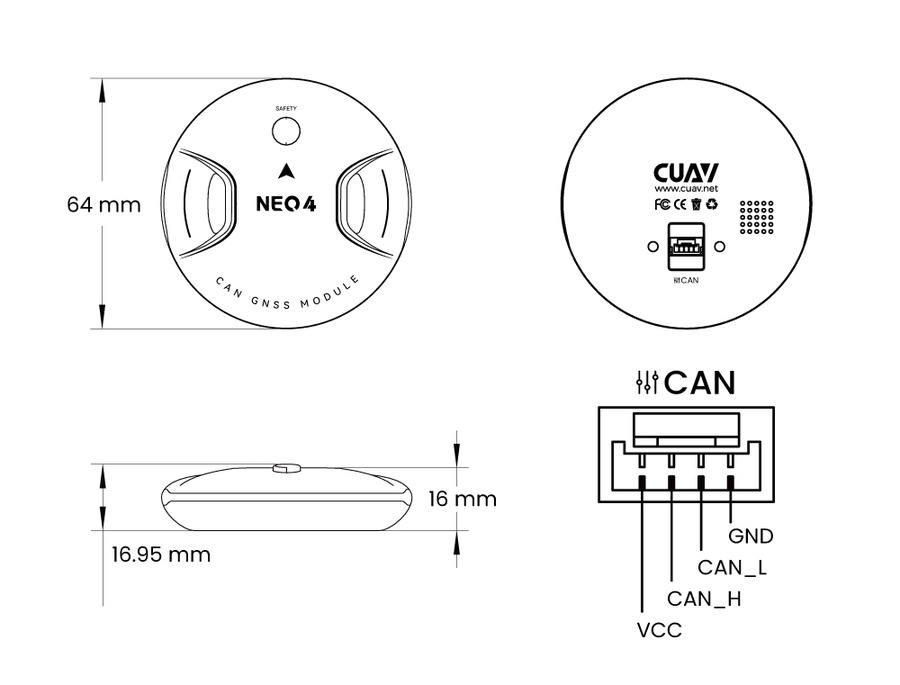
| Data interface | GHR-04V-S |
| Hardware parameters | |
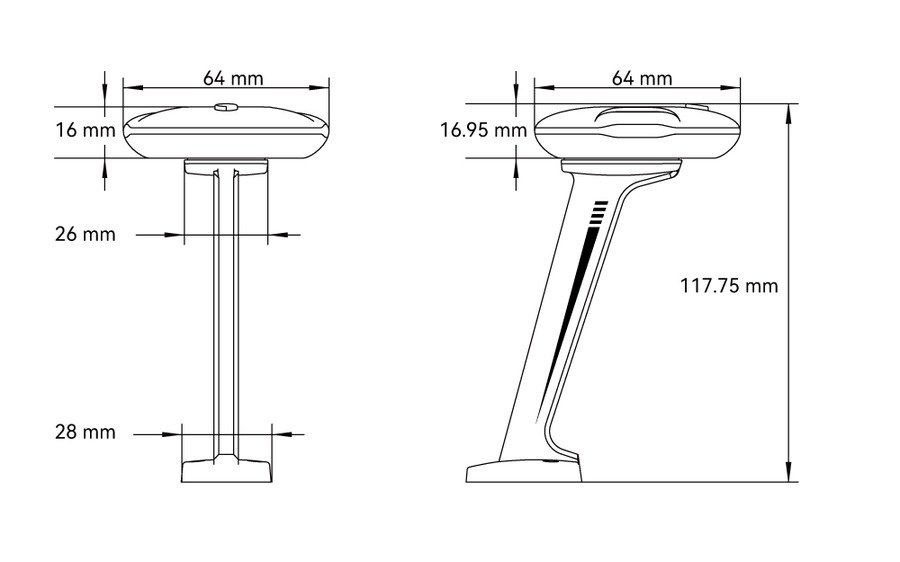
| Size | 64 × 64 × 16.95 mm |
| Weight | 36.5 g |
| Input voltage | 4.7 ~ 5.2 V |
| Operating temperature | -10 ~ +80℃ |
NOTE
NEO 4 supports two mounting methods: direct attachment and injection-molded bracket mounting. NEO 4 is designed to the IP67 protection rating (except for the CAN connector); if you need full IP67 protection, install it on a vehicle that can withstand water immersion, otherwise water may seep in from inside the vehicle through the CAN connector. You can also seal the CAN connector / injection-molded bracket channel to allow installation in a non-waterproof vehicle.
Size and Pinouts
Dimensions
Pinouts
Purchase
Connect to CUAV X25
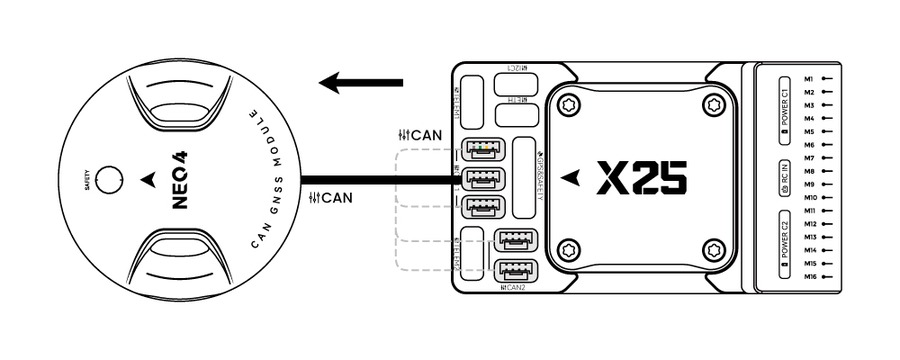
- NEO 4 connected to controller CAN1/CAN2 interface (CAN1 is recommended)
TIP
The settings for other ArduPilot/PX4 flight stacks are the same.
Hardware Installation Video
Controller parameter settings
Before use, you need to set the controller parameters to enable NEO 4; there are different setting methods depending on the controller firmware.
ArduPilot firmware
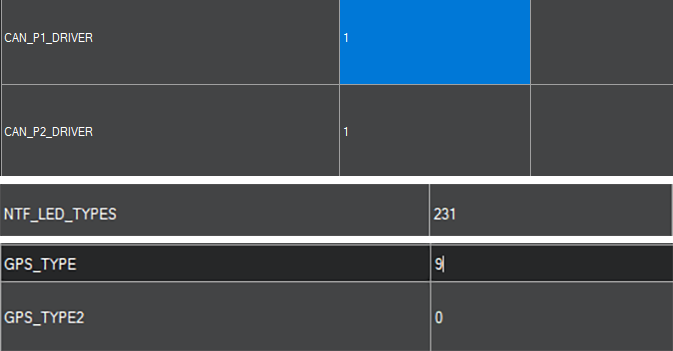
Set the following parameters in all parameter tables of Mission planner and restart after writing:
CAN_P1_DRIVERset to 1.CAN_P2_DRIVERset to 1.NTF_LED_TYPESset to 231.GPS_TYPE/GPS1_TYPEset to 9 (as GPS1).
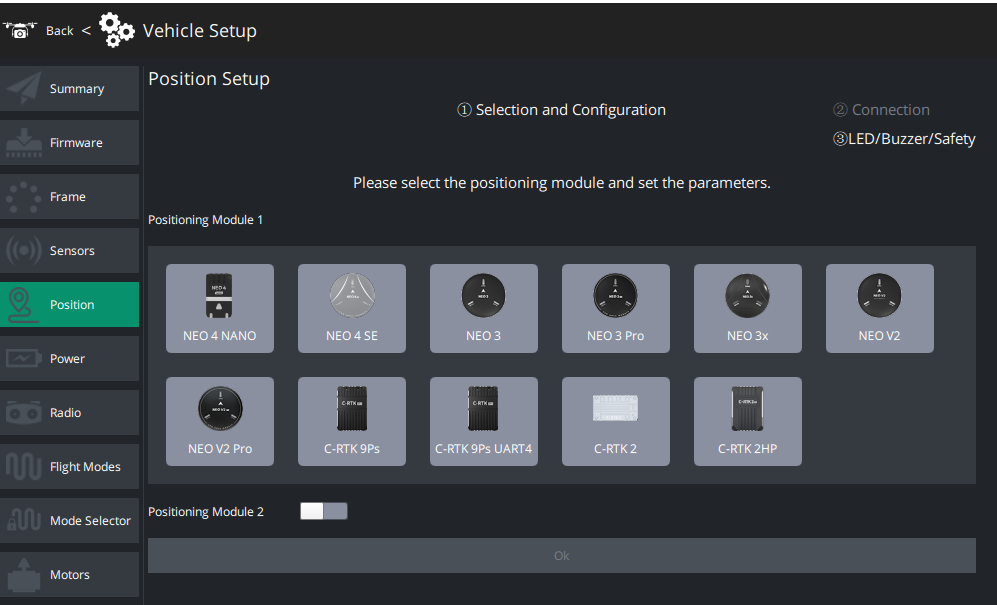
You can realize quick configuration without parameter adjustment via the LGC Ground Control Station.
PX4 firmware
Open QGroundControl>Parameters window, modify the following parameters and restart after writing:
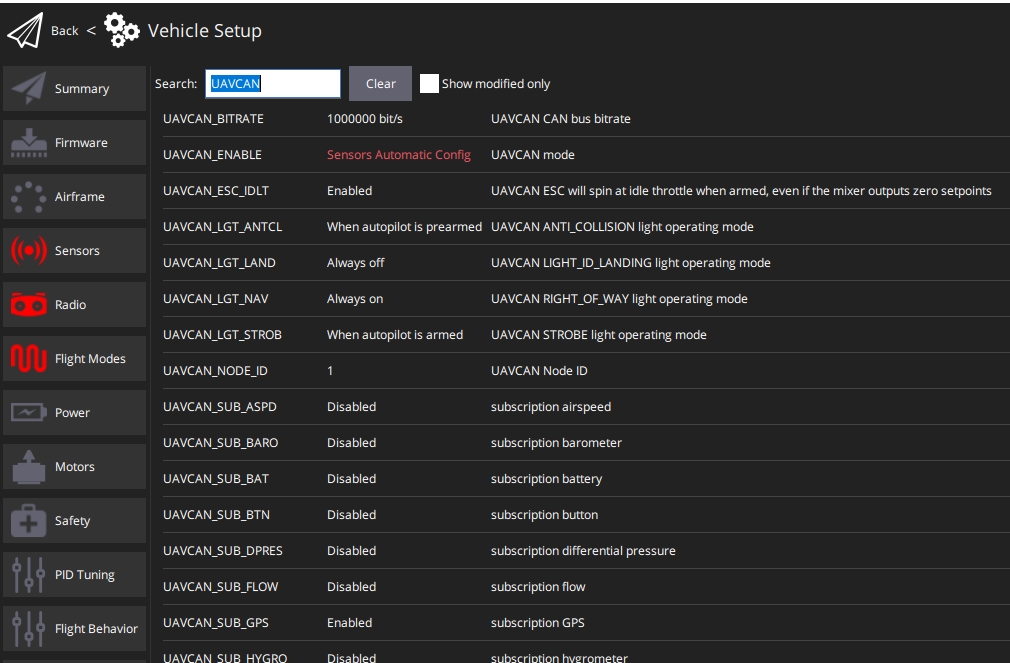
UAVCAN_ENABLEset toSensors Automatic config.UAVCAN_SUB_GPSset toEnable.