

Use GPS+BeiDou
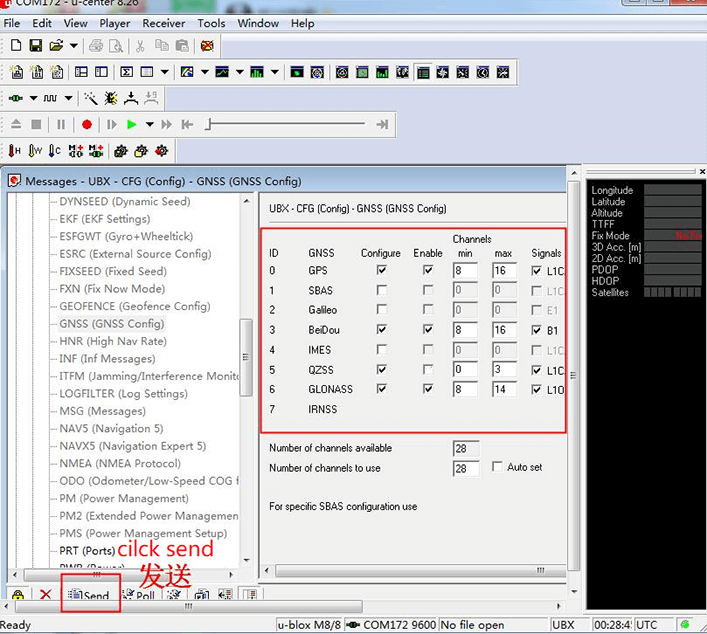
u-blox uses the GPS+GLONASS constellation for positioning by default. To switch to GPS+BeiDou, go to Messages view -> UBX -> CFG -> GNSS, uncheck GLONASS Enable, then check BeiDou Enable. Click Send to apply the change.
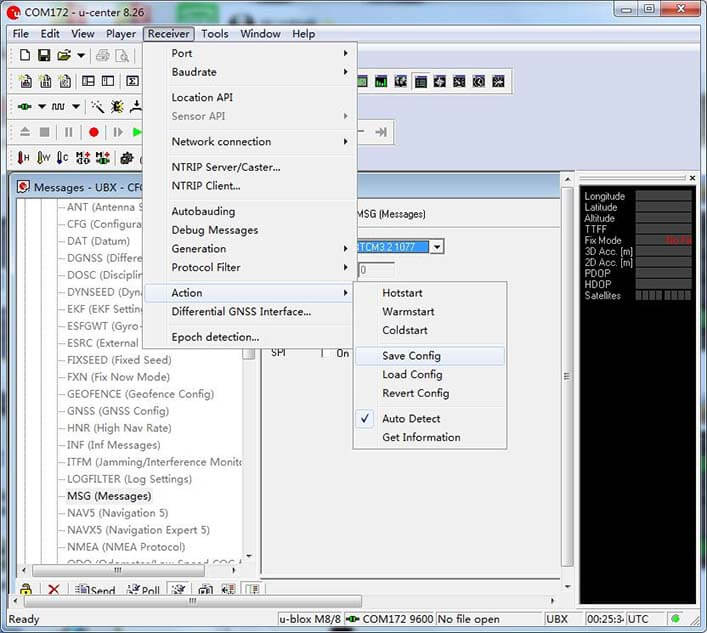
Then open Receiver > Action and click SAVE config to save the configuration.
NOTE
The base station and the rover must use exactly the same constellation settings, otherwise the receiver will not achieve an RTK fix.