PMU 2Lite
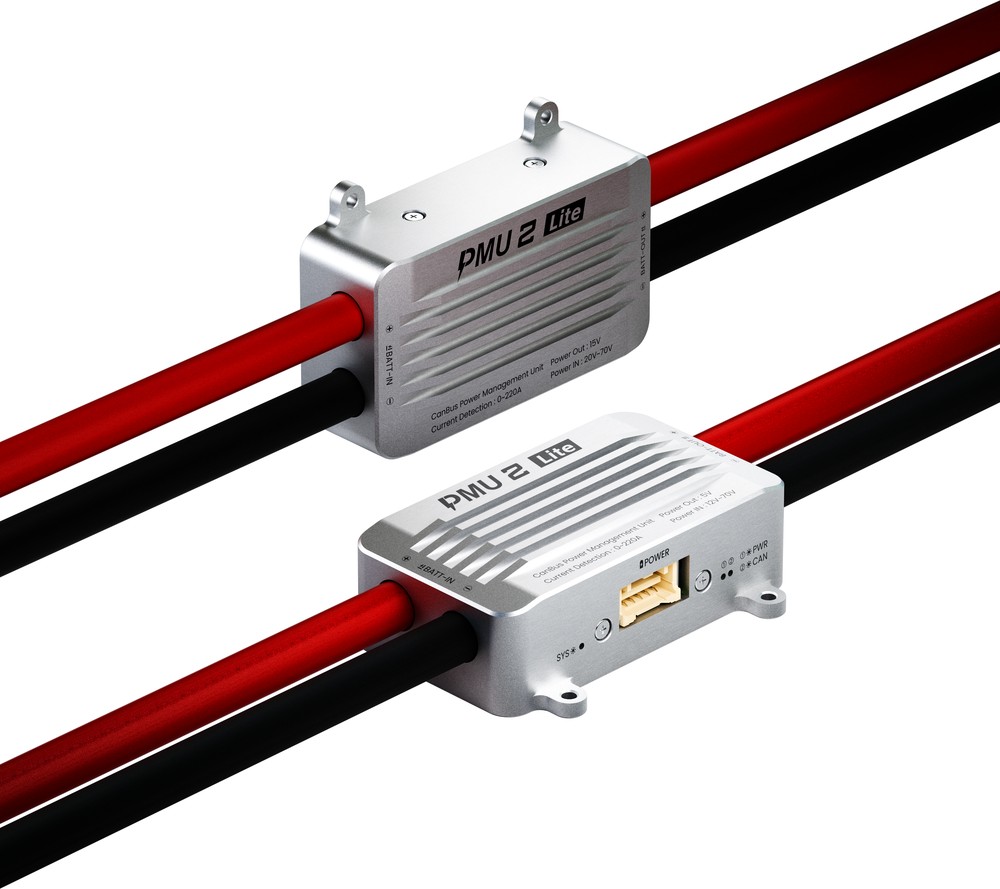
PMU 2Lite is a power management module for unmanned systems. It is built around an STM32H5 processor running CUAV's in-house M4C software stack, uses the ITT3 temperature impedance tracking algorithm to measure voltage and current in real time, supports up to 70V input and 220A current, communicates over CAN, and is factory pre-calibrated for consistency and accuracy.
Features
- ±0.1A / ±0.05V measurement accuracy
- 20~70V wide input, 220A current detection
- ITT3 temperature impedance tracking removes temperature-drift error
- In-house M4C software stack with hardware/software co-optimisation
- Factory pre-calibrated, ready to use
- CAN bus communication
- Aviation-grade aluminium housing with thermal silicone for excellent heat dissipation
- 7AWG cable and QS8 connector reduce heat under high current
Specifications
| Parameter | Value |
|---|---|
| Processor | STM32H5 Arm® Cortex®-M33 250 MHz |
| Input voltage | 5V version: 12~70V 15V version: 20~70V |
| Peak current | 220A (120s) |
| Continuous current | 130A (well-cooled environment) |
| Measured current | 0~220A |
| Voltage accuracy | ±0.05V |
| Current accuracy | ±0.1A |
| Voltage output | 15V version: 15V 6A 5V version: 5.2V 7A |
| Protocol | CAN |
| Calibration | Factory pre-calibrated, no user calibration |
| Firmware | CUAV M4C PMU2 |
| Power connector | 7AWG / QS8 |
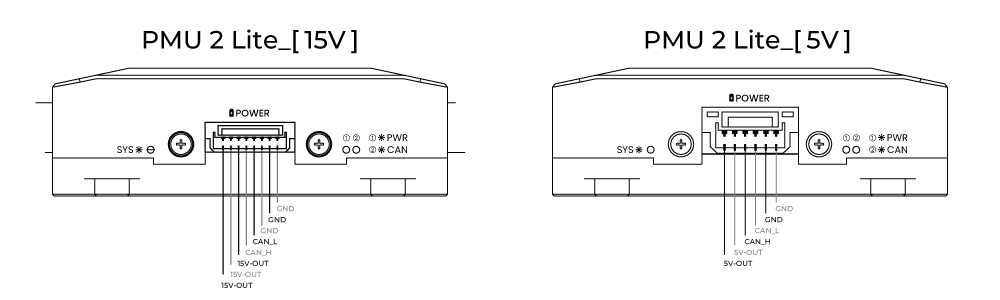
| Data connector | 15V version: MOLEX 5055670871 5V version: MOLEX 5025850670 |
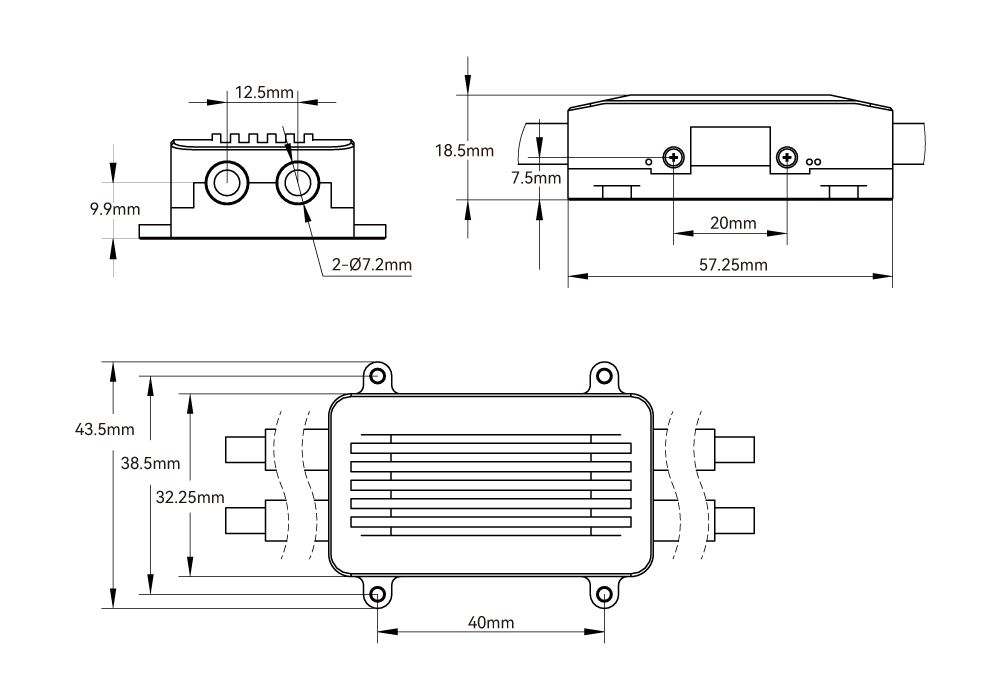
| Dimensions | 57.25 × 32.25 × 17.5 mm (excluding cables) |
| Weight | 222g (including cables) |
| Operating temperature | -20~+80℃ |
Dimensions
Pinouts
Wiring
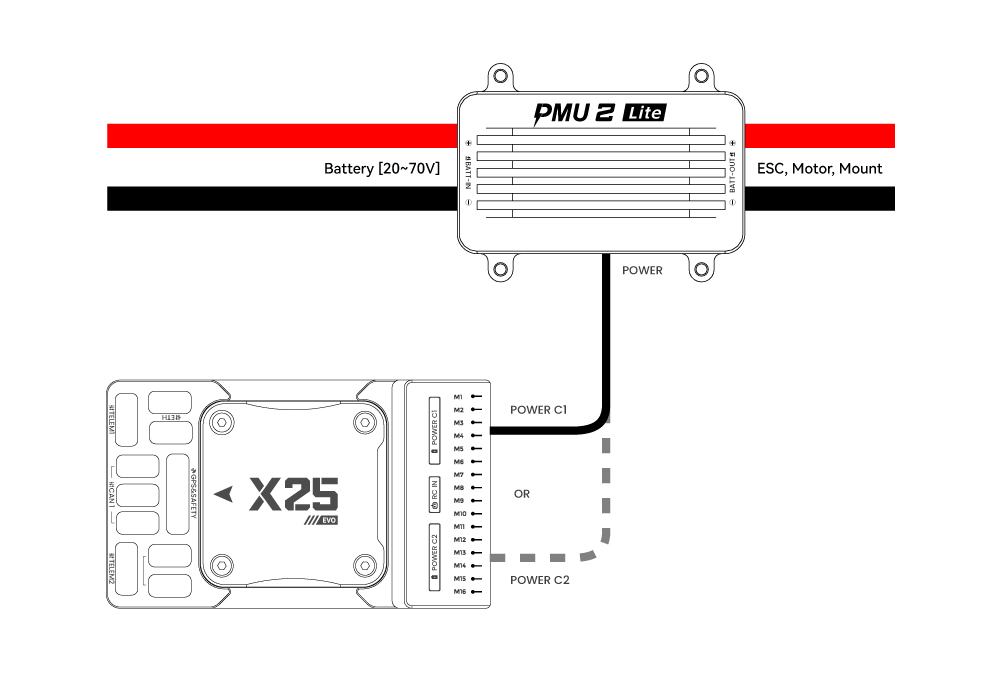
15V version with X25 EVO
X25 EVO has the PMU 2Lite configuration enabled by default. No parameter setup is required — plug and play.
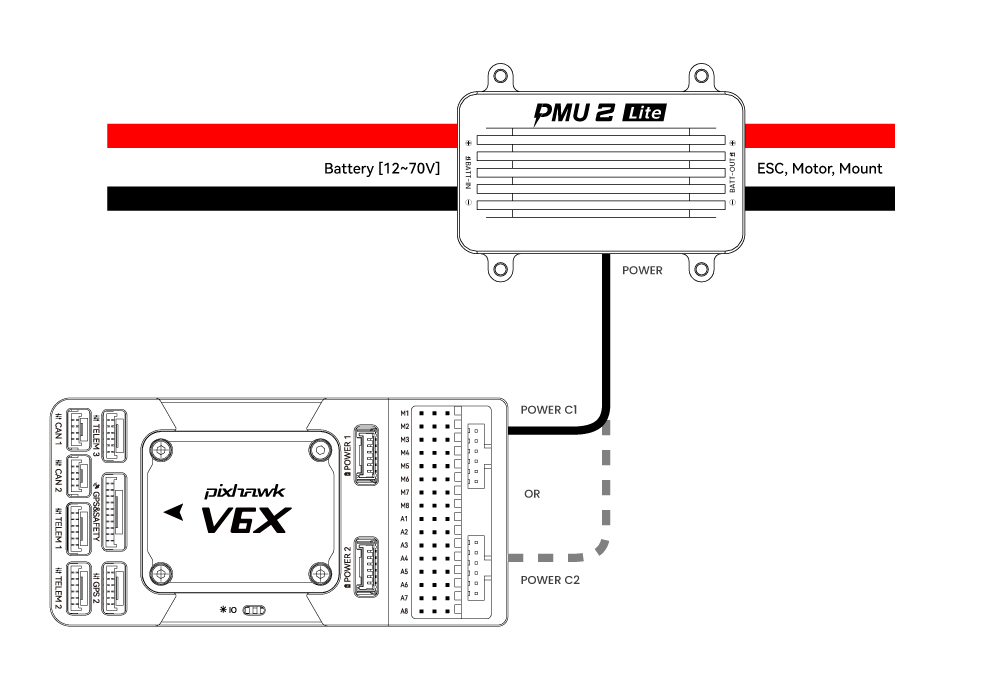
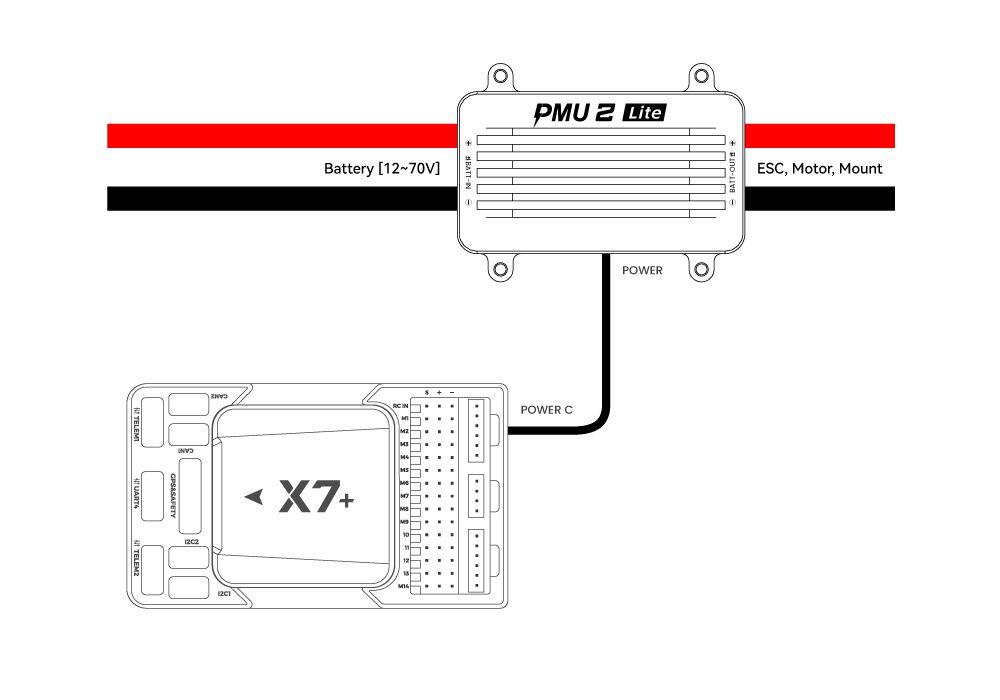
5V version with Pixhawk V6X / X7 series controllers
Pixhawk V6X / X7 series controllers have the PMU 2Lite configuration enabled by default. No parameter setup is required — plug and play.
With other controllers
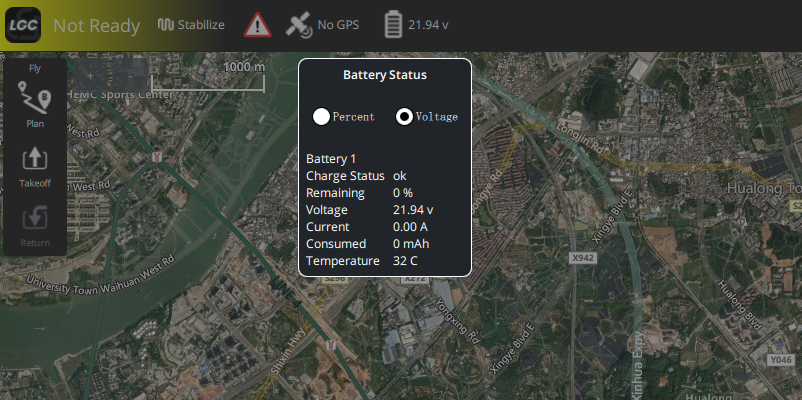
Connect CAN_H and CAN_L to the CAN port, insert the red and black power leads into the VCC / GND pins of the Power port, then configure the module graphically in the LGC ground station.
Power information