

C-RTK 9Ps RTK Receiver
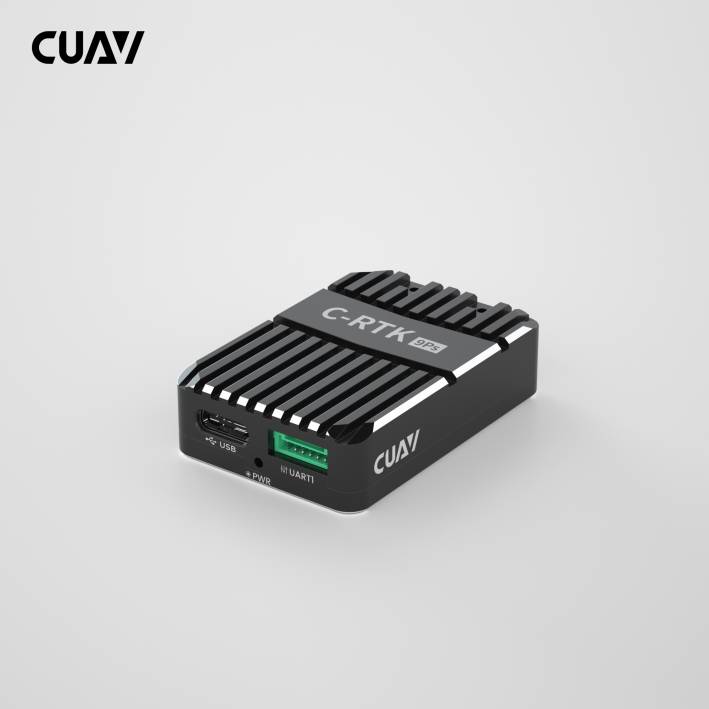
C-RTK 9Ps is a four-star real-time GNSS system that uses two C-RTK 9Ps modules, one for the aircraft and one for the base station. It also supports dual GPS for yaw, replacing the controller's internal magnetic compass, allowing the device to adapt to complex magnetic field environments. Compared with C-RTK 9P, C-RTK 9Ps achieves similar performance at a lower price; it is a centimeter-level positioning module with extremely high cost performance. Compatible with controllers running PX4/ArduPilot firmware, it is an ideal choice for applications that require real-time high-precision navigation, such as aerial performances, agricultural applications, high-precision takeoffs and landings, and ship takeoffs and landings.
Purchase
Key Features
| Hardware Parameters | |
|---|---|
| Receiver type | 184 channel ZED-F9P(u-blox) |
| Compass | IST8310 |
| GNSS | GPS, BeiDou, Galileo, GLONASS |
| Number of concurrent GNSS | 4 |
| GNSS Bands | GPS-L1C/A(1575.42MHz) GPS - L2C(1227.6MHz) GLONASS - L1OF(1602MHz) GLONASS- L2OF(1246MHz); GALILEO - E1B/C(1575.42MHz) GALILEO - E5b(1207.14MHz); BeiDou - B1I(1561.098MHz) BeiDou - B2I(1204.14MHz); QZSS - L1C/A(1575.42MHz) QZSS - L2C(1227.6MHz) |
| Nav. update rate | RTK 20Hz RAW 25Hz; PVT 25Hz (The maximum limit is related to the concurrency setting; please refer to the subsequent navigation refresh rate chapter for details) |
| Position accuracy | RTK: 0.01m+1ppm CEP GPS: 1.5m CEP; SBAS: 1.0m CEP |
| RTK Surveyin-time | RTK<60s |
| Acquisition | Cold starts<24s Hot starts<1s |
| Sensitivity | Cold starts –148 dBm Hot starts –157 dBm Reacquisition –160 dBm |
| Anti-jamming | Active CW detection and removal Onboard band pass filter |
| Anti-spoofing | Advanced anti-spoofing algorithms |
| Antenna gain | Rover: 2dBi Base: 5dBi |
| PPK | not support |
| GPS heading | Support (requires two C-RTK 9Ps); heading accuracy: 0.4 deg (reference value) |
| Base/Rover role swap | Support |
| UART | 2 UART |
| USB | 1 |
| Protocols | NMEA, UBX binary, RTCM 3.x |
| Operating voltage | 4.5V to 6V |
| Operating temperature | –40°C to +85°C |
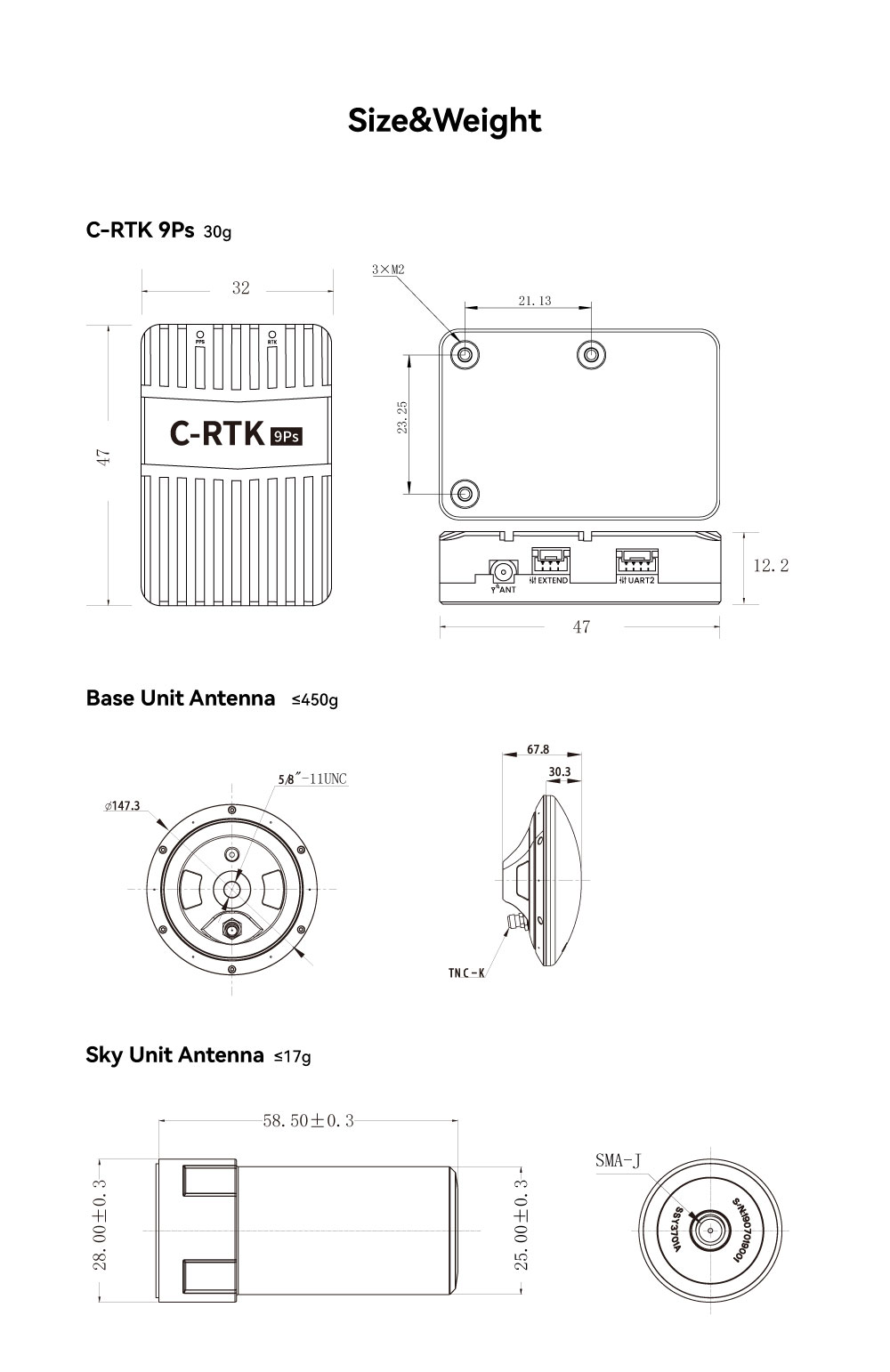
Size and Weight
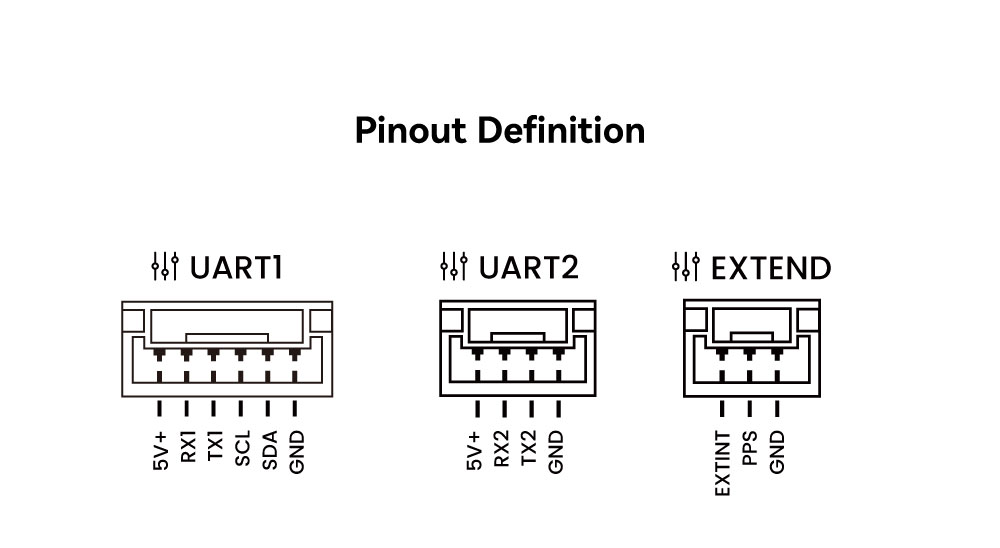
Pinouts
LED
- PPS
- Always bright: NO fix
- Flashing:GNSS positioning succeeded
- RTK
- lights off: No access to RTK
- Always bright:RTK fixs
Rover hardware connection
As the first GPS:
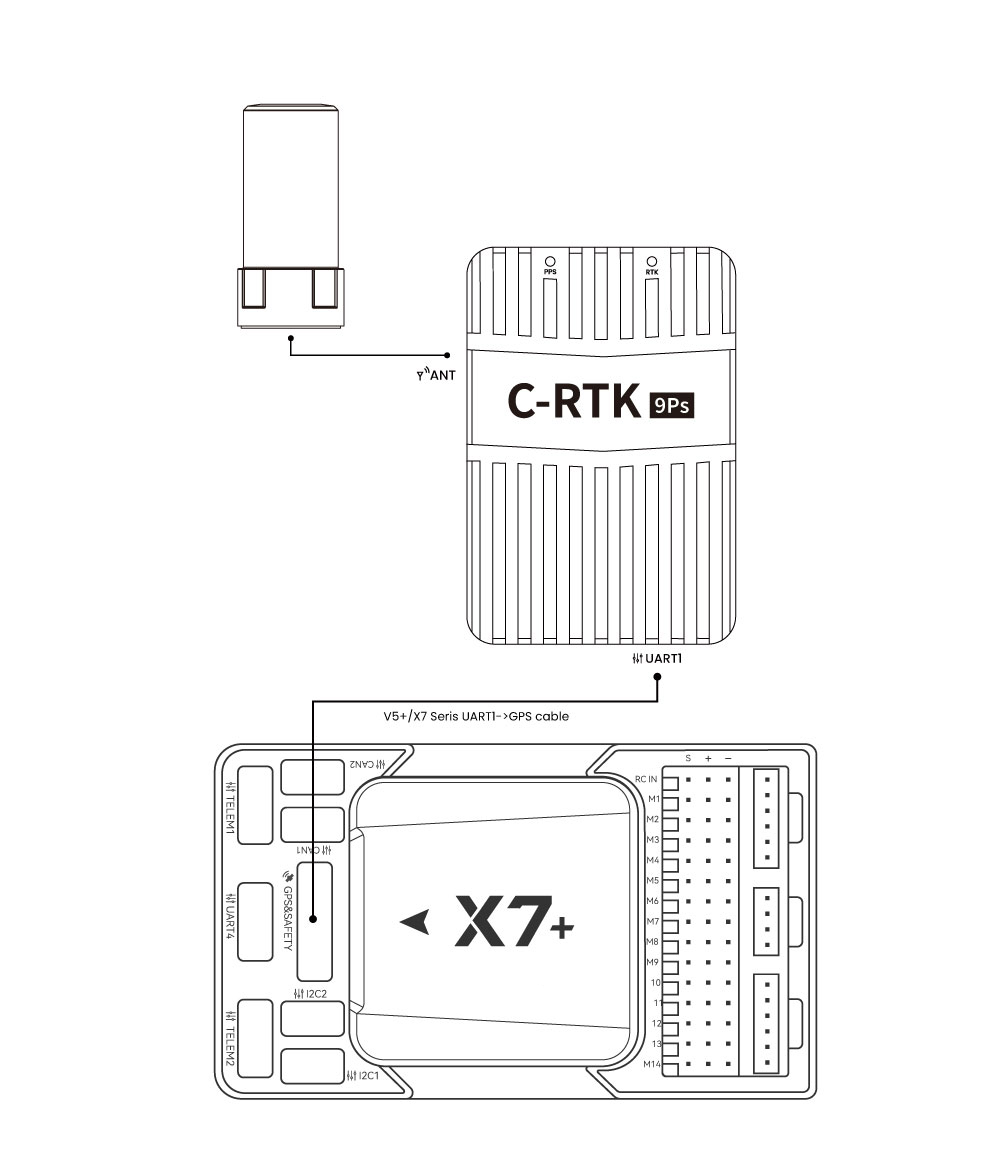
- Use a special cable to connect the C-RTK 9Ps (UART1) interface to the Controller's GPS interface.
As a second GPS:
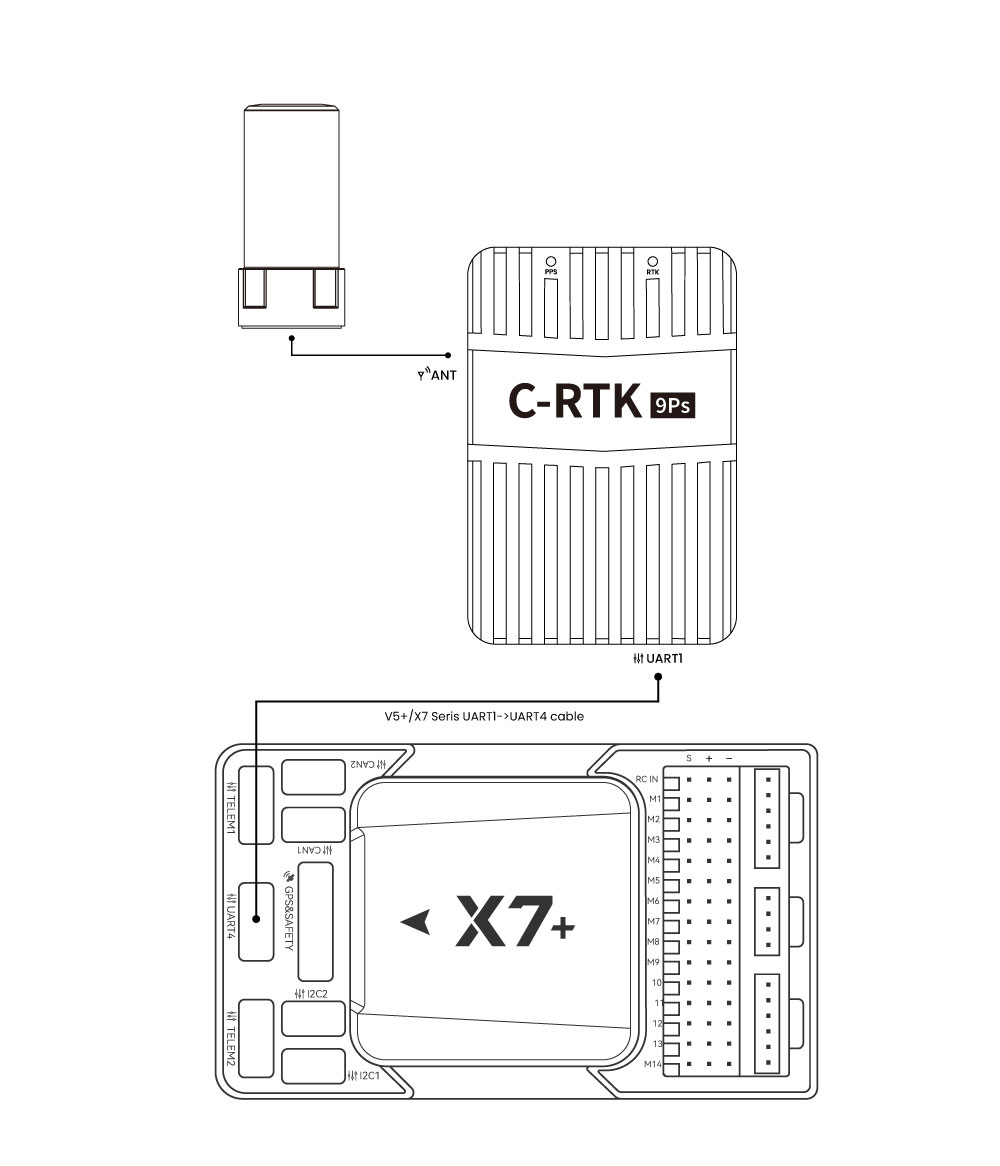
- Use a dedicated line to connect the C-RTK 9Ps (UART1) interface to the Controller UART4 interface.
- If the flight controller is running ArduPilot firmware, please set
GPS_TYPE2to 1.
GPS+safety switch (USL module):
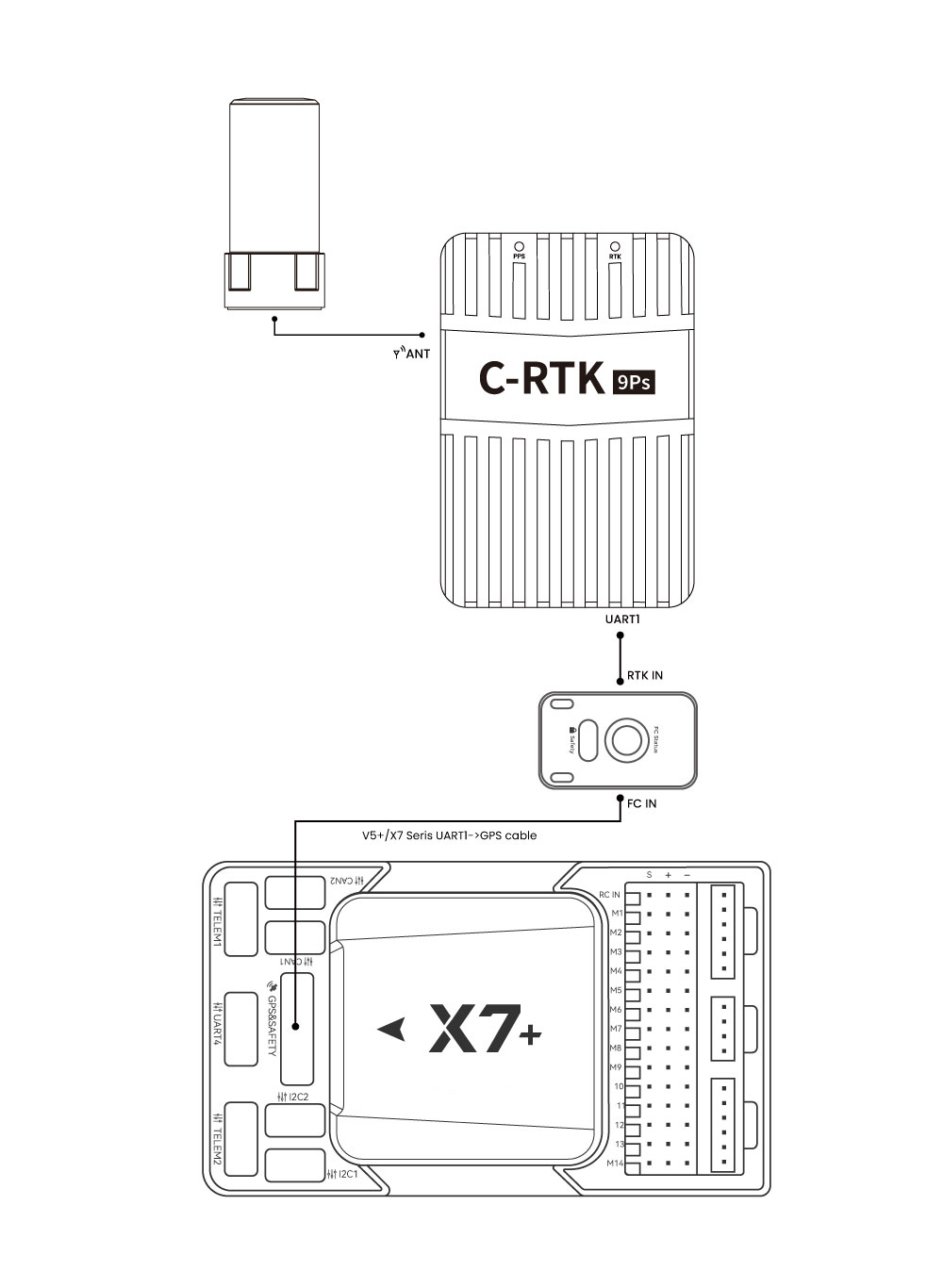
NOTE
USL modules need to be purchased separately; you can also use ordinary safety switches to rewire for DIY.
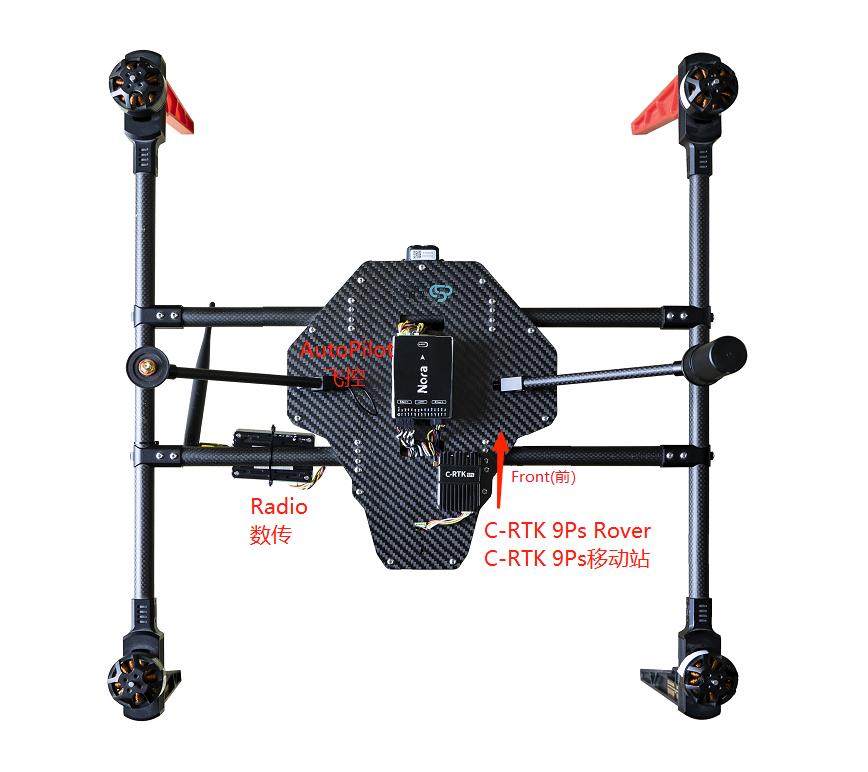
- Connect the antenna to the Rover
- Connect C-RTK 9ps (Rover) to the Controller (Hardware Connection)
- Connect the data transmission to the Telem1 interface of the Controller
- Install C-RTK 9ps on the vehicle in the correct direction (generally, the installation direction of C-RTK 9ps should be consistent with the direction of the aircraft)
TIP
Due to the configuration of the IST8310, the ArduPilot will automatically be set to yaw 270 during calibration. This is normal, please do not modify it.
RTK Base hardware connection
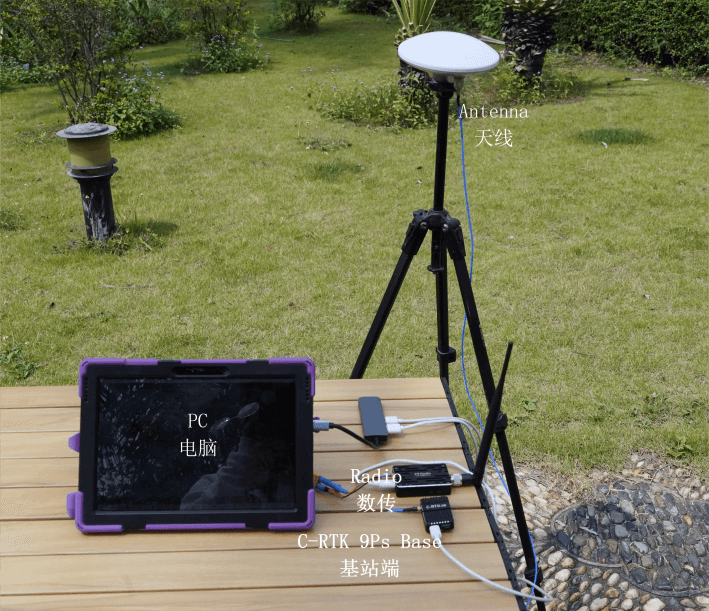
- Use a tripod to elevate the antenna of the RTK base, and use a feeder to connect the antenna to the base station.
You need to use Mission Planner/QGroundControl for base station setup.
Dual C-RTK 9Ps Heading
Nav. update rate

More information
The C-RTK 9Ps is plug-and-play with ArduPilot/PX4 firmware and requires no additional setup. If you use the C-RTK 9Ps for other purposes, refer to the following: