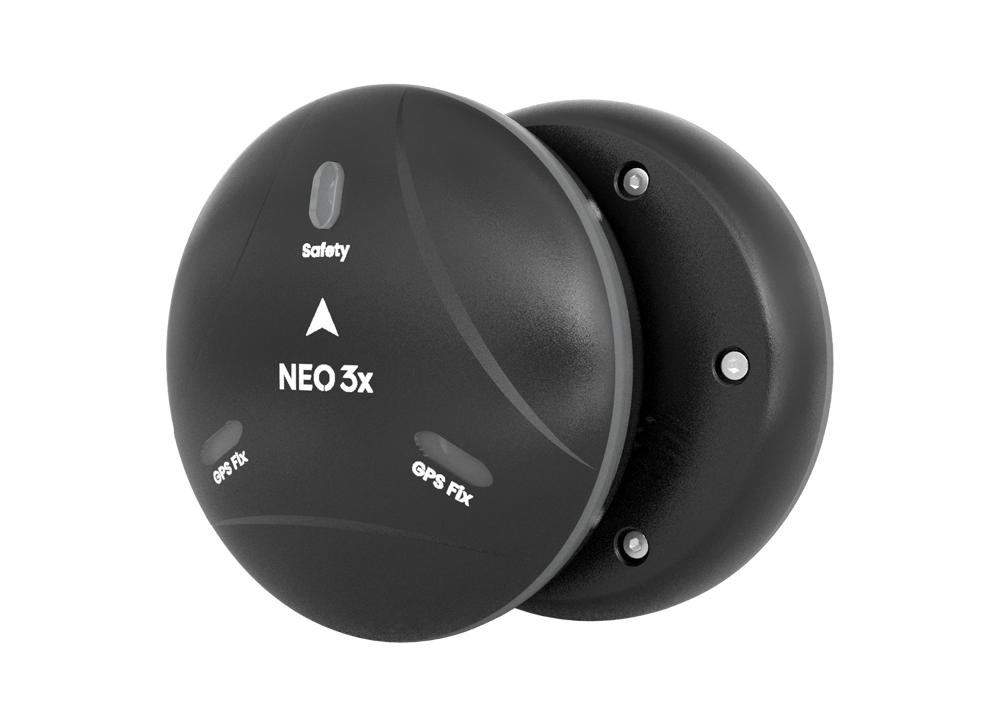
NEO 3X
NEO 3X is a GNSS receiver with IP66 protection level. It supports four-star system integration and has a variety of built-in waterproof and dustproof structural designs and materials to meet dustproof and waterproof requirements in various environments. It has built-in STM32F4 series processor, ICP2100 barometer, Ublox M9N module and RM3100 industrial grade compass, and supports DroneCan protocol.
NOTE
Ardupilot 4.1.0/PX4 1.13.0 and above support NEO 3X.
Features
- IP66 dustproof and waterproof design, adaptable to complex environments.
- Integrated Ublox new generation GNSS module (NEO-M9N).
- Supports simultaneous reception of GPS, Galileo, GLONASS, and Beidou satellite systems.
- DroneCAN standard protocol, high real-time performance and strong anti-interference ability
- Industrial grade sensor (RM3100), better anti-interference performance
- High performance MCU
Data sheet
| Data sheet | |
|---|---|
| MUC | STM32F412 |
| Protocol | DroneCAN |
| Compass | RM3100 |
| Barometer | ICP-20100 |
| GNSS receiver | Ublox M9N |
| Frequency band | GPS: L1C/A GLONASS:L10F Beidou:B1I Galileo:E1B/C |
| Number of concurrent GNSS | 4 |
| Horizontal accuracy | 1.5m |
| Number of satellites(MAX) | 32+ |
| Acquisition | Cold start: 24S Hot start: 2S Aided start:2s |
| Nav. update rate | 5Hz (default), 25Hz (MAX) |
| Sensitivity | Tracking and nav:-167dBm Cold start: -148dBm Hot star: -159dBm Reacquisition: -160dBm |
| Protection level | IP66 |
| Input voltage | 4.7~5.2V |
| Operating temperature | -10~70℃ |
| Size | 67*67*21.2mm |
| Weight | 46g(no cable) |
NOTE
Ardupilot 4.1.0 and above firmware supports NEO 3X.
Purchase
Connect to Pixhawk V6X
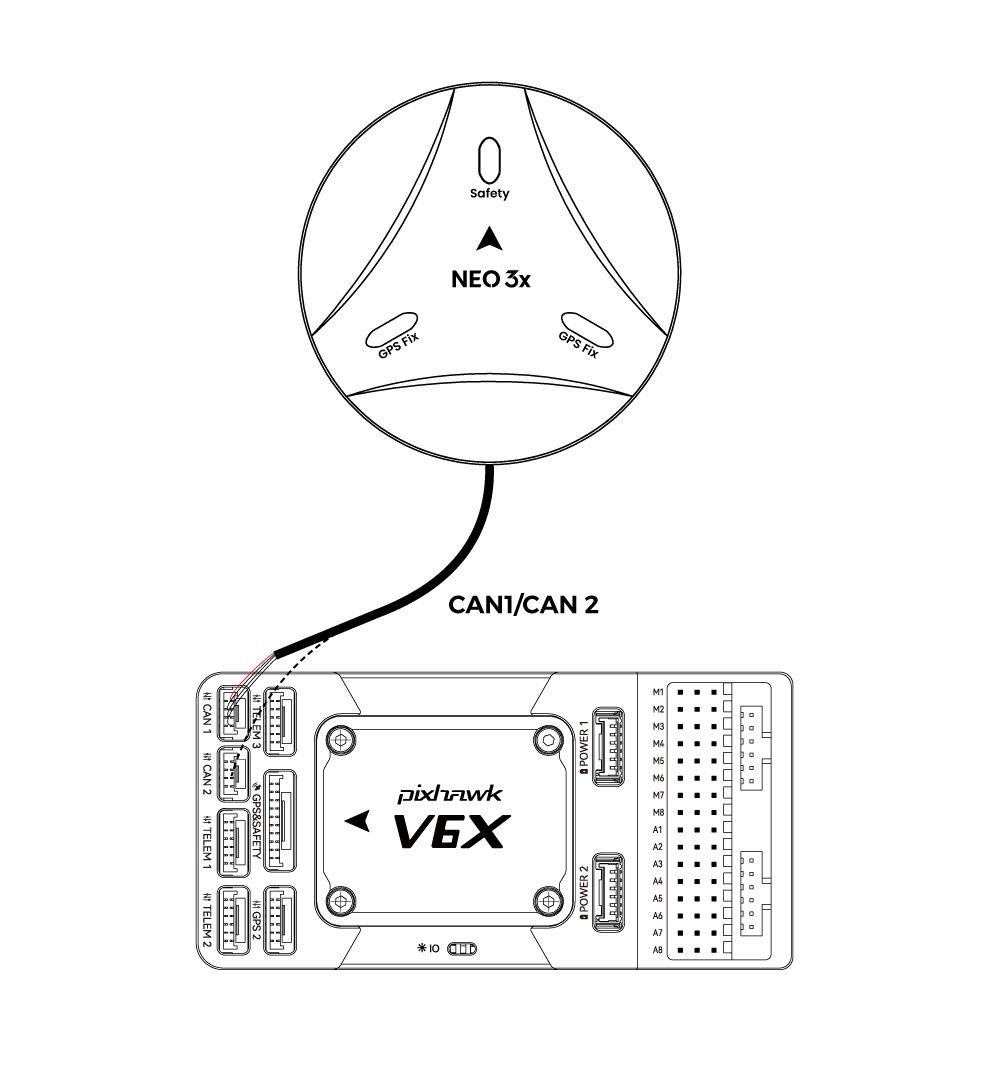
- NEO 3X connected to controller CAN1/CAN2 interface
TIP
The settings for other ArduPilot/PX4 flight stacks are the same.
Controller parameter settings
Before use, you need to set the controller parameters to enable Neo 3X; there are different setting methods depending on the controller firmware.
ArduPilot firmware
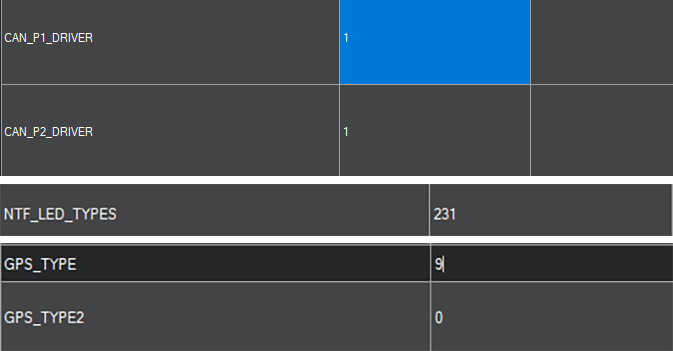
Set the following parameters in all parameter tables of Mission planner and restart after writing:
CAN_P1_DRIVERset to 1.CAN_P2_DRIVERset to 1.NTF_LED_TYPESset to 231.GPS_TYPEset to 9(As GPS1).
PX4 firmware
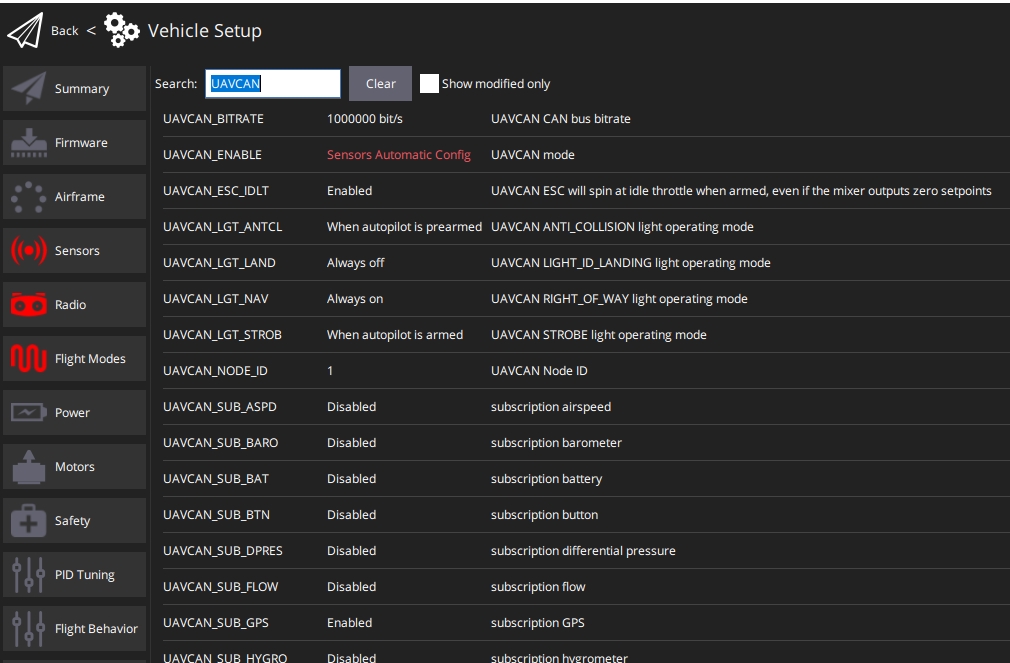
Open QGroundControl>Parameters and modify the following parameters
UAVCAN_ENABLESet toSensors Automatic config.UAVCAN_SUB_GPSSet toEnable.