Reset parameters
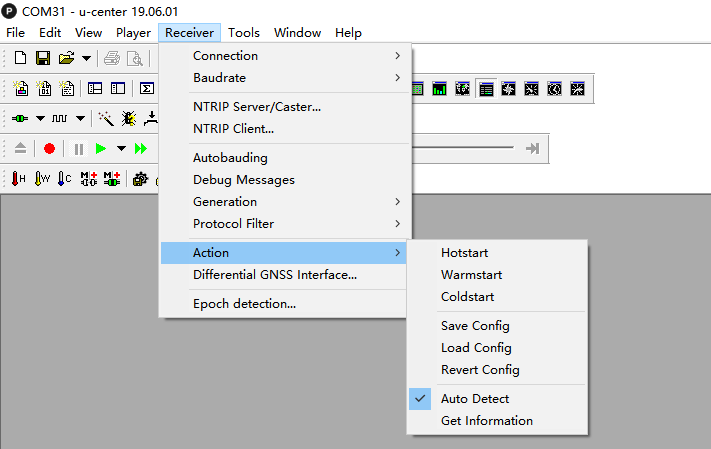
When you want C-RTK 9Ps to work with default parameters or the flight controller prompts when GPS configuration fails, you can reset the parameters through the following steps.
- Connect the C-RTK 9Ps to the computer using a USB cable
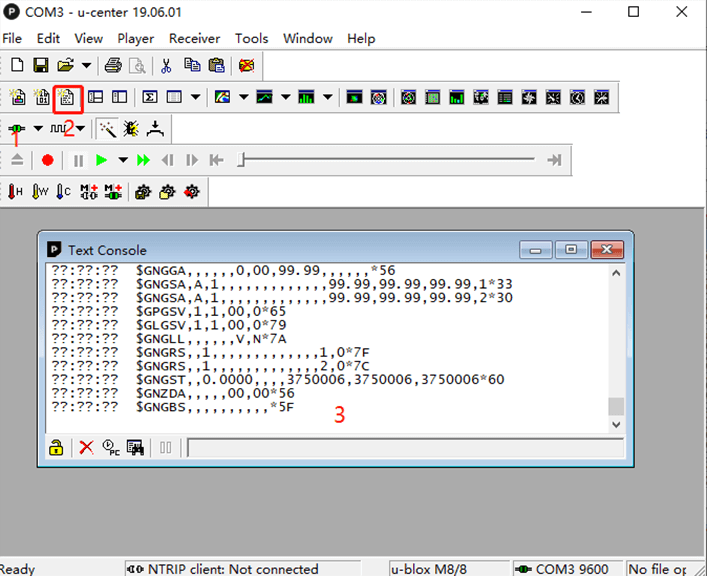
- Open U-cent software and connect C-RTK 9Ps
- Click “Receiver->Action->Revert config”