Upgrade firmware
This article mainly describes how to upgrade the firmware for C-RTK 2HP.
Firmware release notes
Firmware v1.107 was released on 2026-10-9, with the following main updates:
- Added the ability to upgrade the receiver firmware over CAN.

- Added PPP (Precise Point Positioning) support, enabling high-precision positioning without an RTK base station.
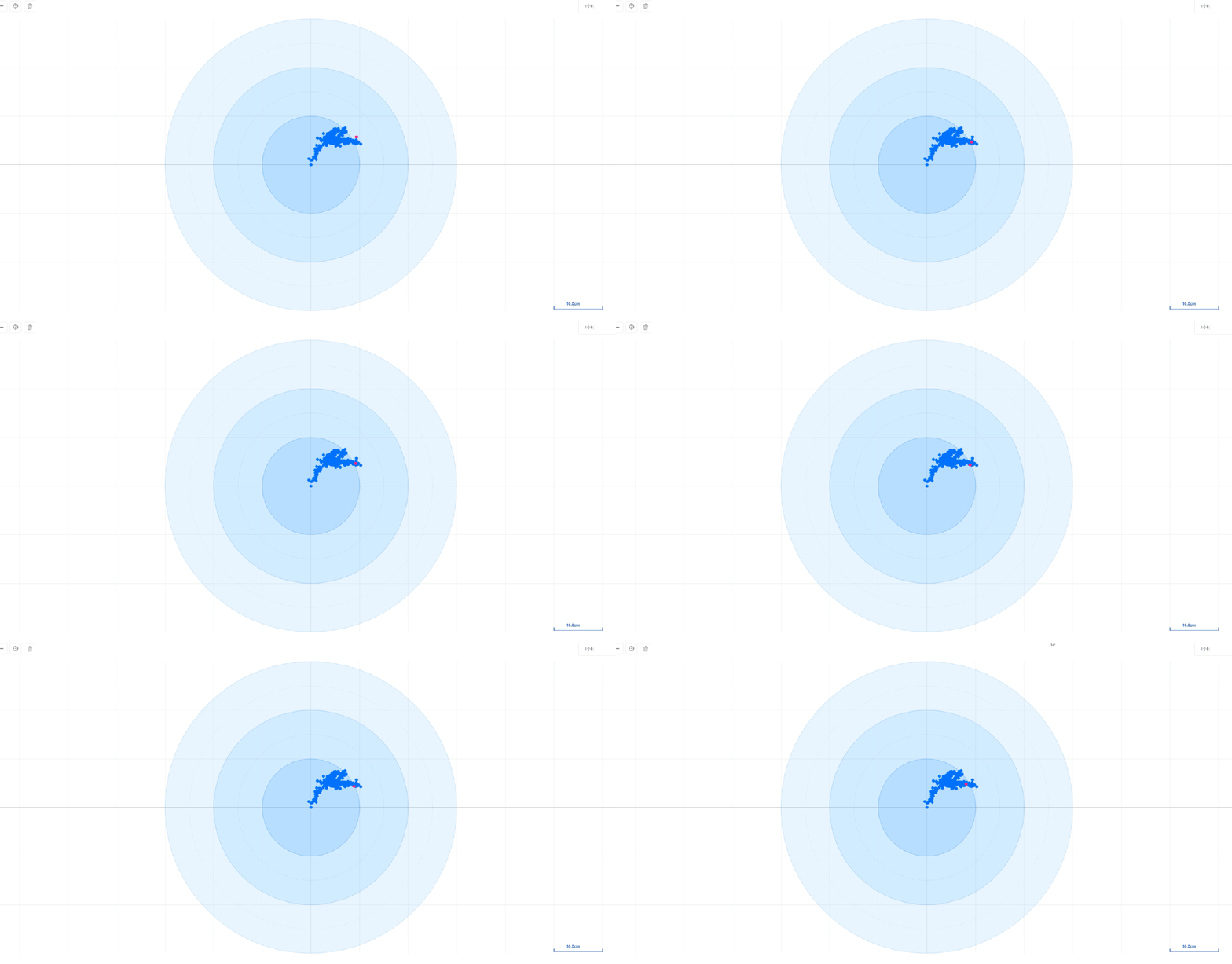
▲ PPP precise point positioning accuracy: 10cm

- Added GNSS_Quality message support, which pushes RF interference and spoofing monitoring information to the ground station for display, making it easier to keep the device operating safely.
- Significantly improved satellite lock capability.

- Better interference rejection.
NOTE
All C-RTK 2HP units delivered after October 1, 2026 are upgraded at the factory and do not need to be upgraded again.
Preparations before upgrade
- Flight controller running ArduPilot firmware
- Download Mission Planner
- Download the C-RTK 2HP firmware package (contains the system firmware and the receiver firmware)
- Connect the C-RTK 2HP to the controller
Upgrade system firmware
The system firmware is the C-RTK 2HP device firmware. After the upgrade, you can check the software version in the DroneCAN/UAVCAN page of Mission Planner.
Using Mission Planner
- Connect the C-RTK 2HP to the controller (running ArduPilot firmware).
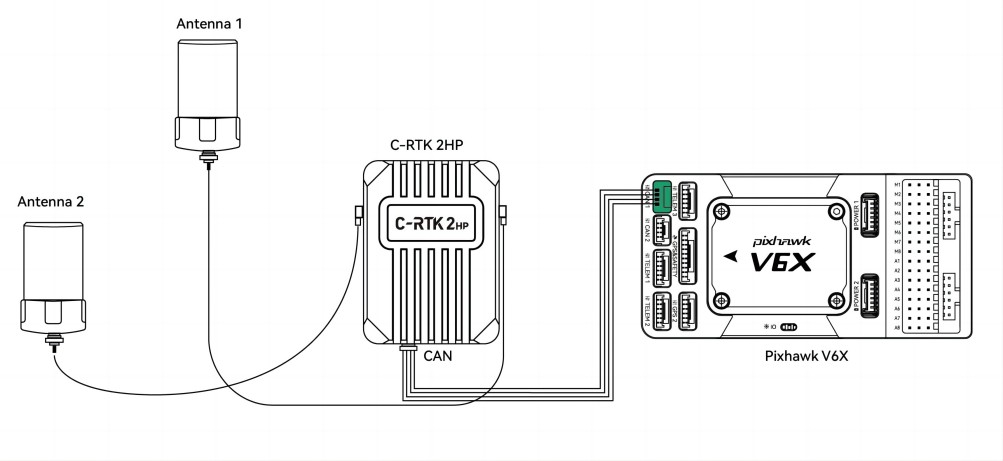
- Connect the controller to the computer with a USB cable.
- Run Mission Planner and connect, then go to "SETUP → Optional Hardware → DroneCAN/UAVCAN".
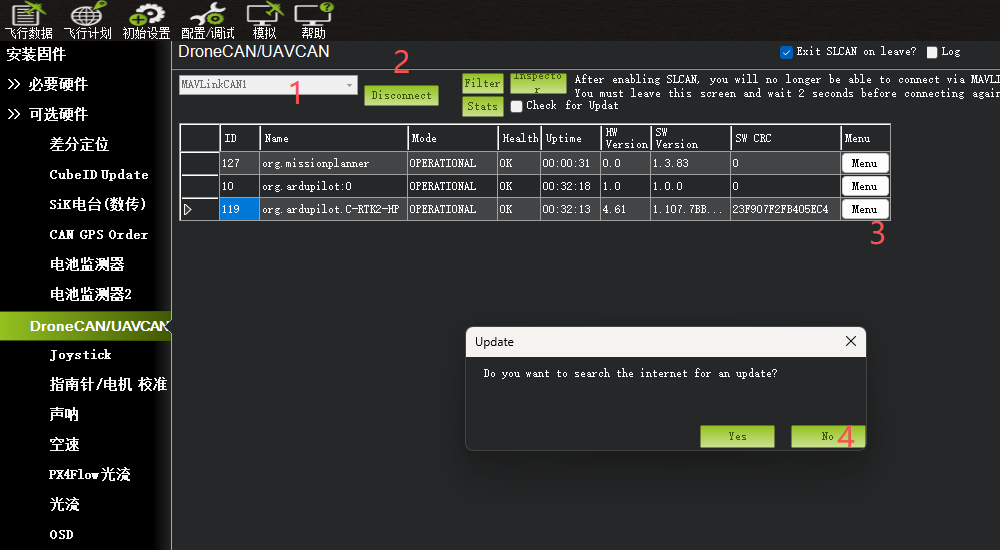
- Select MAVLinkCAN1/2 according to your hardware connection to get the CAN device list; click the "Menu" control on the right of the C-RTK 2HP device and select "Update", then choose "No" in the online upgrade dialog to upgrade from a local file.
- In the file selector, choose
C-RTK-2HP-v1.107.binfrom the firmware package and open it, then wait for the upgrade to finish. - The software version becomes
1.107.7BB07A09, which means the system firmware upgrade succeeded.

Upgrade receiver firmware
The receiver firmware is the firmware of the GNSS module inside the C-RTK 2HP. It can be upgraded in two ways.
Method 1: Upgrading over CAN
NOTE
Upgrading the receiver firmware over CAN requires system firmware v1.107 or later. Complete the system firmware upgrade above first.
- In the DroneCAN/UAVCAN page, click the "Menu" control on the right of the C-RTK 2HP device and select "Parameters" to read the device parameter list.
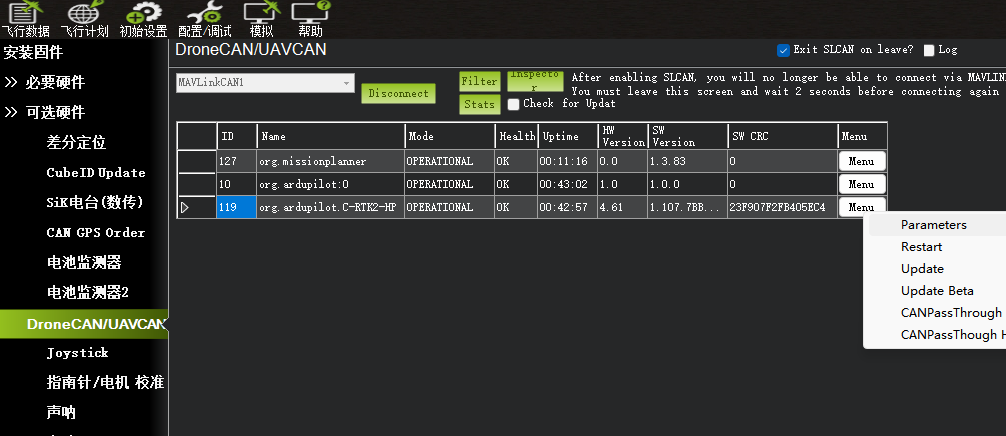
- Set
GPS_UPDATE_FWto 1 and write the parameter; do not power off, go straight to the next step.
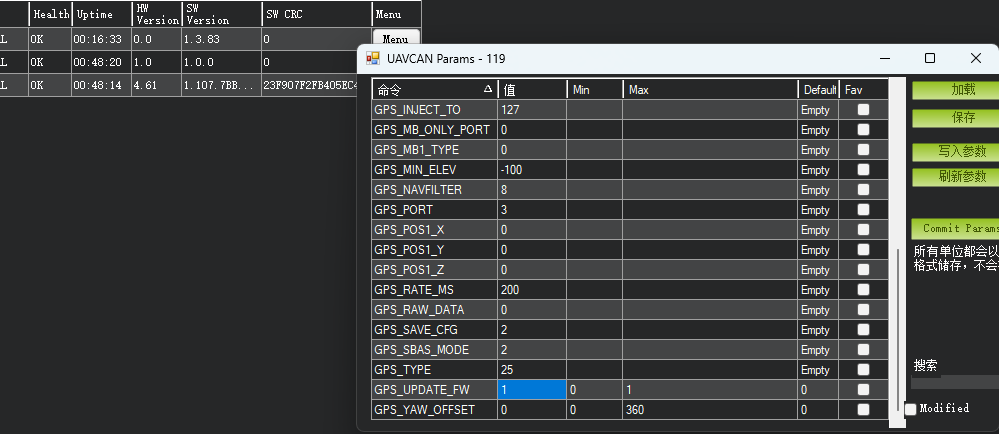
- Click the "Menu" control again, select "Update", and choose the
gnss_can_v164.binfile from the firmware package, then wait for the upgrade to finish.
Method 2: Using Uprecise
- Connect the C-RTK 2HP to a computer with a USB cable
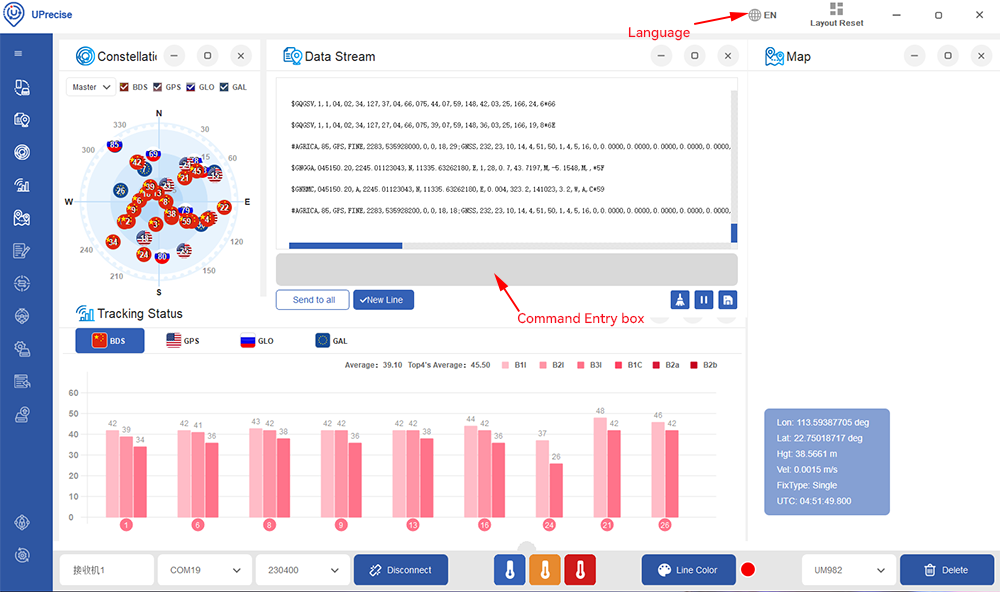
- Run the Uprecise software and follow the steps below to upgrade the firmware.