

Hardware connection
Base station connected to computer
- The base station module is connected to the computer usb interface through the type c cable
- Telemetry is connected to another USB interface of the computer.
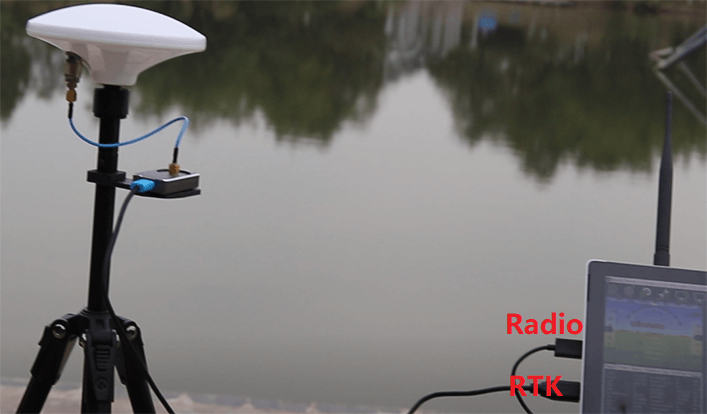
NOTE
When using, please place the base station outdoors with enough sky coverage to get a good search signal. Place the base station on a stable and elevated platform, such as a tripod.
Rover station connected to V5+ or V5 nano
NOTE
Please use the C-RTK (for V5+/ V5 nano) wiring.
The 10pin port is connected to the V5+ or V5 nano GPS&SAFETY interface. 6 pin port connected to UART4 interface.
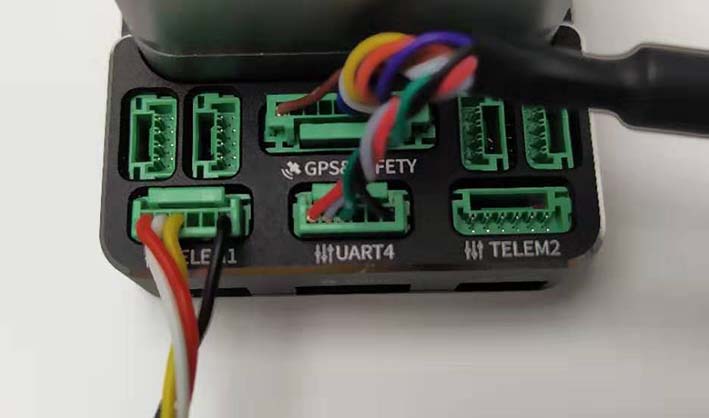
Telemetry: Connect to the TELEM(radio) interface.
Rover station connected to Pixhack
NOTE
Please use the C-RTK (for Pixhack) wiring.
The 6pin port is connected to the Pixhack GPS interface. 4 pin port connected to UART4 interface.
Rover station connected to Others
The C-RTK GPS pinout is provided below. This can be used to help modify the connector for other controller boards.
NOTE
The following interface description is C-RTK Cable (for Pixhack)
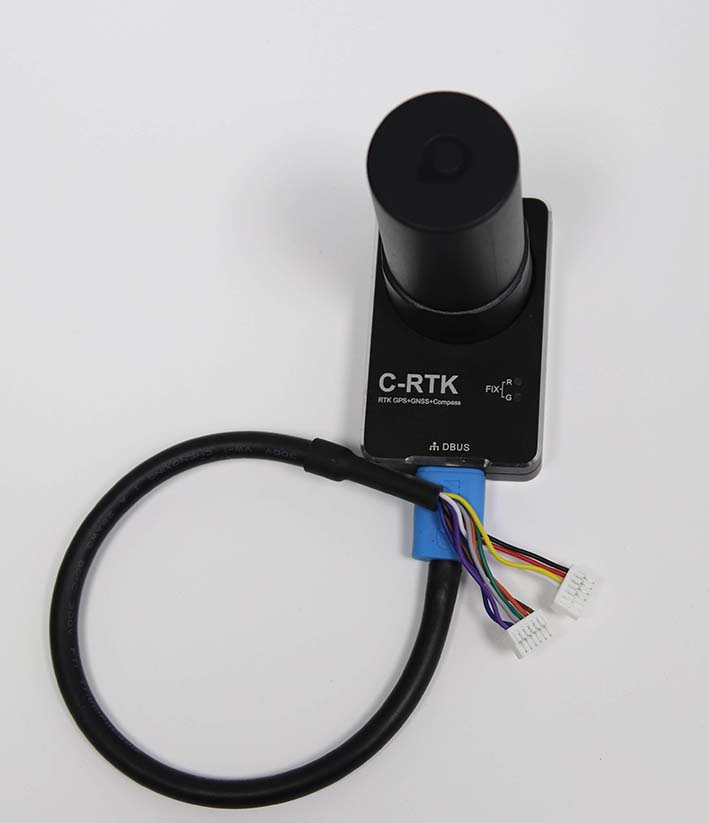
| pin | C-RTK GPS 6P | pin | Pixhawk 3 Pro GPS | C-RTK GPS 4P |
|---|---|---|---|---|
| 1 | SDA | 1 | VCC | |
| 2 | SCL | 2 | GPS_TX | |
| 3 | GPS_RX | 3 | GPS_RX | GPS_RX |
| 4 | GPS_TX | 4 | SCL | GPS_TX |
| 5 | VCC_5V | 5 | SDA | VCC_5v |
| 6 | GND | 6 | GND | GND |
NOTE
The following interface description is C-RTK Cable (for V5+ or V5 nano)
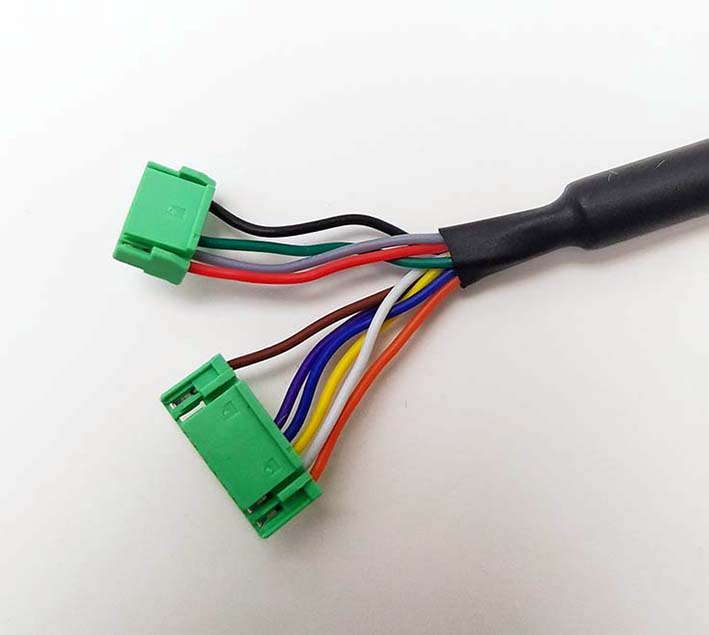
| PIN | C-RTK GPS |
|---|---|
| Color | GND |
| Green | TX(M8N GPS) |
| Grey | RX (M8N GPS) |
| Red | VCC(5V) |
| Brown | GND |
| Purple | SDA |
| Blue | SCL |
| Yellow | TX(RTK) |
| White | RX(RTK) |