

Use Tutorial
Hardware Connection
Connect to CAN/UART devices (both at the same time) with the supplied cables, and connect to a computer with a USB cable.
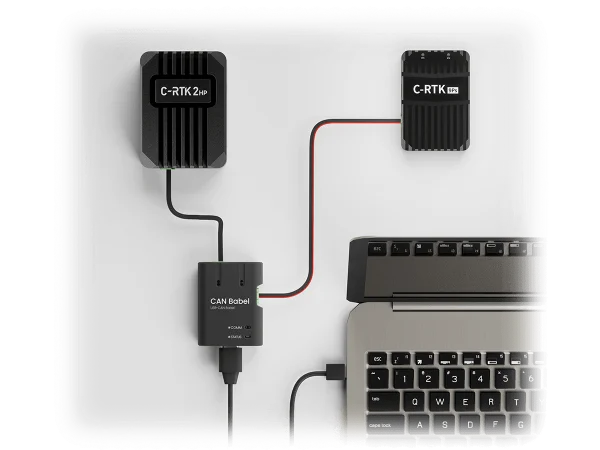
Identify the UART/CAN Device Port
Download the latest DRONECAN GUI Tools: download link
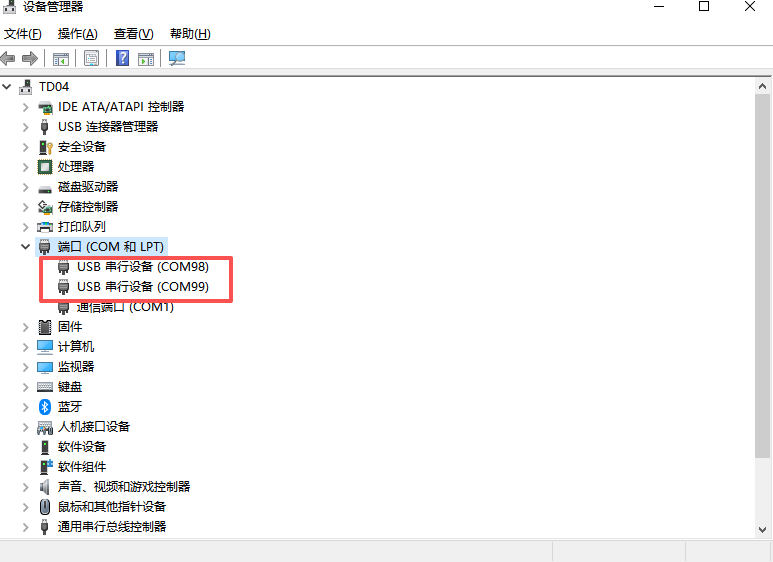
After the device is connected, open Device Manager and check whether two serial ports are generated.
Port description
One serial port is the SLCAN port, and the other is the USB-UART port.
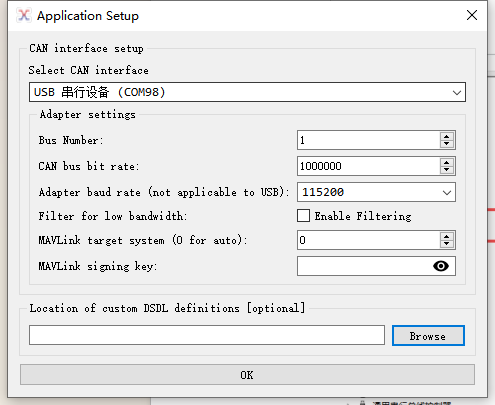
Select a port and click OK to try connecting, for example COM98.
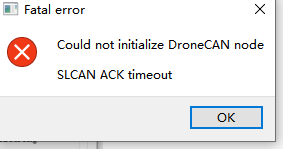
If the reply error shown below appears, it means:
- COM98 is not the SLCAN port but the UART port.
- The other port (here, COM99) is the SLCAN port.
Debug CAN Device
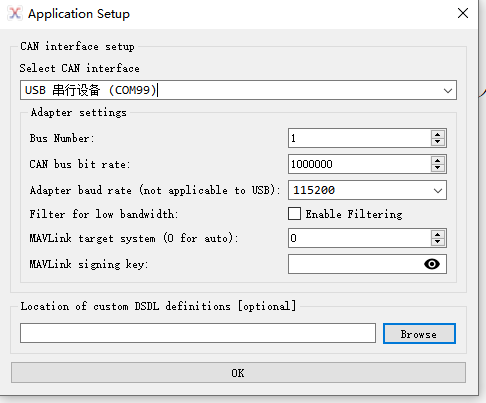
Select COM99 to connect.
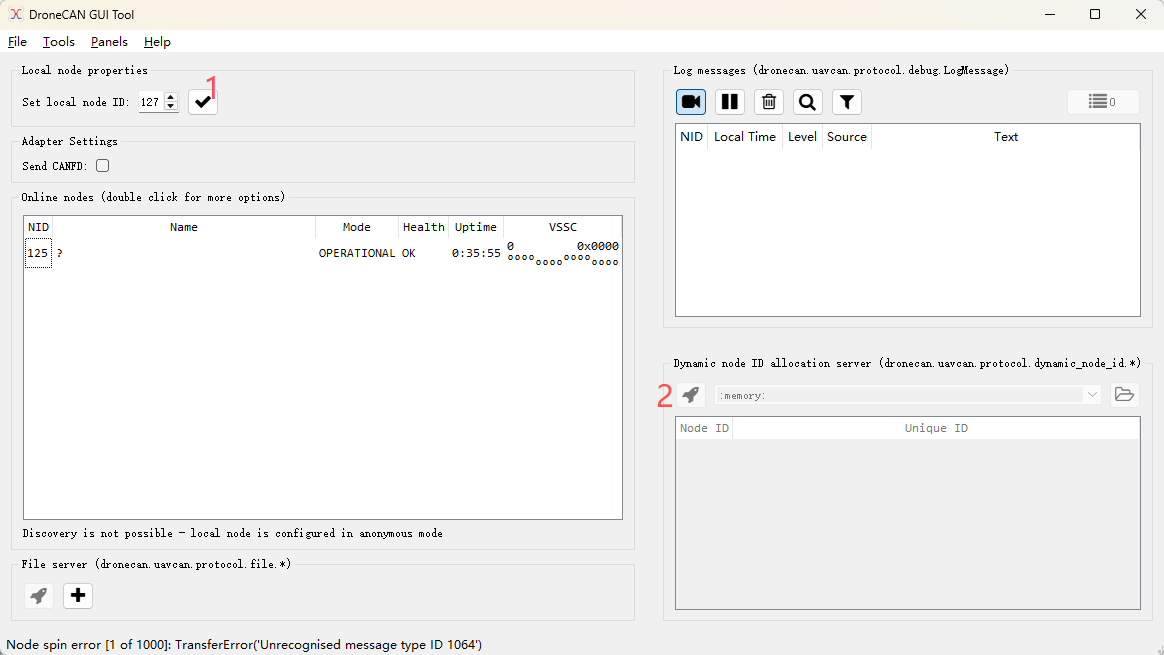
Select the node and click the icon shown.
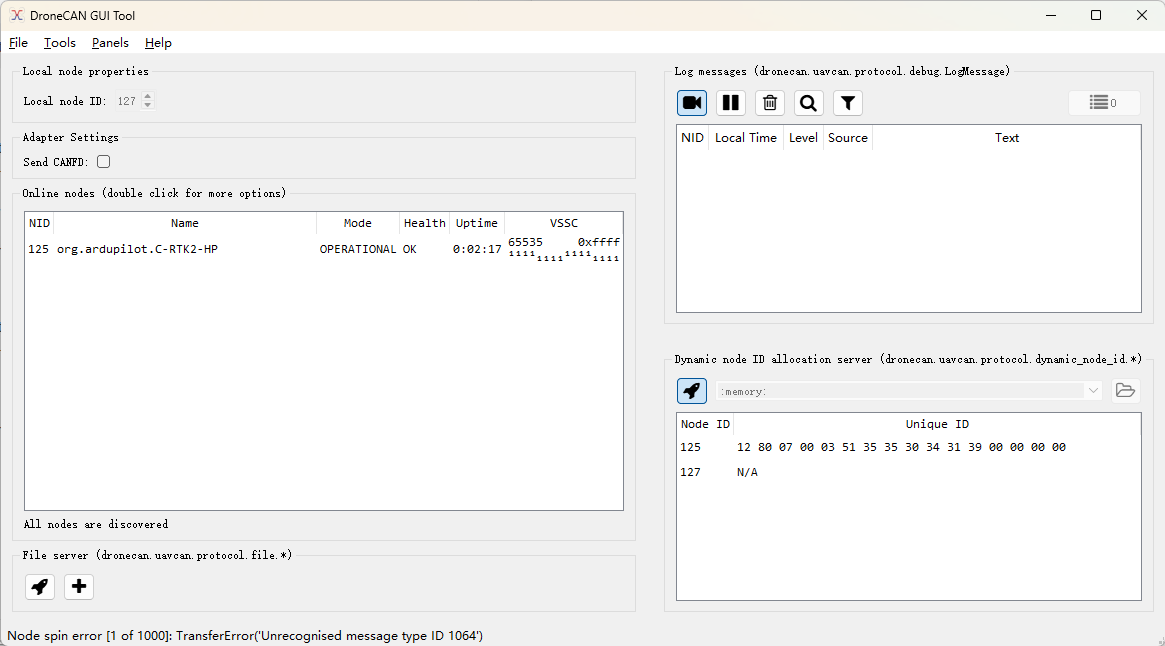
If CAN device information appears, the CAN device debugging environment is configured.
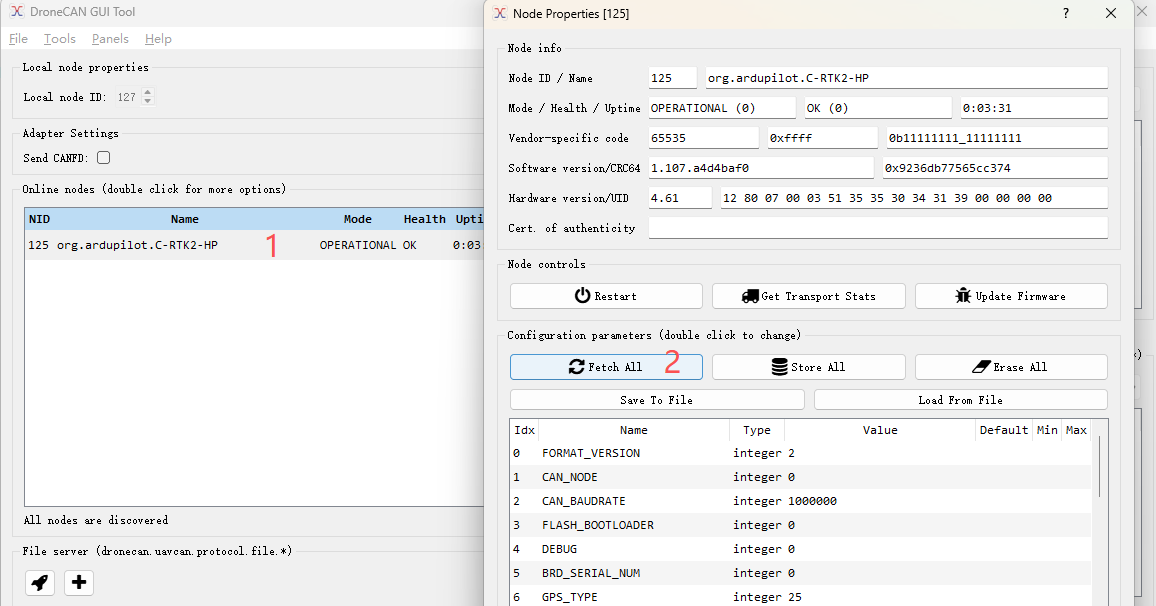
Click the CAN device to open its configuration window, where you can read CAN device parameters and modify and save them.
USB-to-UART Configuration
Change the serial baud rate to match the baud rate of the connected device as described in the Modifying CAN Babel Custom Parameters section.
- Restart CAN Babel.
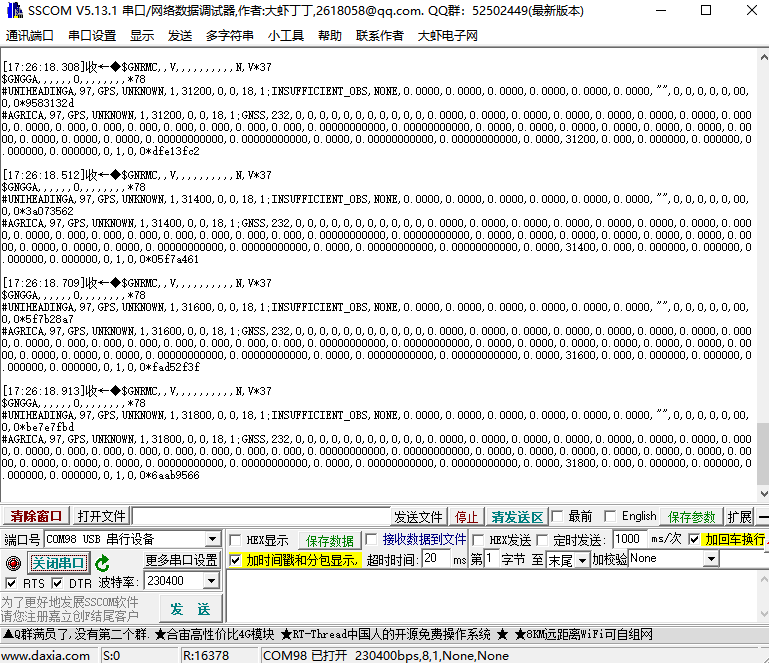
- Verify UART communication: open a serial port assistant, select the UART port (COM98 in this example), and set the baud rate to the device baud rate. Configure the serial assistant according to the device data format, then check the data or send commands to verify normal communication.
CAN Babel Parameters
NOTE
The following are internal configuration parameters for CAN Babel; do not modify them unless necessary.
| Parameter | Range / Options | Default | Description |
|---|---|---|---|
can.bitrate | — | — | Sets the CAN bus bit rate in bits per second. |
can.power_on | True/False | — | Enables CAN bus power output. |
can.terminator_on | True/False | — | Enables the internal CAN bus termination resistor. |
slcan.timestamping_on | True/False | — | Adds a timestamp to all incoming and outgoing CAN frames. |
slcan.flags_on | True/False | — | Enables SLCAN notification flags (SLCAN protocol extension). |
uart.baudrate | — | 115200 | Sets the baud rate of the UART port. |
Modifying CAN Babel Custom Parameters
Click Toos > CAN Adapter Control Panel > Configuration at the top to open the can-babel parameter configuration page.
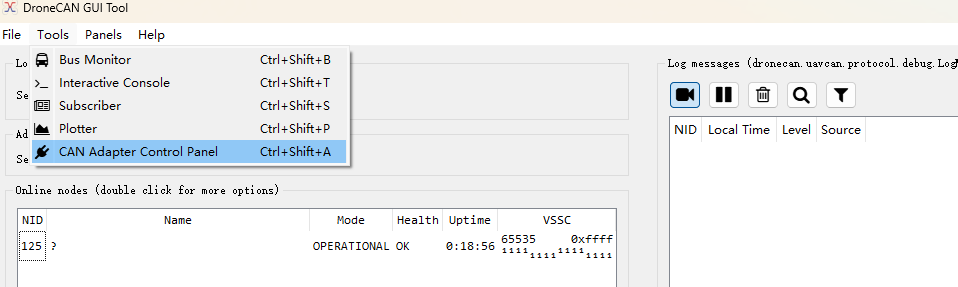
Using the serial baud rate as an example, change the aurt.baudrate parameter to match the target UART device's serial baud rate.
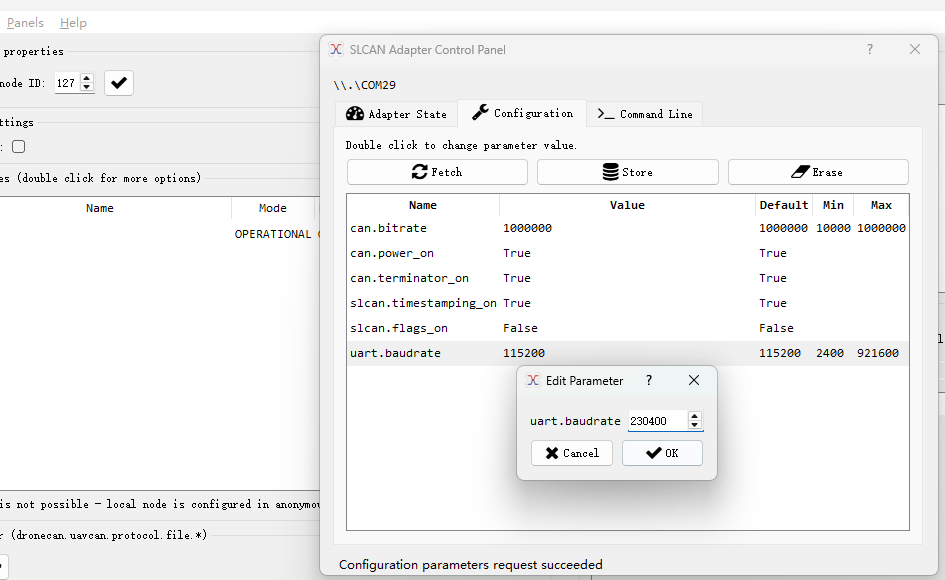
Click Store to save.