

Use Tutorial
Pinouts
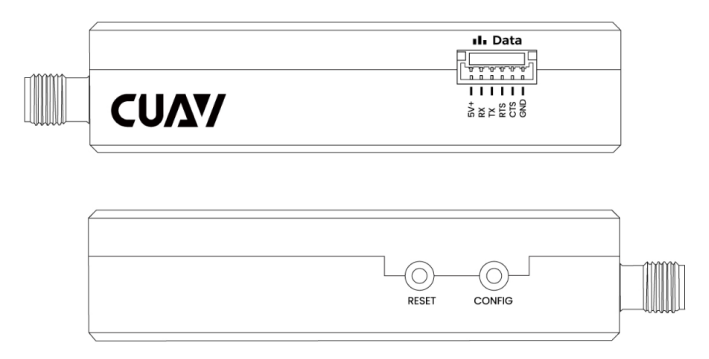
Hardware Connection
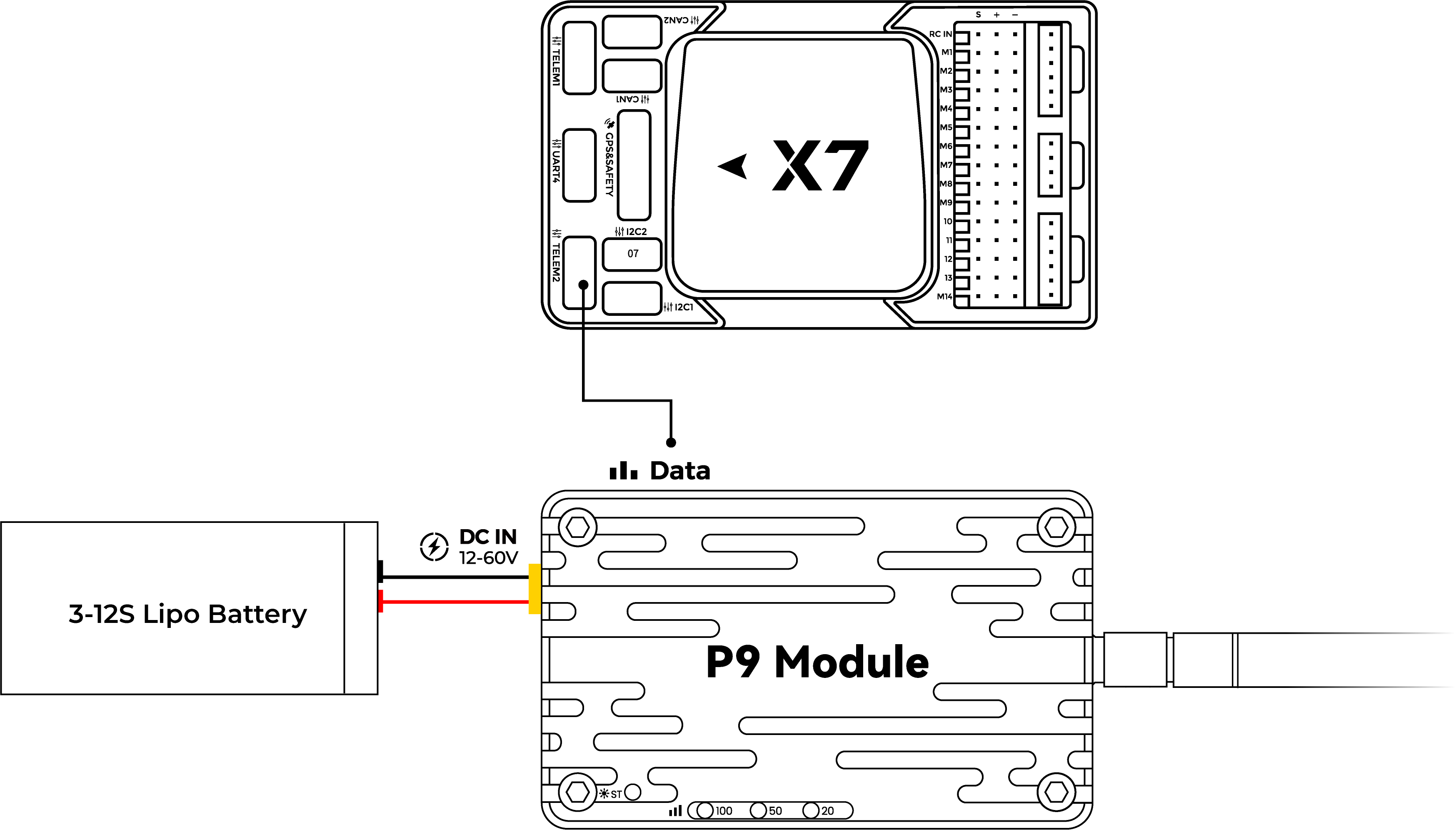
- PixHack series: plug into the controller's Radio port.
- Pixhawk series: connect to the controller's TELEM1 or TELEM2 port.
- V5+ / V5 Nano / X7 / X25 series: use the dedicated cable to connect the controller's TELEM1/TELEM2 port to the radio's Data port.
Power Supply
Transmit current peaks at 1.2 A. Use a separate power supply rated above 2 A; a V5+ controller can power the radio directly.
Connecting to Mission Planner
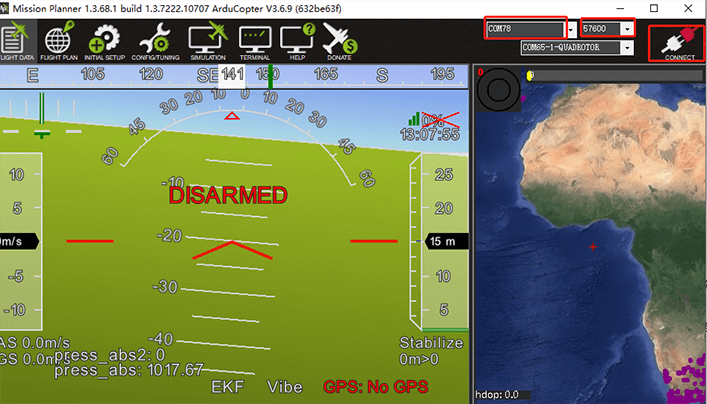
After connecting the hardware, select the radio's port, set the baud rate to 57600, then click Connect. Confirm the USB driver is installed first.
Connecting to LGC/QGC
After connecting the hardware, open the LGC ground station; it searches for the device and connects automatically.
If it does not connect automatically, click the LGC icon > Application Settings > Communication Connection, then select an existing link port and click Connect, or create a new connection. When creating a new connection, select serial (USB), choose the port for the radio, and set the baud rate to 57600.
Open the QGroundControl ground station; it connects automatically once the port is detected.