

Use Tutorial
Pinouts
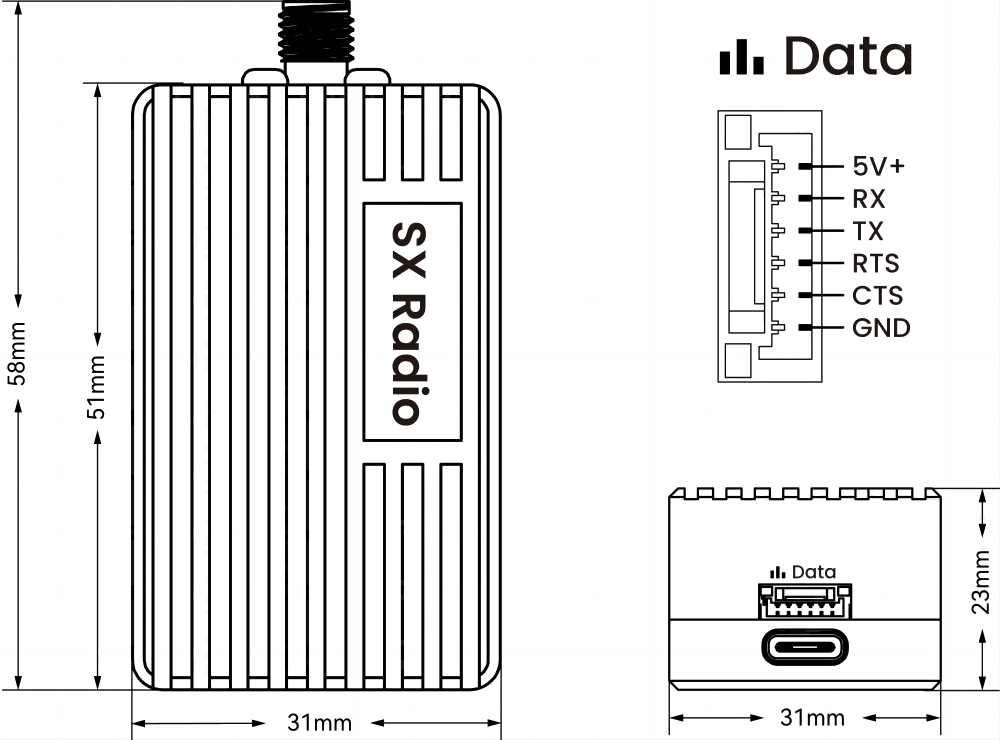
Hardware Connection
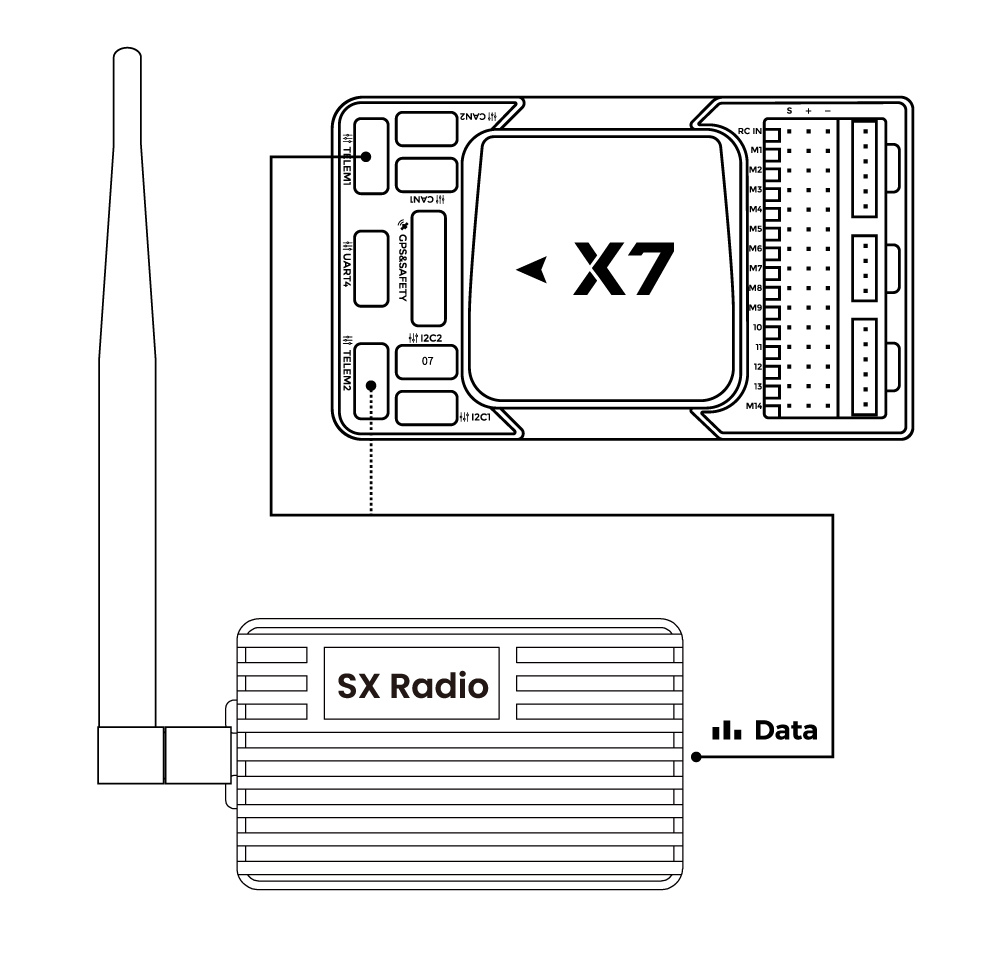
The module does not distinguish between receiver and transmitter. It has a built-in automatic switching chip: when USB is plugged in, data is switched to the USB port; when USB is absent, data is switched to the 6P GH1.25 port.
- PixHack series: plug into the controller's Radio port.
- Pixhawk series: plug into the controller's TELEM1 or TELEM2 port.
Power supply
The ground end must ensure USB port supply current greater than 250 mA; independent power supply is recommended where possible. Some older laptops, phones and tablets may not be able to supply enough power. Range may be shorter when using a phone OTG connection.
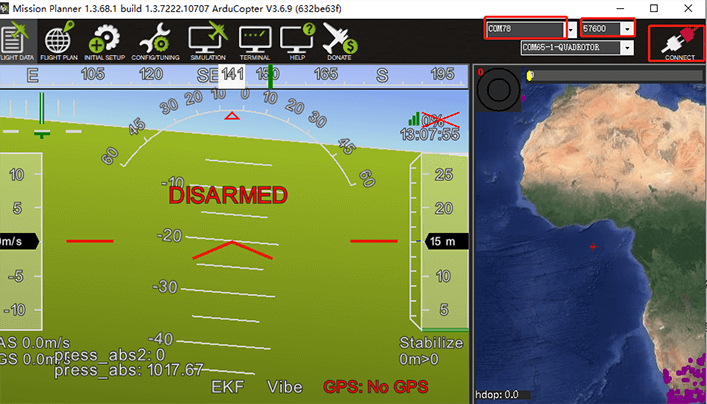
Connecting to Mission Planner
After connecting the hardware, select the port for the telemetry module, set the baud rate to 57600, and click Connect.
Connecting to LGC/QGC
After connecting the hardware, open the LGC ground station; it searches for the device and connects automatically.
If it does not connect automatically, click the LGC icon > Application Settings > Communication Connection, then select an existing link port and click Connect, or create a new connection. When creating a new connection, select serial (USB), choose the port for the radio, and set the baud rate to 57600.
Open the QGroundControl ground station; it connects automatically once the port is detected.