多旋翼机架类型和电机序号布局
本文介绍如何将电调、电机和螺旋桨连接至控制器。
电调电机与控制器的连接
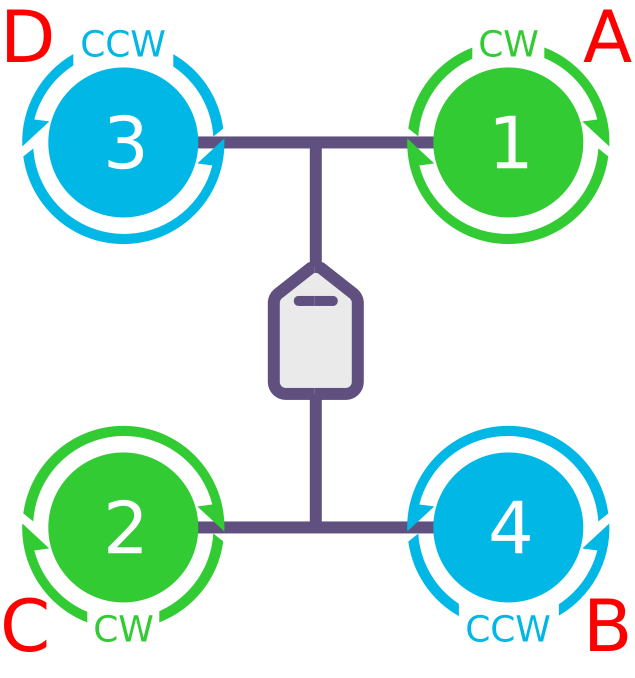
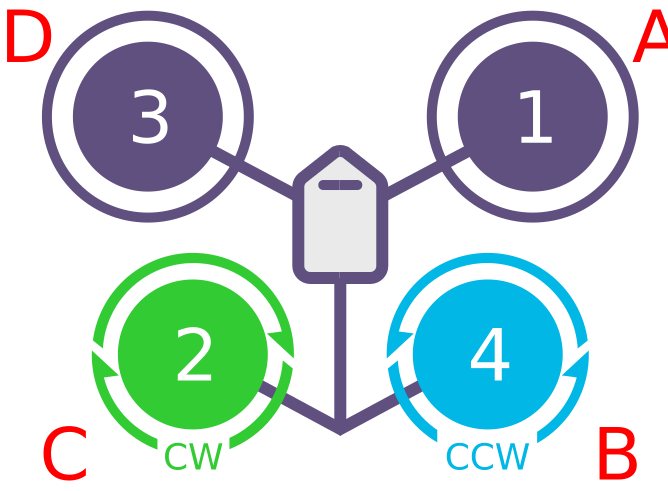
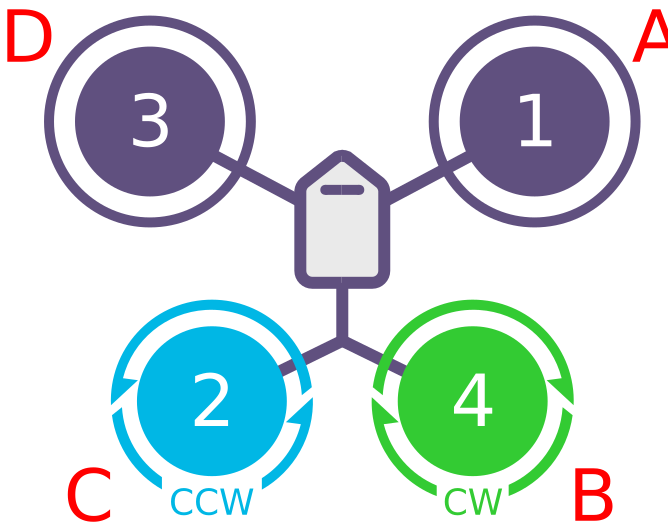
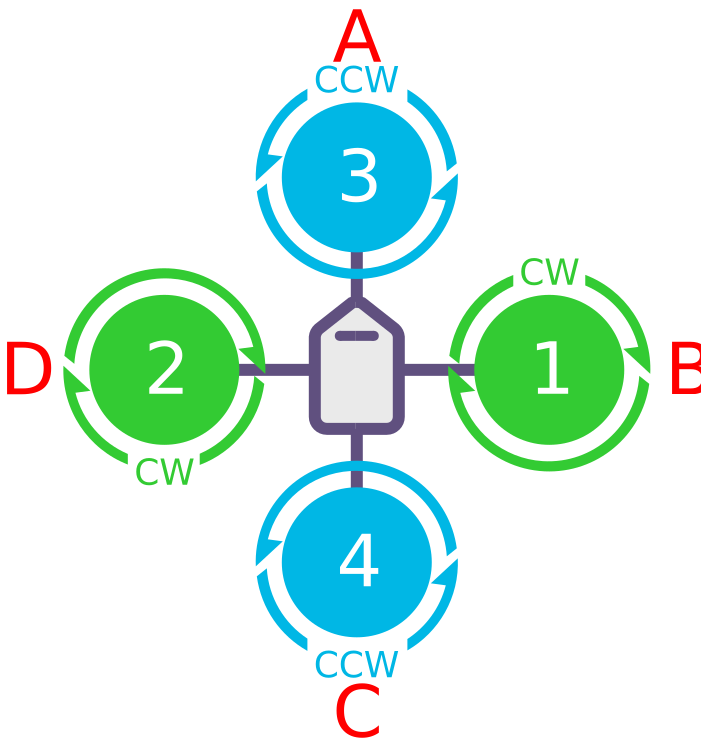
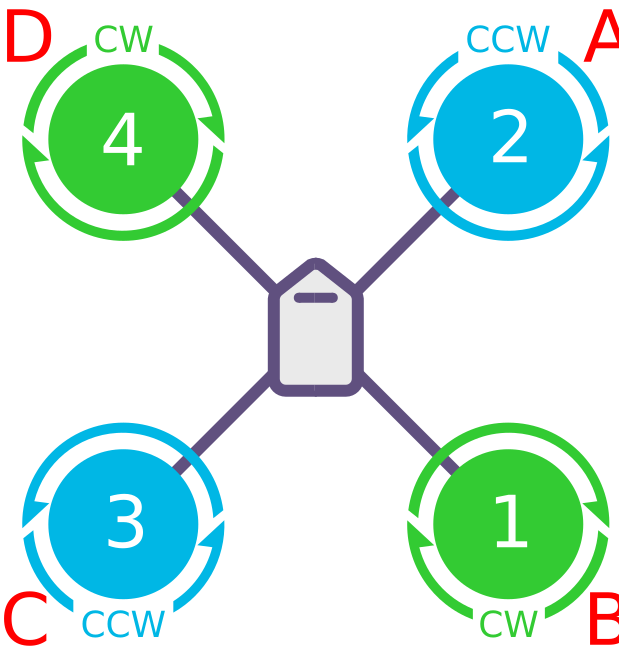
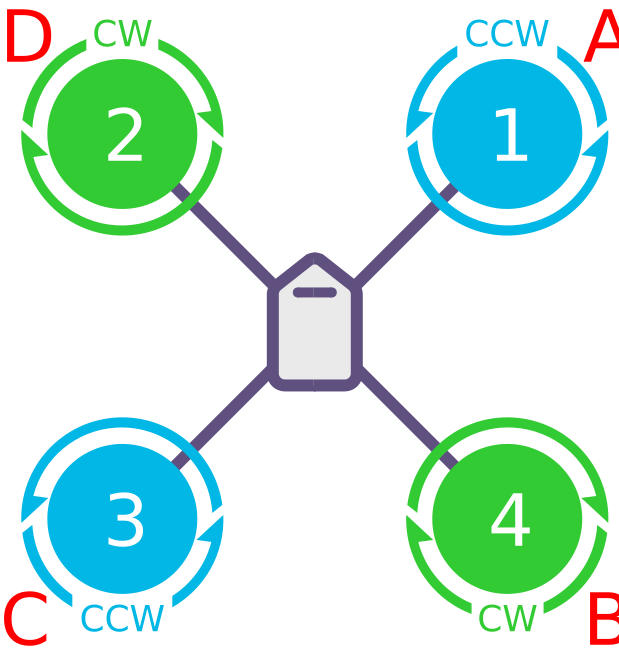
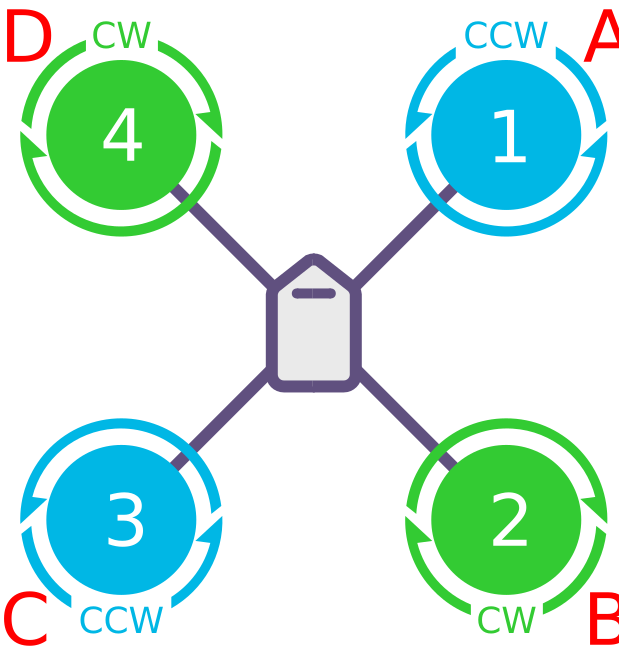
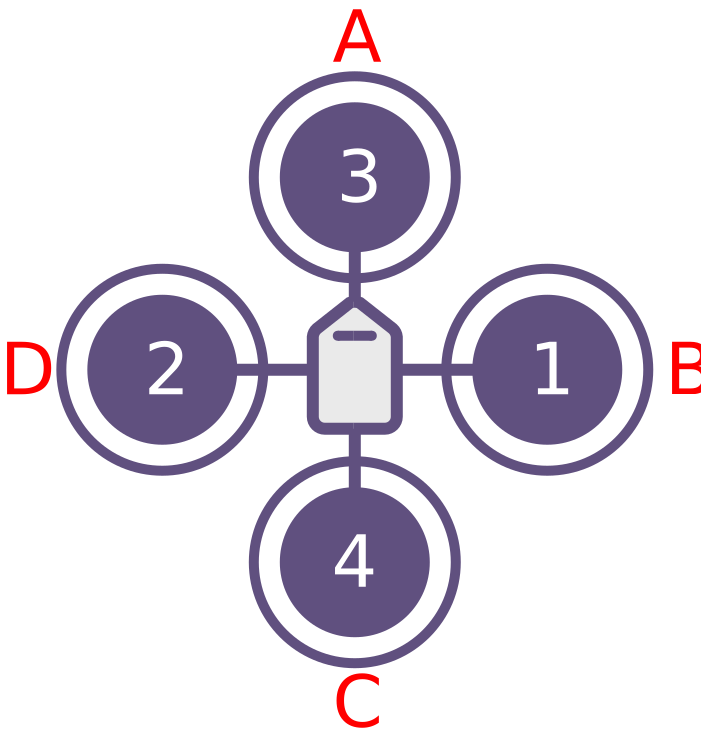
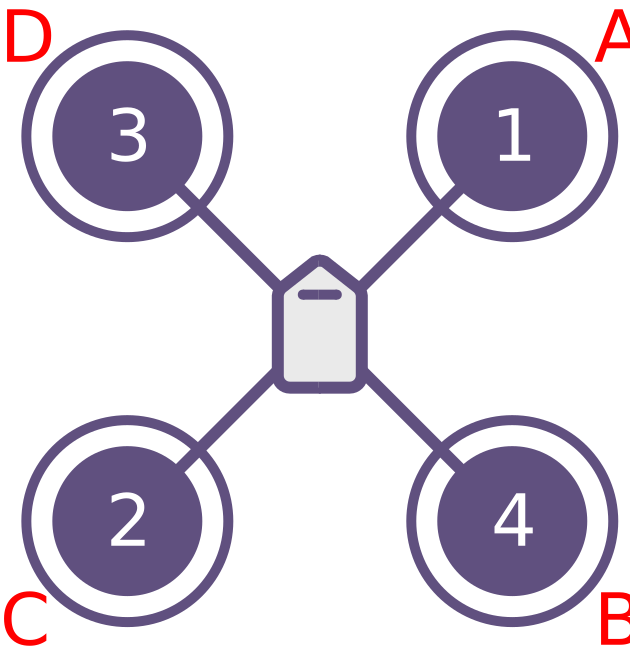
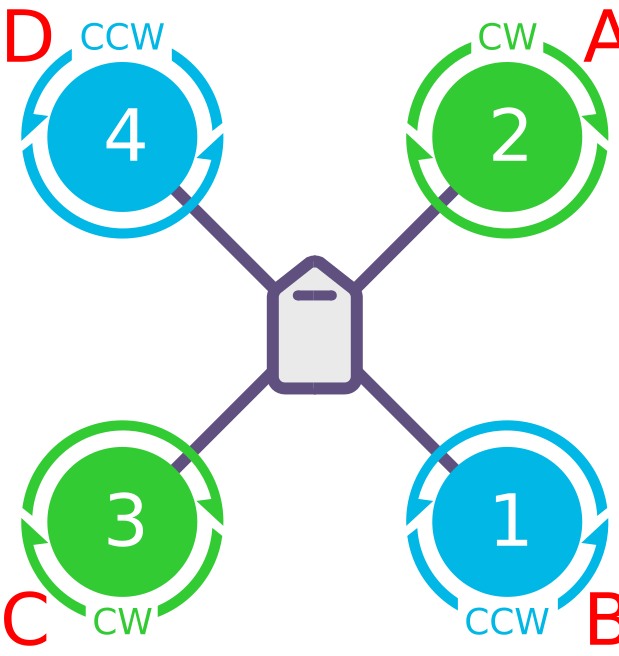
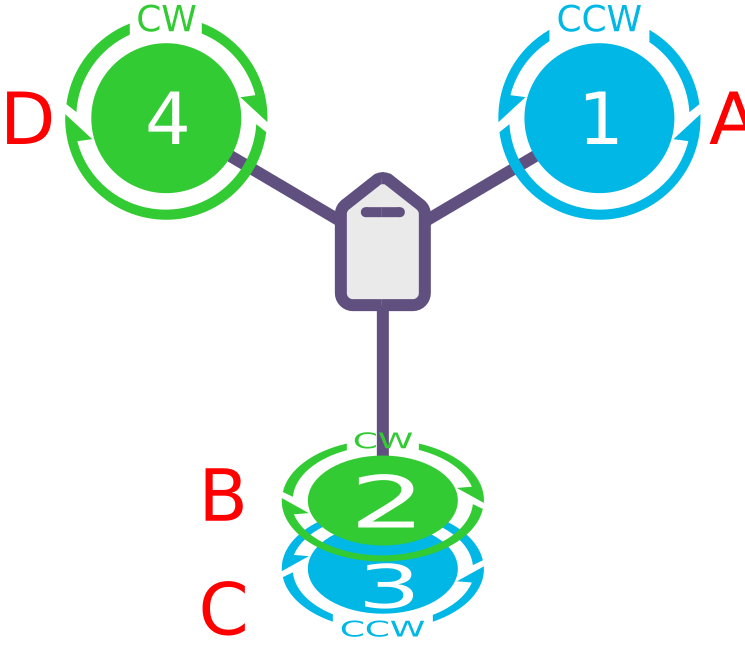
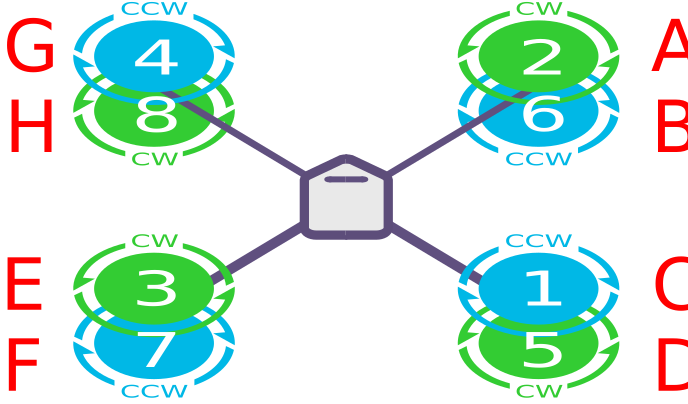
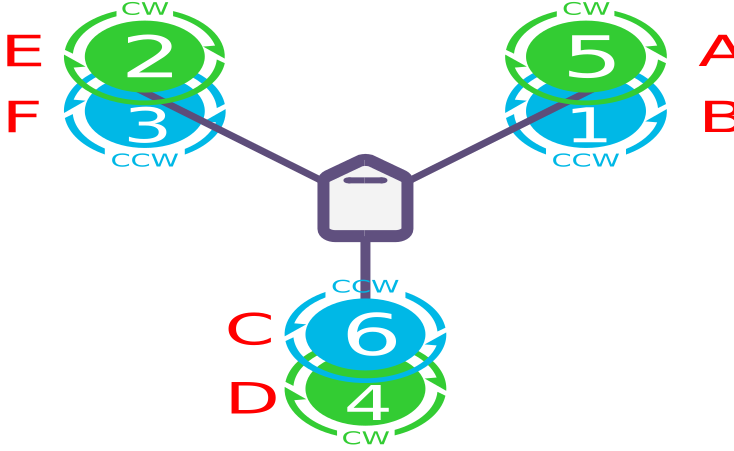
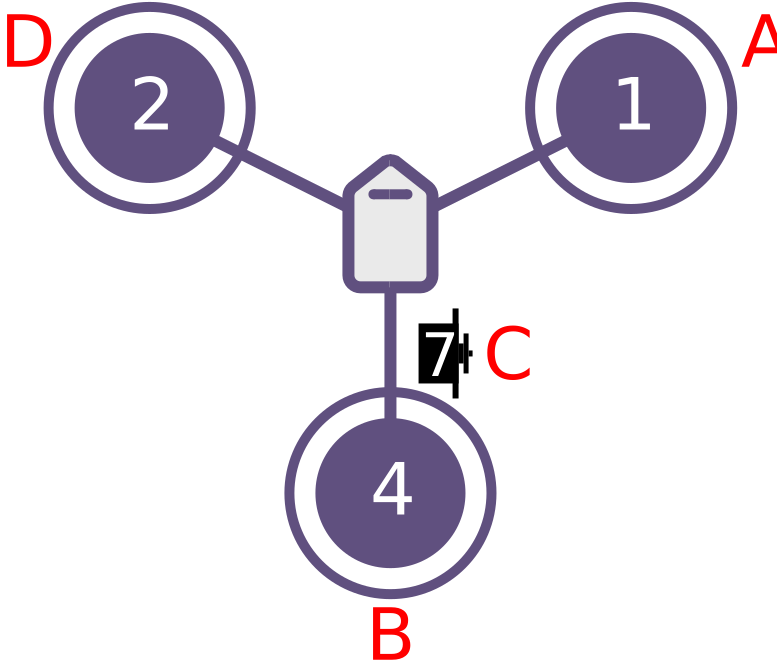
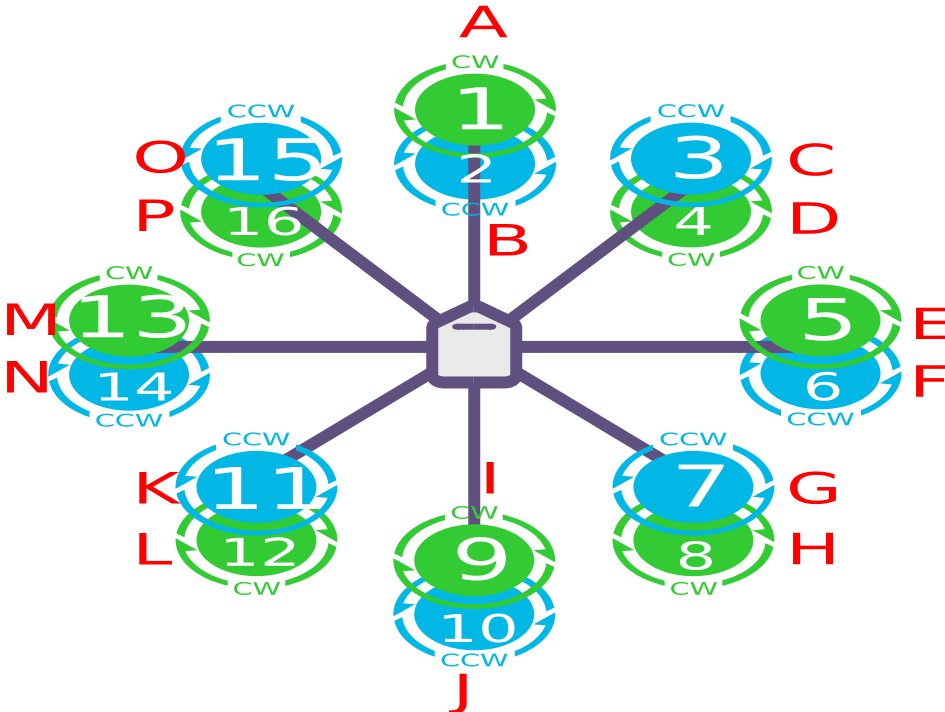
按在下方机型布局电机布局图,确定电机/电调的分配顺序;序号与控制器M1~M16标识顺序一一对应。如果带有协处理器(IO)的板子M9~M16,往往被标识为A1~A8。
四轴电机布局图
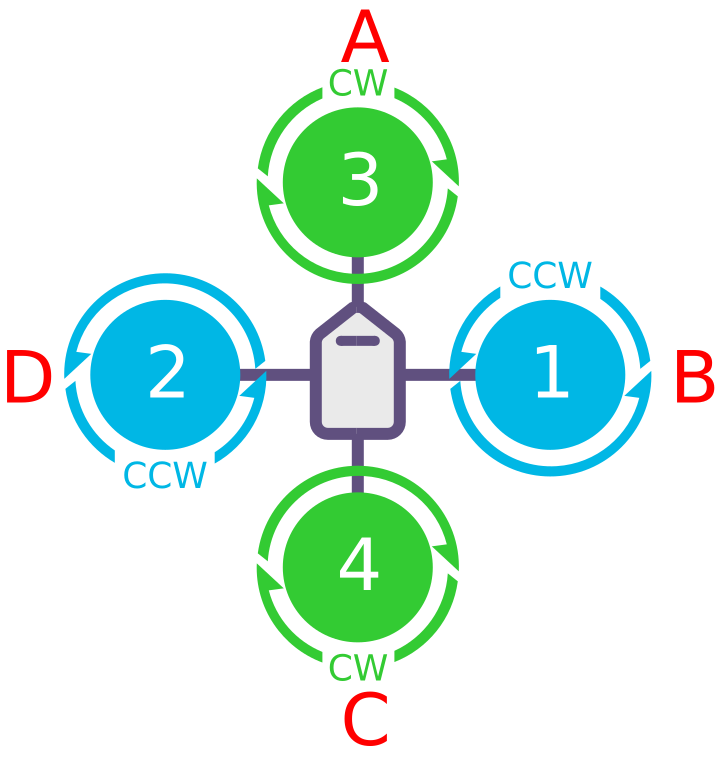
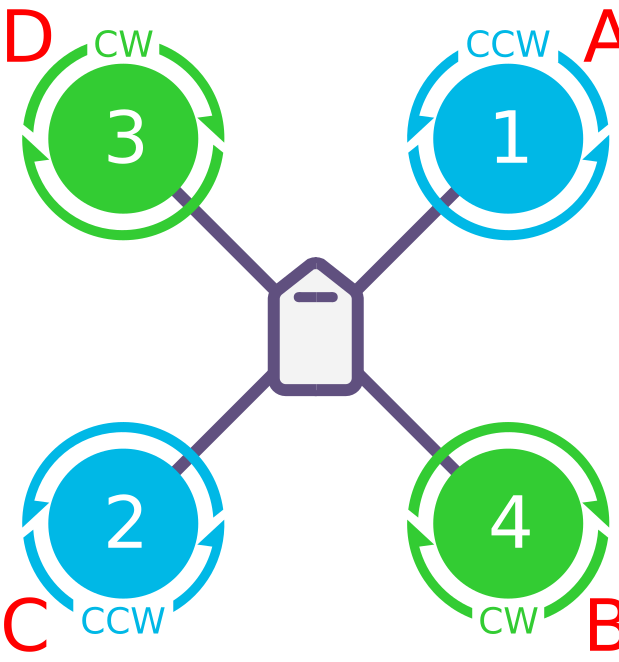
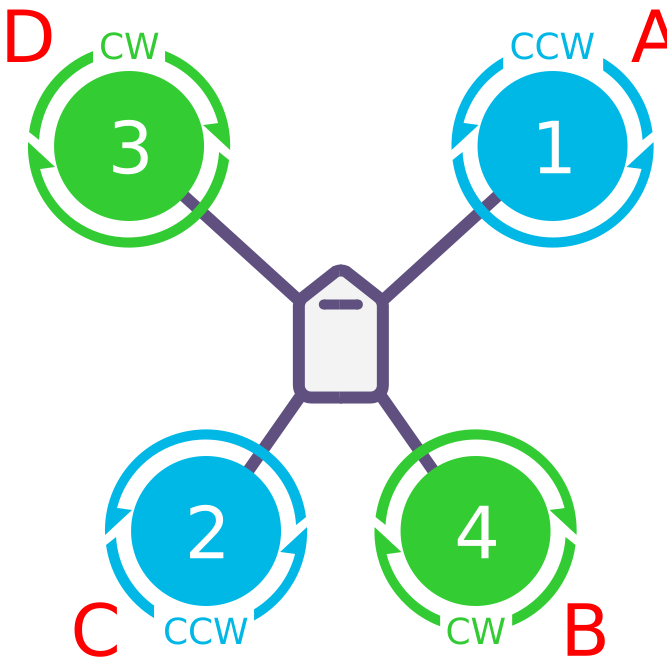
TIP
Quad A尾翼及V尾翼构型,偏航控制不依赖前部电机(NYT 模式)。电机转向不影响基础操作;但若前部电机非反向旋转,滚转、俯仰输入会引发不利偏航耦合,缩减偏航控制动态范围。
TIP
四轴 “无偏航力矩”(NO YAW TORQUE)框架,主要适用于垂直起降尾撑式布局,且需配备大型控制面。此类框架下,电机旋转方向对基础运行无关键影响;但如果电机转向未按标准四轴框架的常规模式设定,滚转与俯仰指令输入时,就会诱发不利偏航效应,进而削弱固定翼控制面的偏航控制动态范围。
六轴电机布局图
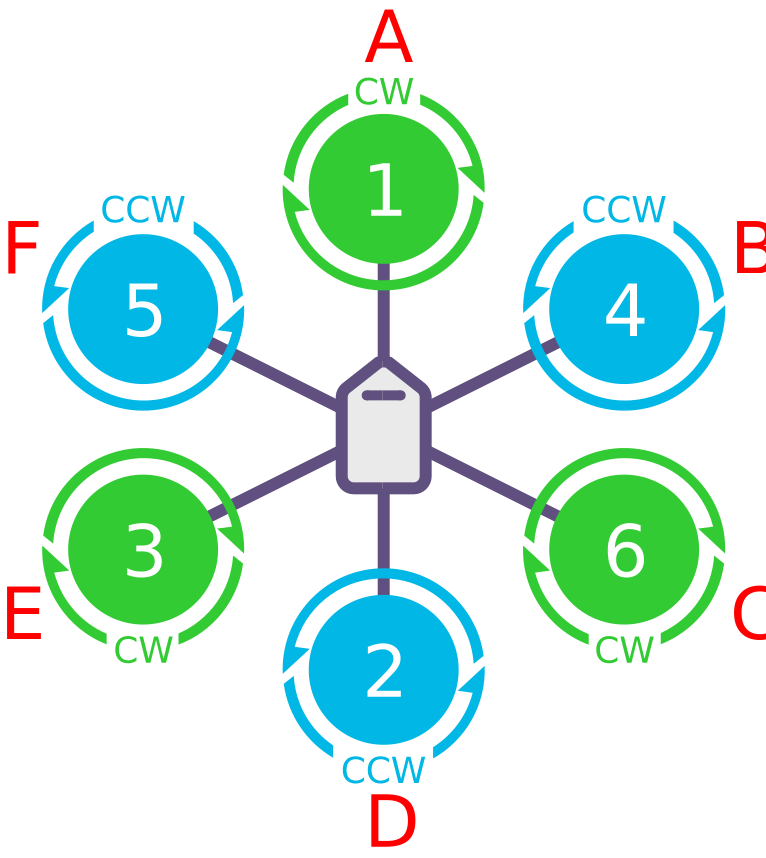
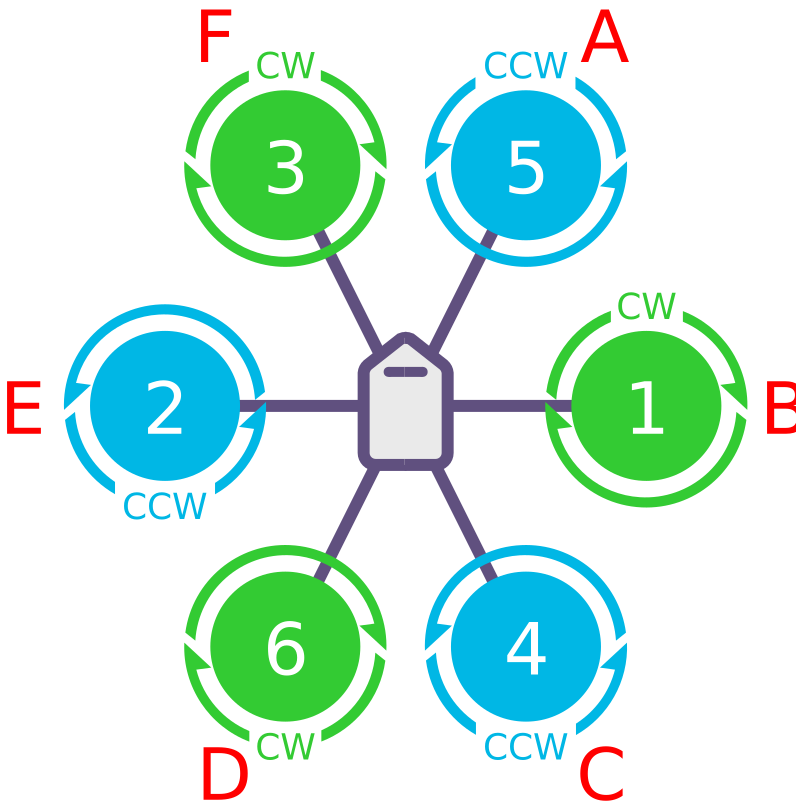
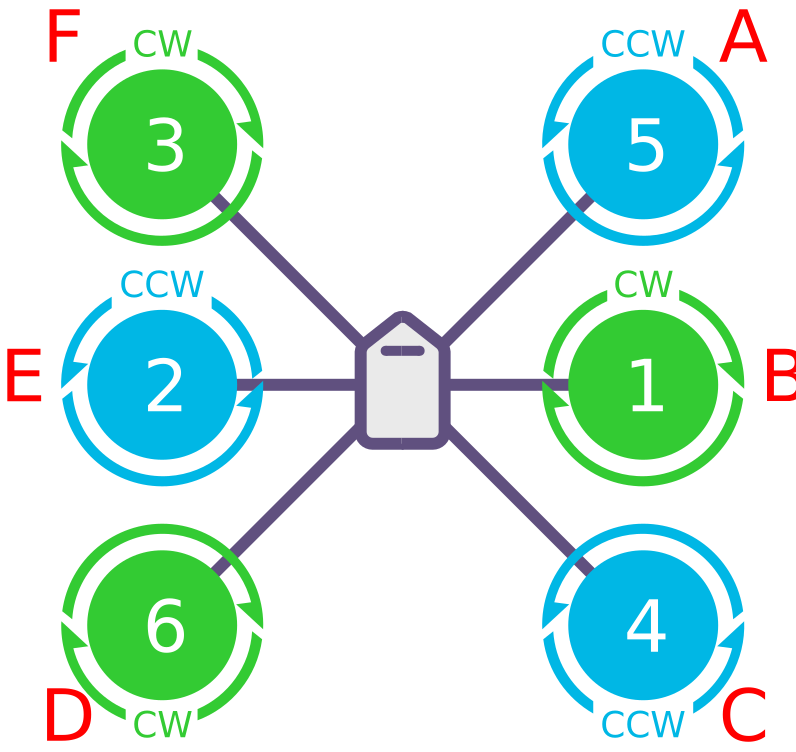
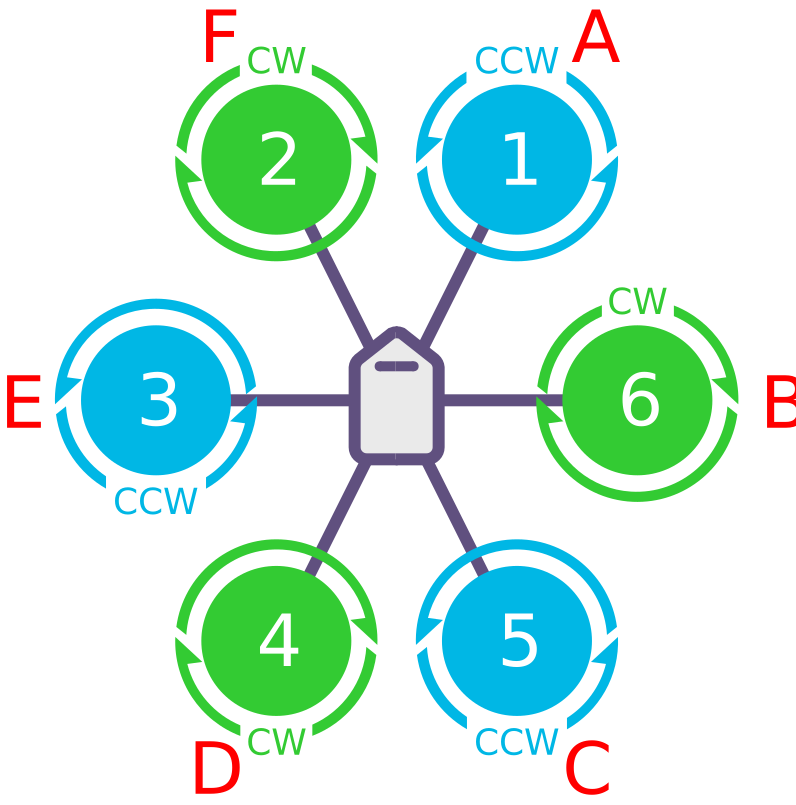
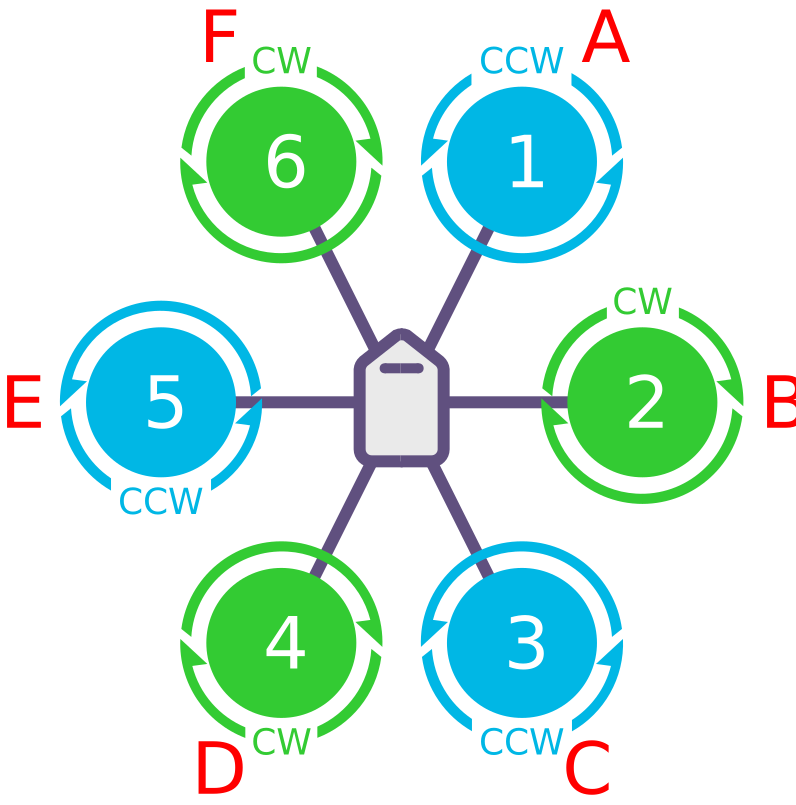
八轴电机布局图
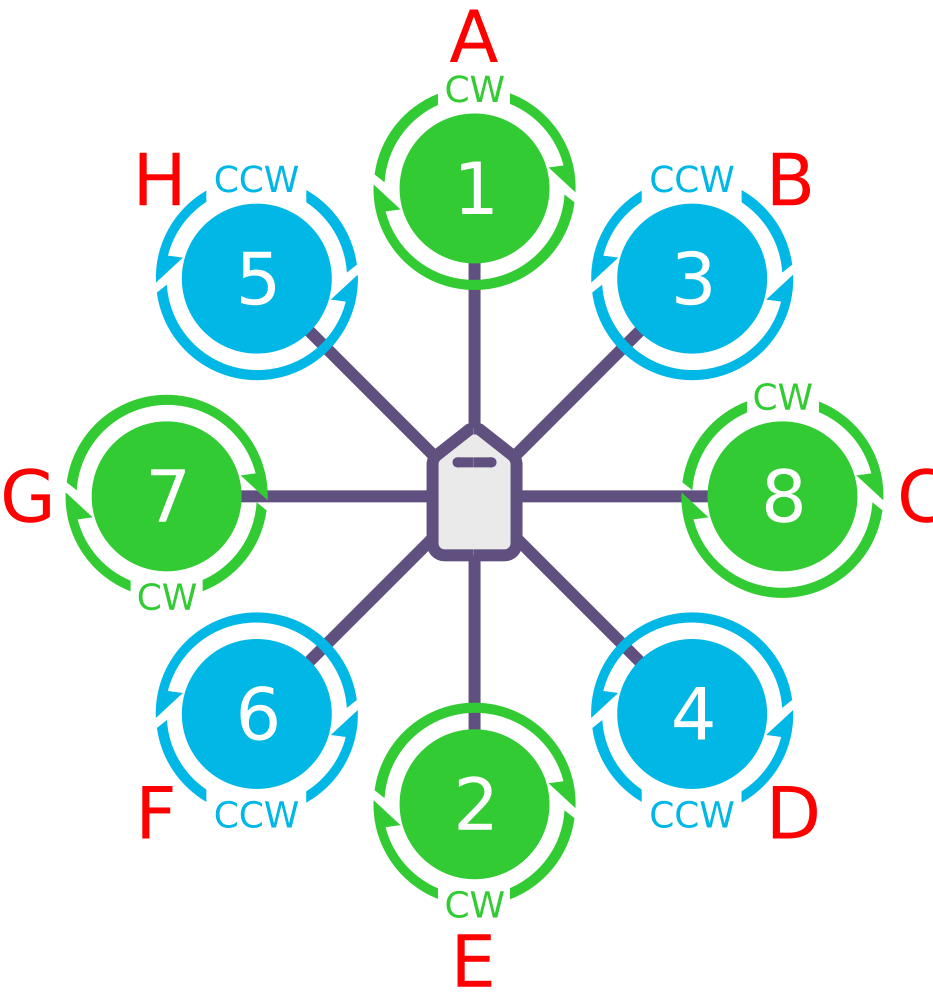
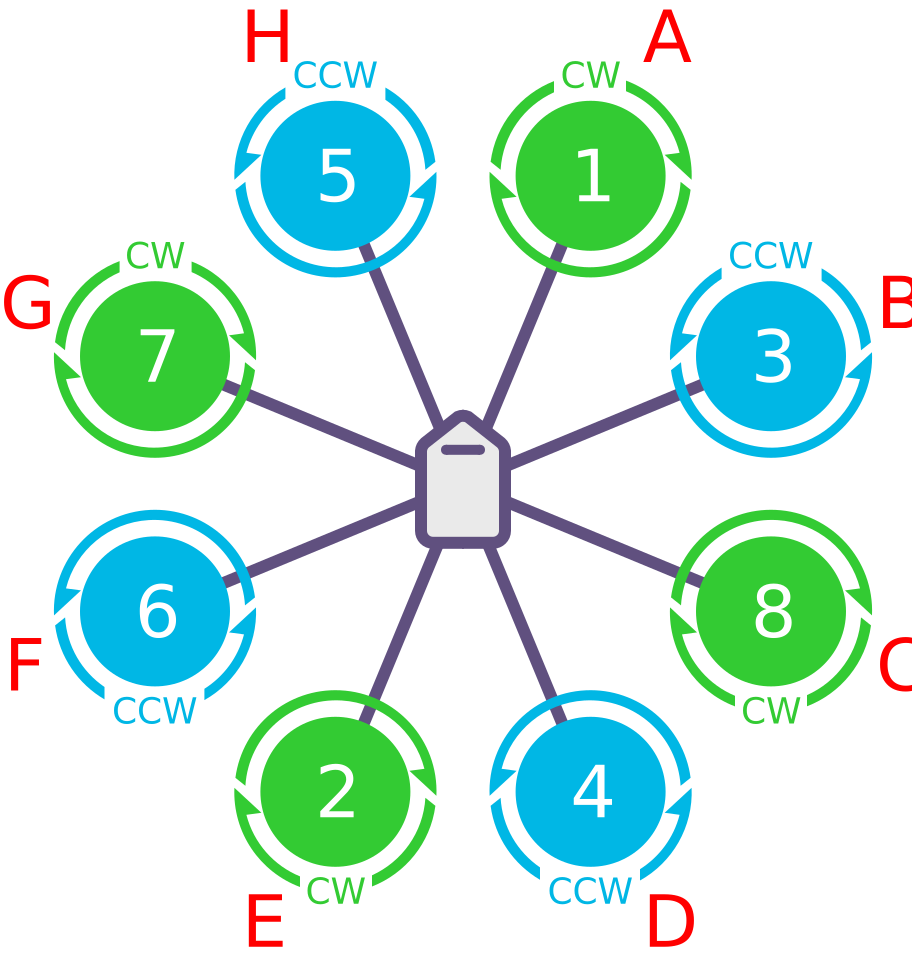
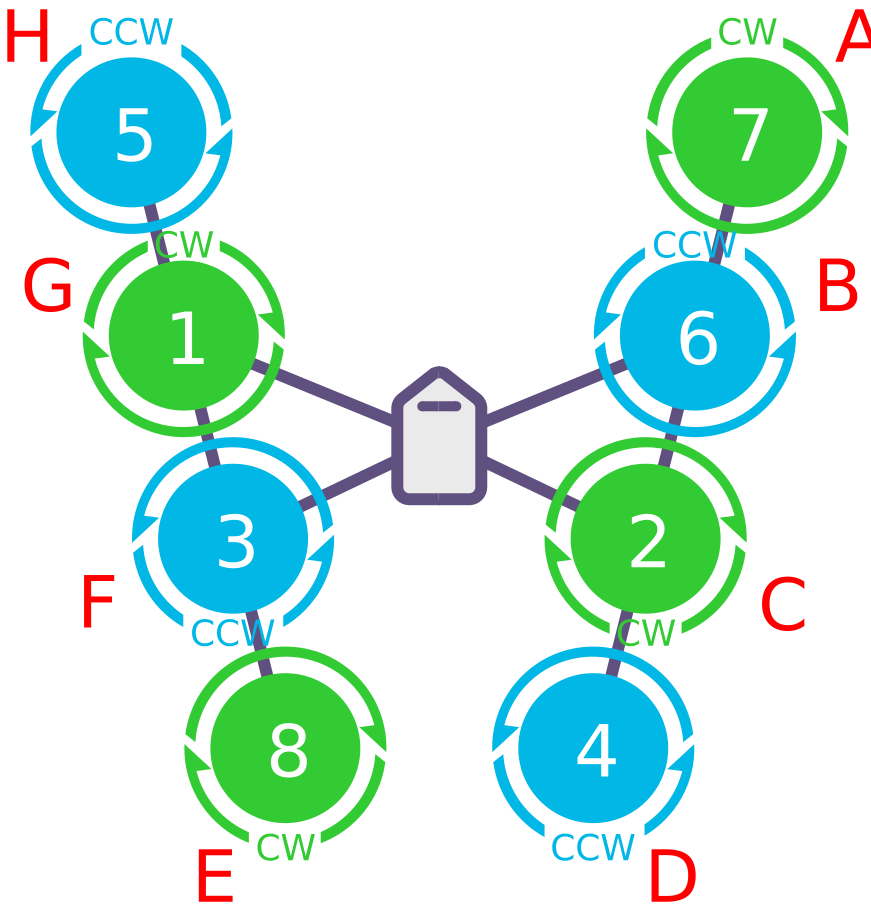
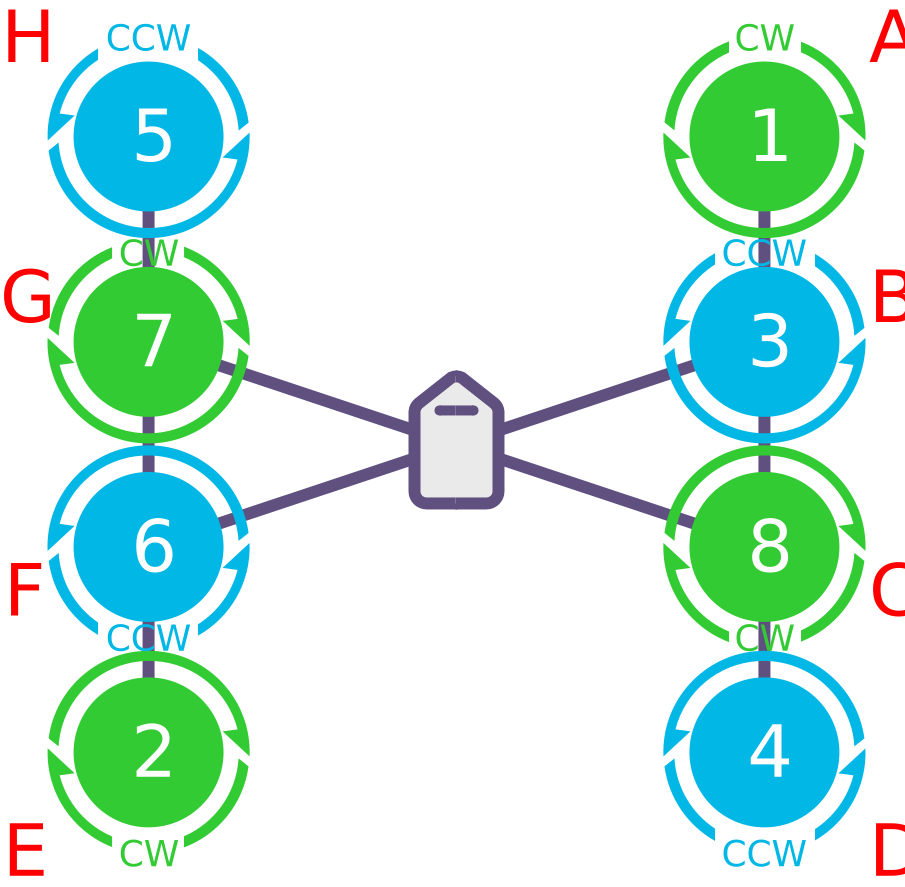
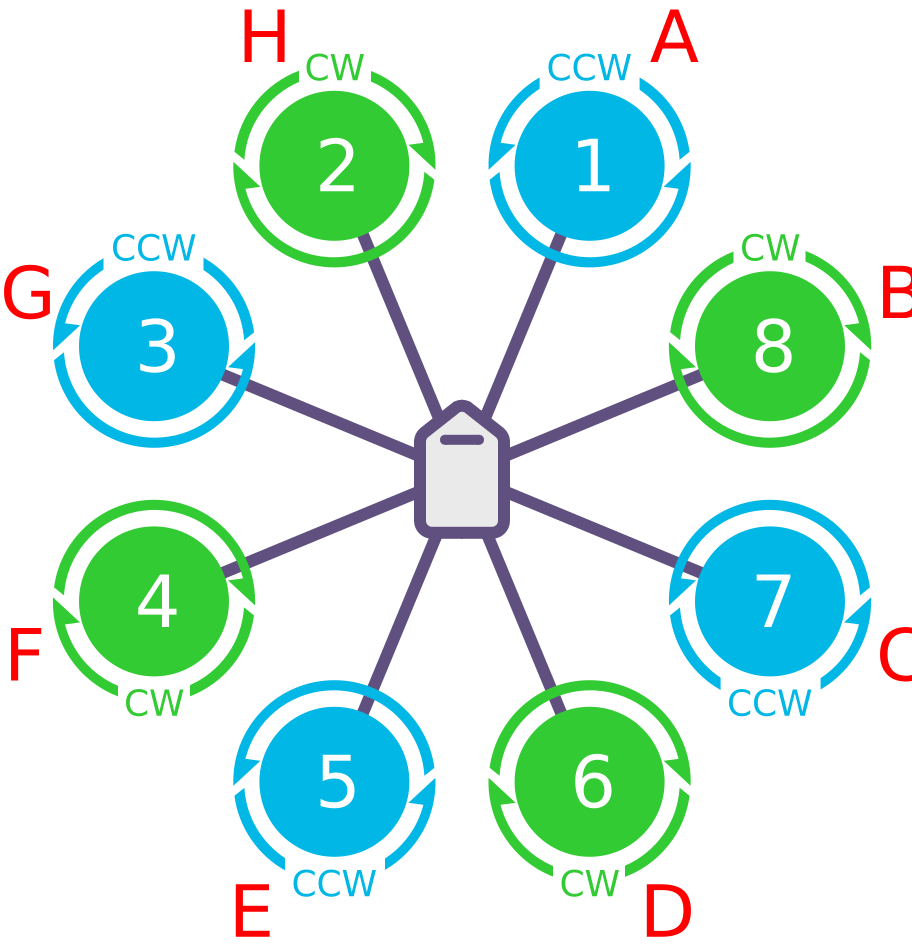
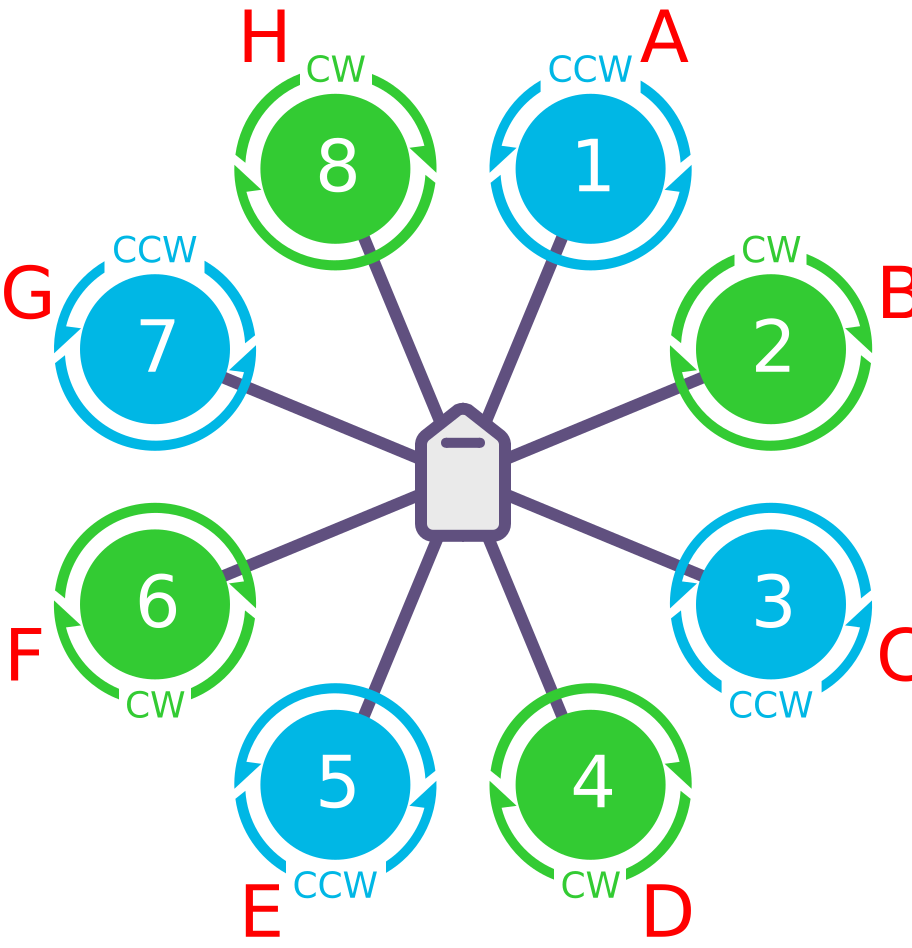
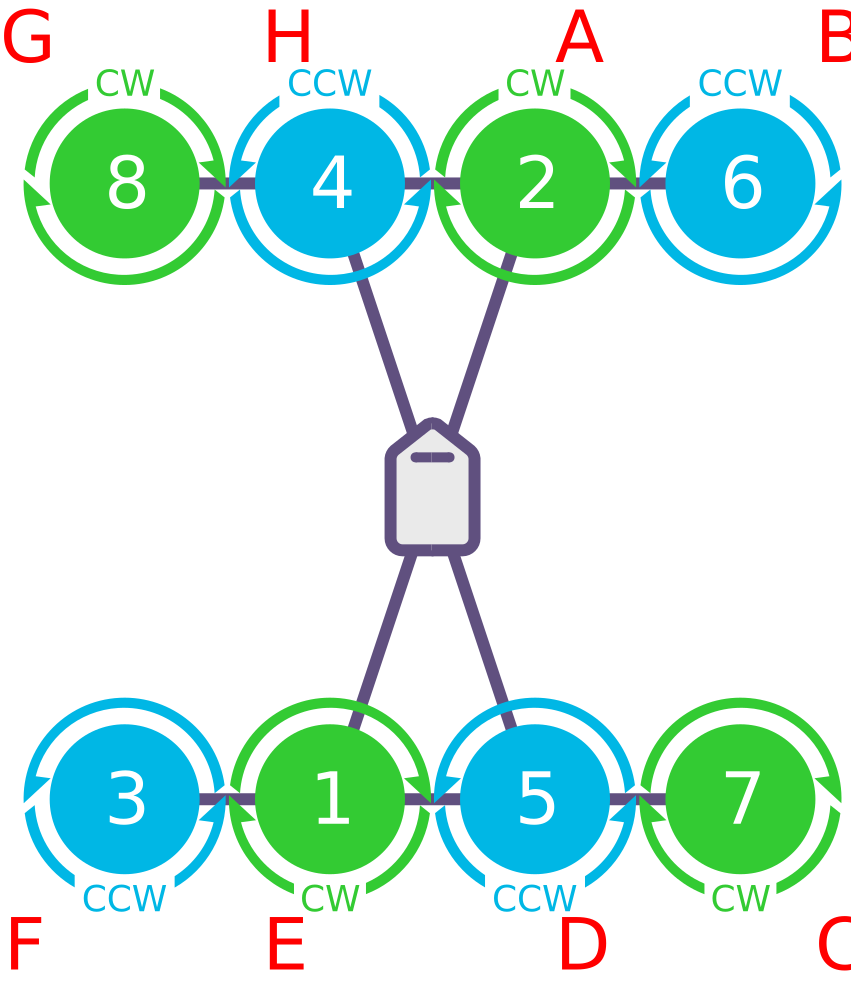
四轴八桨电机布局图
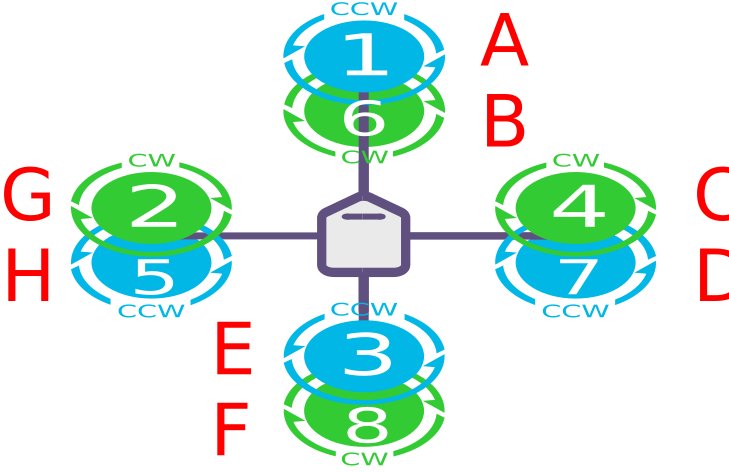
<figure style="margin: 0; text-align: center; width: 30%;">
    <a href="/assets/controller/octa-quad/OCTA-QUAD-X.svg" target="_blank">
        <img src="/assets/controller/octa-quad/OCTA-QUAD-X.svg" style="width: 100%; height: 200px; object-fit: contain; border-radius: 4px; border: 1px solid #eee;" />
    </a>
    <figcaption style="margin-top: 8px; font-size: 14px; font-weight: bold; background: #1677ff; color: white; padding: 4px 8px; border-radius: 4px;">OCTA QUAD X</figcaption>
</figure>
<figure style="margin: 0; text-align: center; width: 30%;">
    <a href="/assets/controller/octa-quad/OCTA-QUAD-V.svg" target="_blank">
        <img src="/assets/controller/octa-quad/OCTA-QUAD-V.svg" style="width: 100%; height: 200px; object-fit: contain; border-radius: 4px; border: 1px solid #eee;" />
    </a>
    <figcaption style="margin-top: 8px; font-size: 14px; font-weight: bold; background: #1677ff; color: white; padding: 4px 8px; border-radius: 4px;">OCTA QUAD V</figcaption>
</figure>
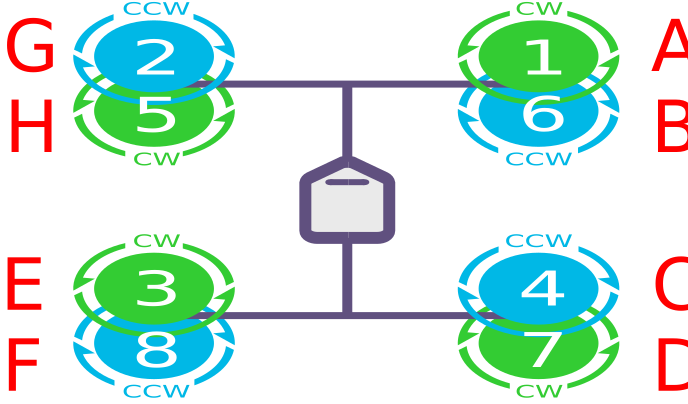
<figure style="margin: 0; text-align: center; width: 30%;">
    <a href="/assets/controller/octa-quad/OCTA-QUAD-X-BETAFLIGHT.svg" target="_blank">
        <img src="/assets/controller/octa-quad/OCTA-QUAD-X-BETAFLIGHT.svg" style="width: 100%; height: 200px; object-fit: contain; border-radius: 4px; border: 1px solid #eee;" />
    </a>
    <figcaption style="margin-top: 8px; font-size: 14px; font-weight: bold; background: #1677ff; color: white; padding: 4px 8px; border-radius: 4px;">OCTA QUAD X BETAFLIGHT</figcaption>
</figure>
<figure style="margin: 0; text-align: center; width: 30%;">
    <a href="/assets/controller/octa-quad/OCTA-QUAD-X-CLOCKWISE.svg" target="_blank">
        <img src="/assets/controller/octa-quad/OCTA-QUAD-X-CLOCKWISE.svg" style="width: 100%; height: 200px; object-fit: contain; border-radius: 4px; border: 1px solid #eee;" />
    </a>
    <figcaption style="margin-top: 8px; font-size: 14px; font-weight: bold; background: #1677ff; color: white; padding: 4px 8px; border-radius: 4px;">OCTA QUAD X CLOCKWISE</figcaption>
</figure>
Y6机型
<figure style="margin: 0; text-align: center; width: 30%;">
    <a href="/assets/controller/Y6/Y6-B.svg" target="_blank">
        <img src="/assets/controller/Y6/Y6-B.svg" style="width: 100%; height: 200px; object-fit: contain; border-radius: 4px; border: 1px solid #eee;" />
    </a>
    <figcaption style="margin-top: 8px; font-size: 14px; font-weight: bold; background: #1677ff; color: white; padding: 4px 8px; border-radius: 4px;">Y6 B</figcaption>
</figure>
<figure style="margin: 0; text-align: center; width: 30%;">
    <a href="/assets/controller/Y6/Y6-F.svg" target="_blank">
        <img src="/assets/controller/Y6/Y6-F.svg" style="width: 100%; height: 200px; object-fit: contain; border-radius: 4px; border: 1px solid #eee;" />
    </a>
    <figcaption style="margin-top: 8px; font-size: 14px; font-weight: bold; background: #1677ff; color: white; padding: 4px 8px; border-radius: 4px;">Y6 F</figcaption>
</figure>
TRICOPTER框架
<figure style="margin: 0; text-align: center; width: 30%;">
    <a href="/assets/controller/Tricopter/TRICOPTER-PITCH-REVERSED.svg" target="_blank">
        <img src="/assets/controller/Tricopter/TRICOPTER-PITCH-REVERSED.svg" style="width: 100%; height: 200px; object-fit: contain; border-radius: 4px; border: 1px solid #eee;" />
    </a>
    <figcaption style="margin-top: 8px; font-size: 14px; font-weight: bold; background: #1677ff; color: white; padding: 4px 8px; border-radius: 4px;">TRICOPTER PITCH REVERSED</figcaption>
</figure>
TIP
三旋翼飞行器偏航控制依赖尾部(或机头)伺服机构,电机转向不影响基础操作;但若前部电机非反向旋转,滚转、俯仰输入会引发不利偏航效应,缩减偏航控制动态范围。若尾部(或机头)伺服偏航响应方向错误,可将 RCn_REVERSE(遥控器输入)或 SERVOn_REVERSE(倾斜伺服)参数设为 1(默认 0),详情参见三旋翼飞行器设置页面。
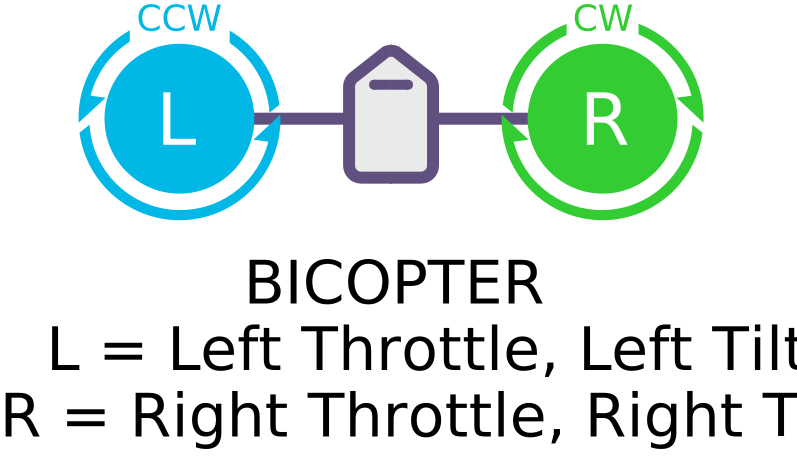
双旋翼
TIP
如果需要,双旋翼电机可按与所示方向相反的方向旋转(例如,左旋顺时针,右旋逆时针)。
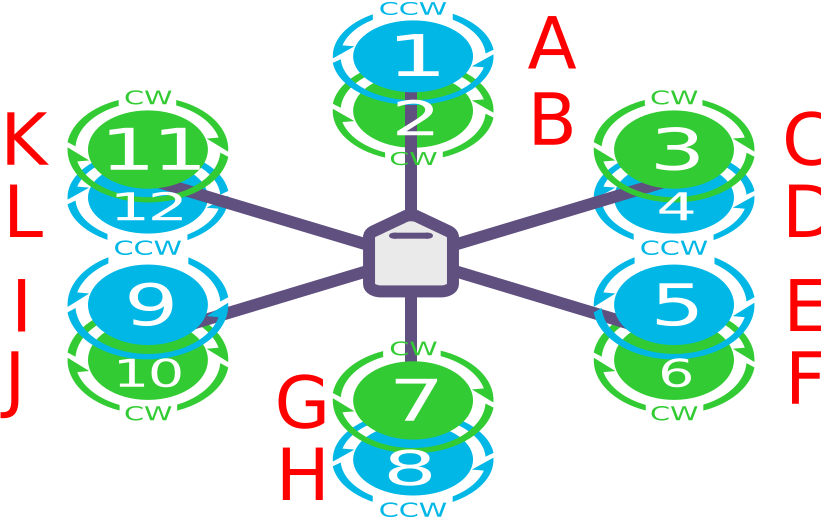
六轴12桨
<figure style="margin: 0; text-align: center; width: 40%;">
    <a href="/assets/controller/dodecahexa/DODECAHEXA-X.svg" target="_blank">
        <img src="/assets/controller/dodecahexa/DODECAHEXA-X.svg" style="width: 100%; height: 200px; object-fit: contain; border-radius: 4px; border: 1px solid #eee;" />
    </a>
    <figcaption style="margin-top: 8px; font-size: 14px; font-weight: bold; background: #1677ff; color: white; padding: 4px 8px; border-radius: 4px;">DODECAHEXA X</figcaption>
</figure>
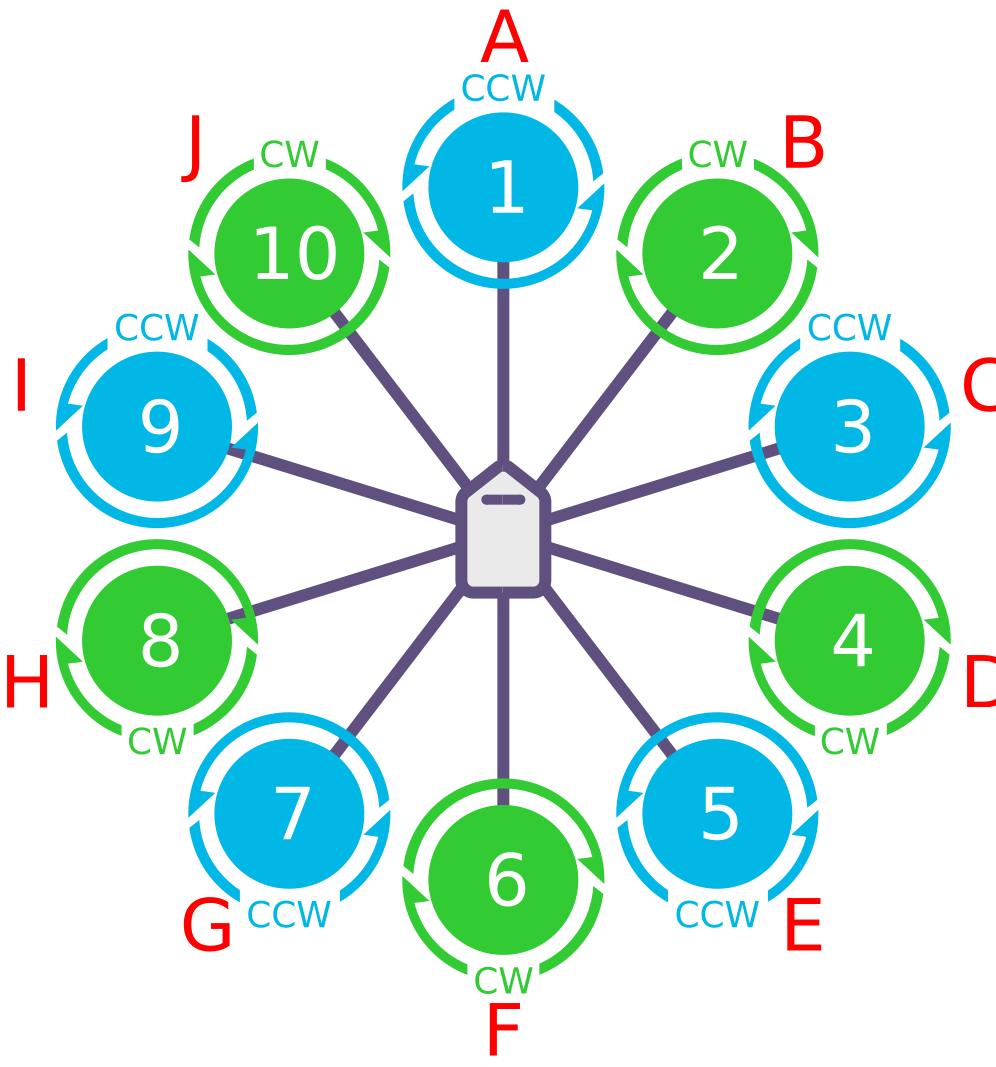
十轴多旋翼
<figure style="margin: 0; text-align: center; width: 40%;">
    <a href="/assets/controller/deca/DECA-X.svg" target="_blank">
        <img src="/assets/controller/deca/DECA-X.svg" style="width: 100%; height: 200px; object-fit: contain; border-radius: 4px; border: 1px solid #eee;" />
    </a>
    <figcaption style="margin-top: 8px; font-size: 14px; font-weight: bold; background: #1677ff; color: white; padding: 4px 8px; border-radius: 4px;">DECA X</figcaption>
</figure>
自定义框架
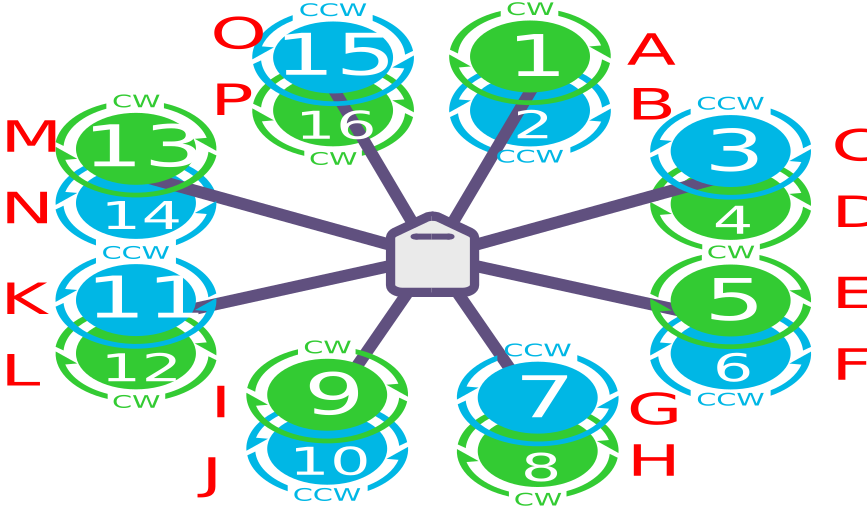
ArduPilot通过LUA脚本可实现最多32个电机的控制,用于构建自定义框架类型。每个电机的横滚、俯仰和偏航系数必须通过脚本计算并加载。这可通过将FRAME_CLASS设置为15——脚本矩阵来实现。 比如典型的8轴16桨的支持,可通过8轴16桨设置说明查看详细教程。
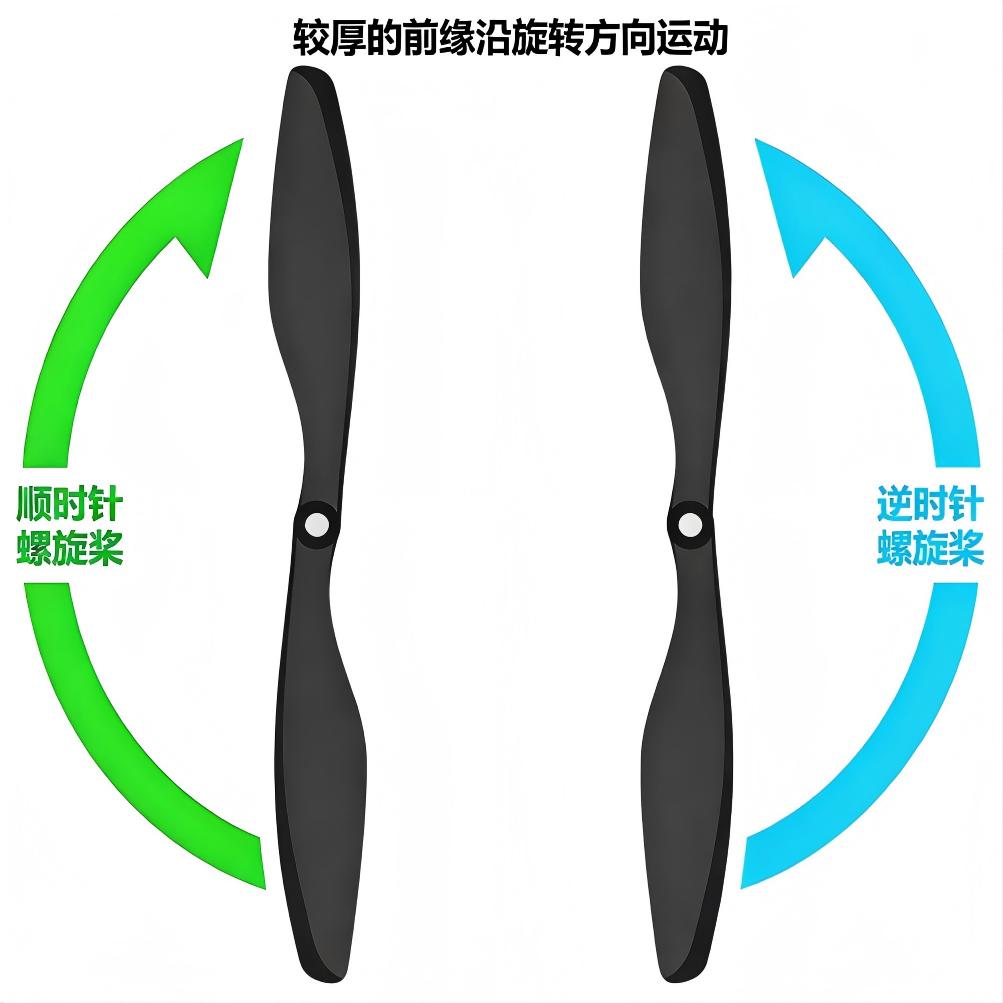
识别顺时针和逆时针螺旋桨
图中展示了两种螺旋桨类型:顺时针旋转的推式螺旋桨与逆时针旋转的拉式螺旋桨。通过桨叶形状辨别螺旋桨类型是最可靠的方法,具体特征如下:桨叶较厚的一侧为前缘,这一侧会随螺旋桨的旋转方向行进;后缘则呈更为锐利的锯齿状,且通常厚度更薄。