Multirotor Frame Types and Motor Ordering
This page covers connecting ESCs, motors and propellers to the controller.
Connecting ESCs and motors to the controller
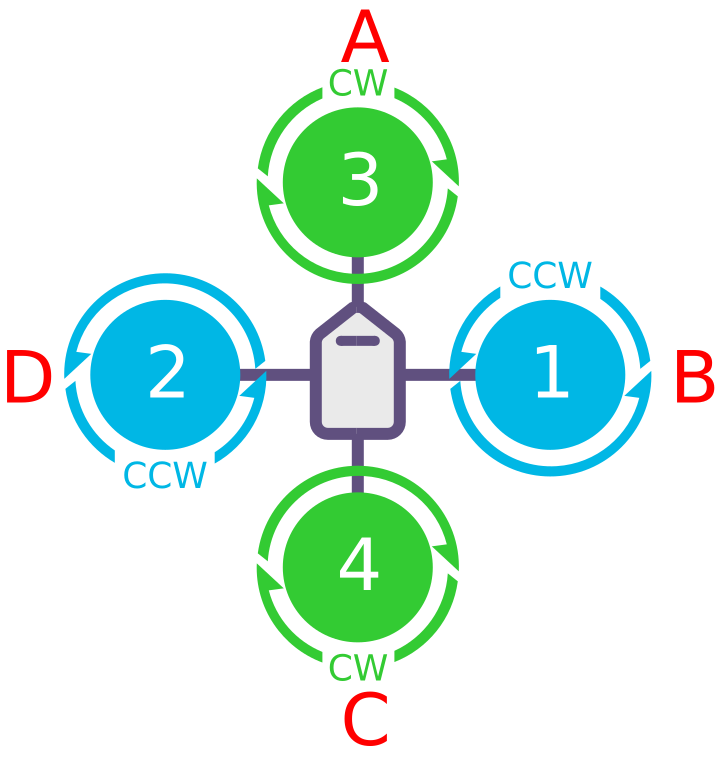
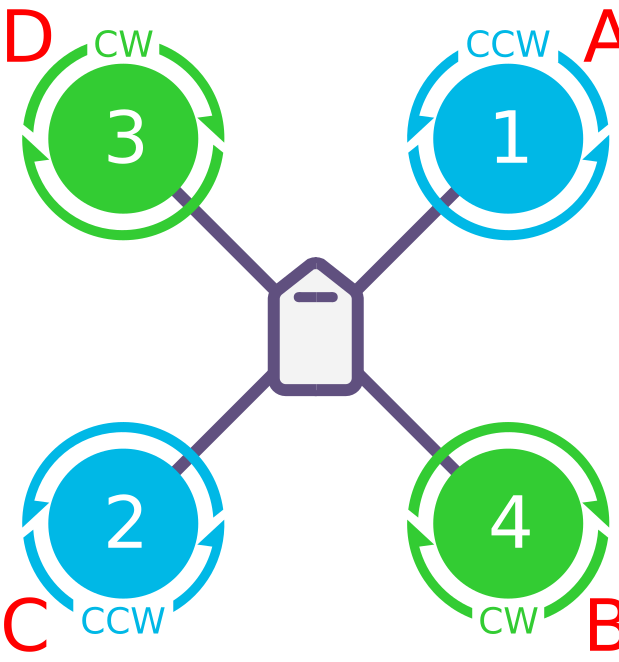
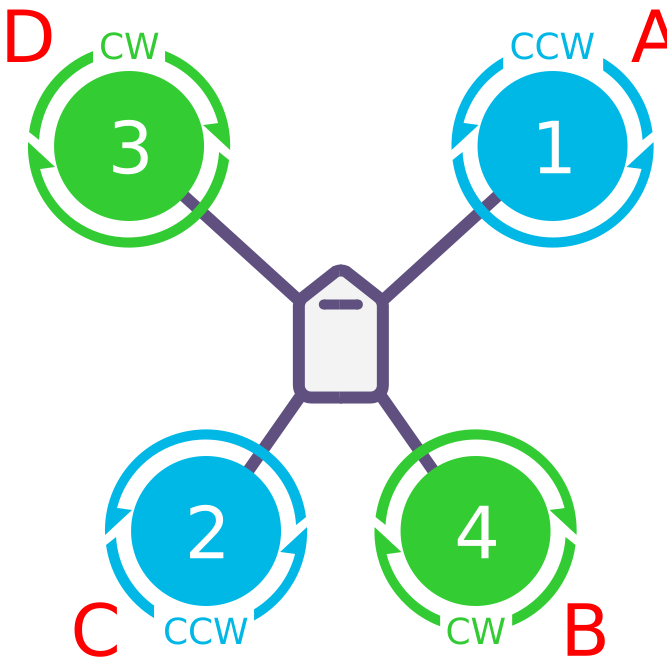
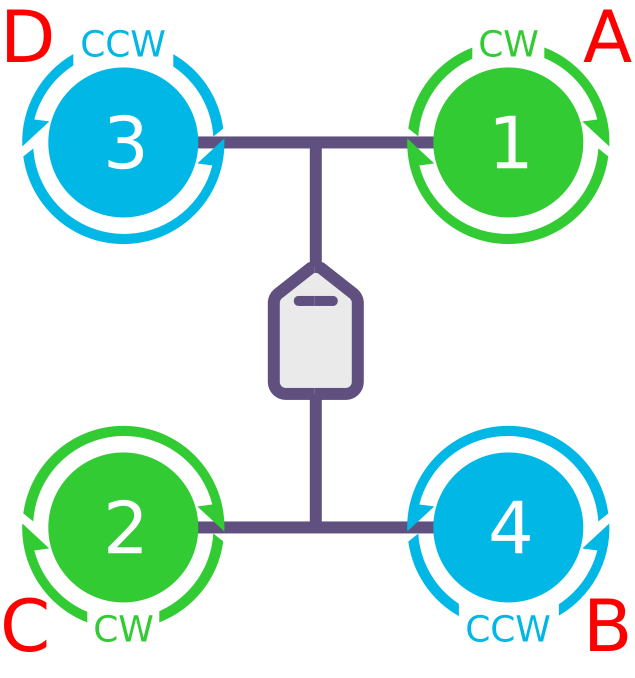
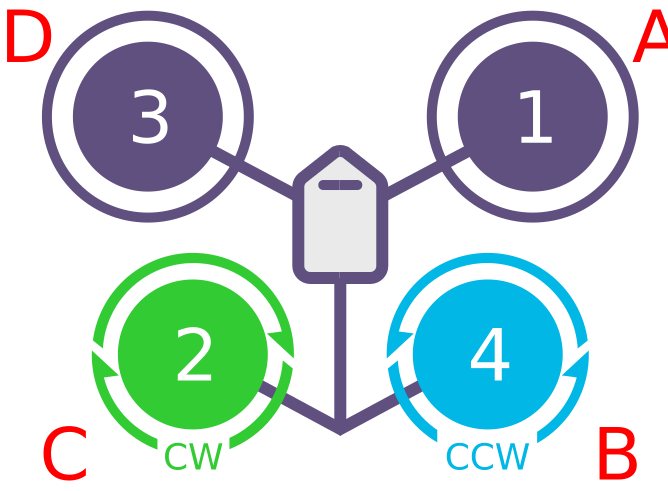
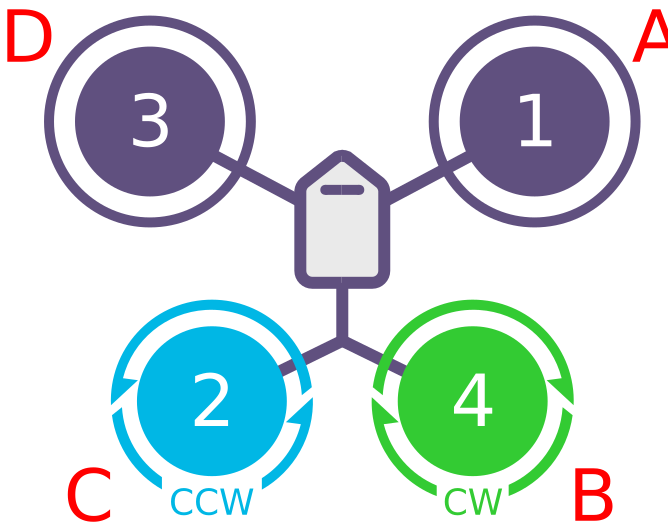
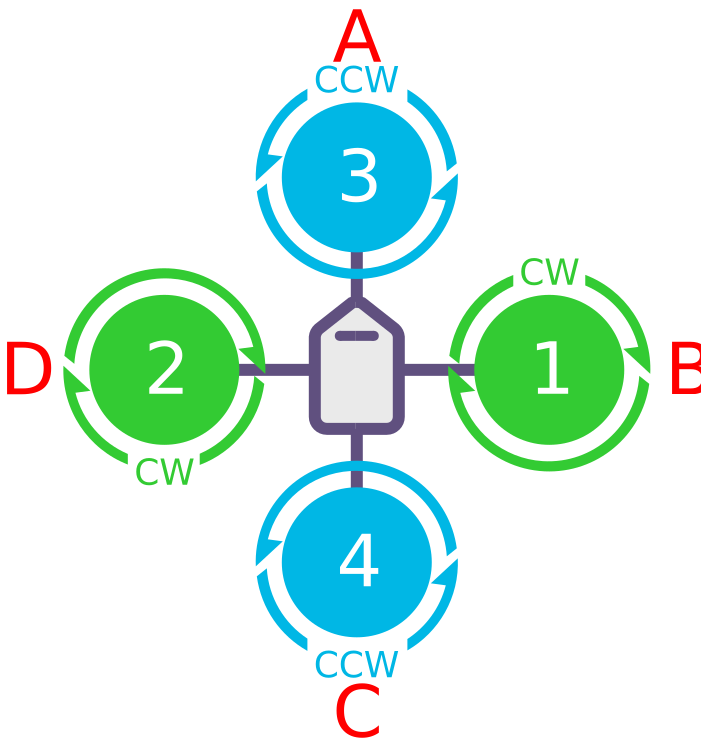
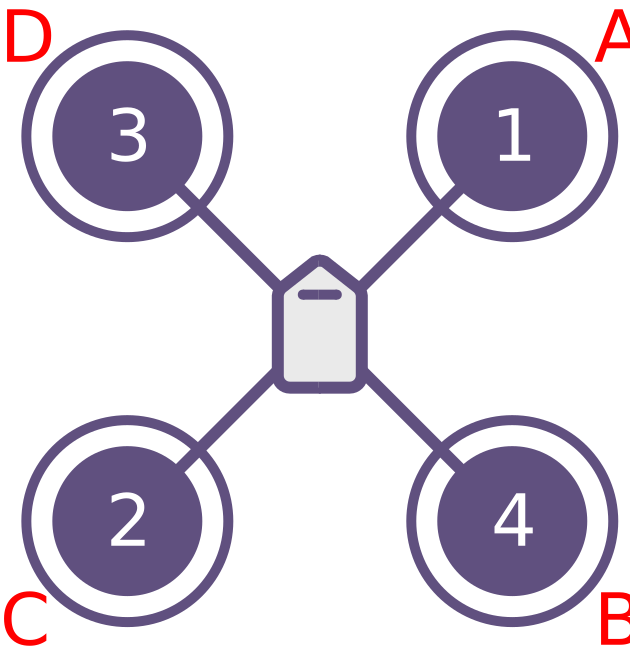
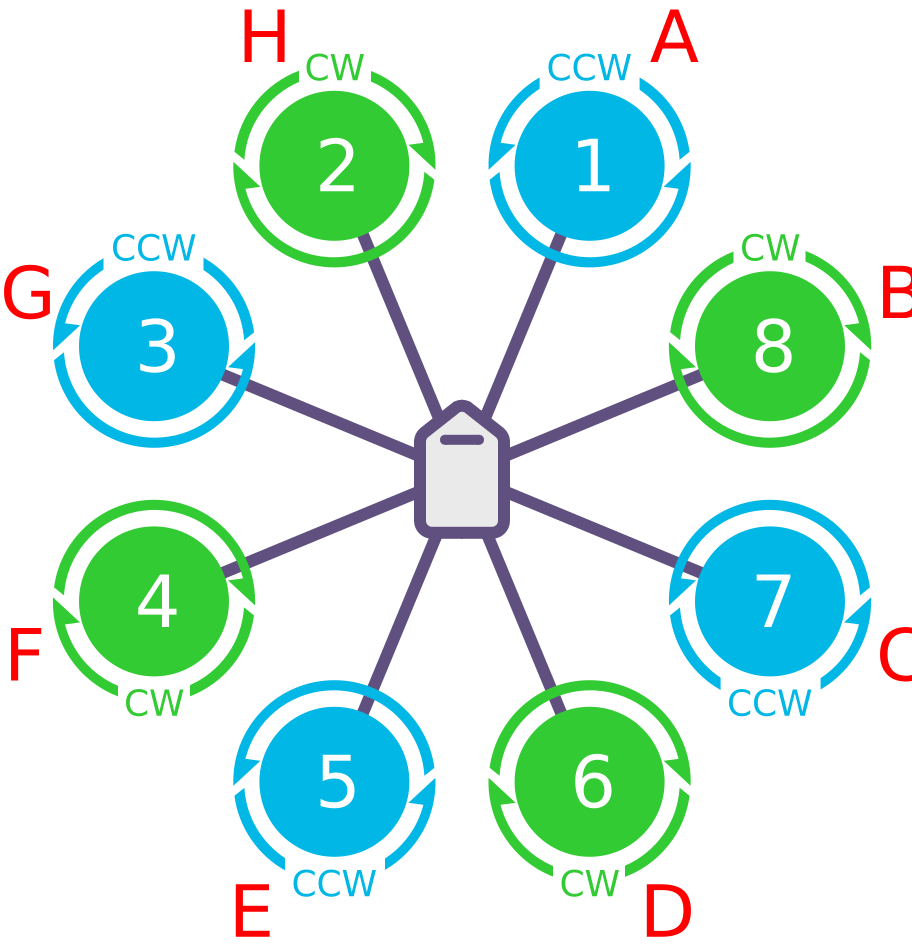
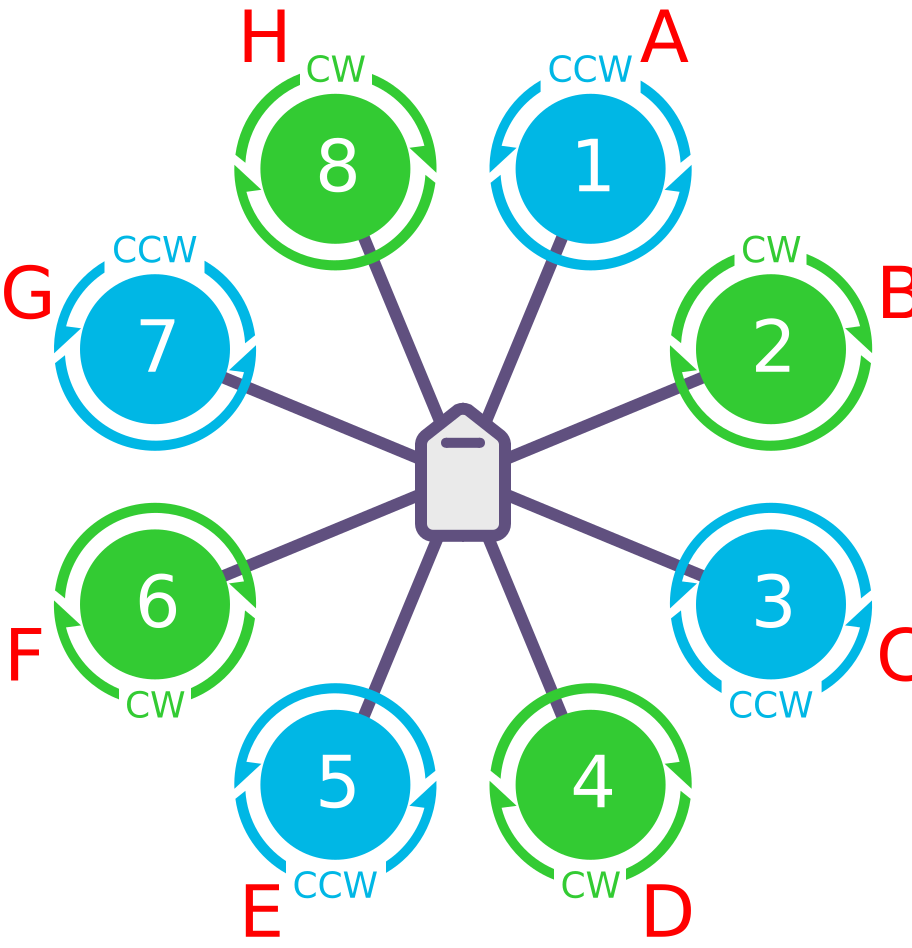
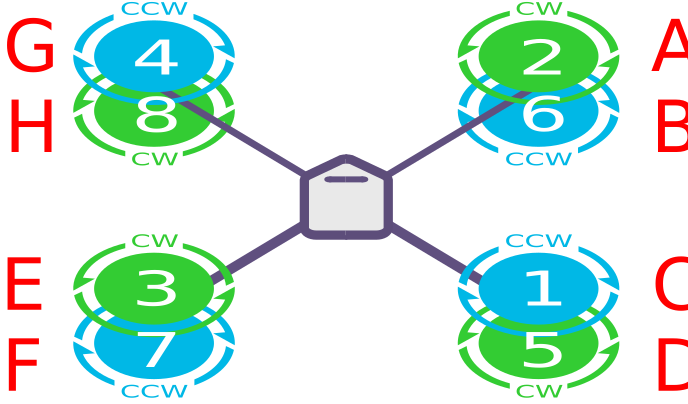
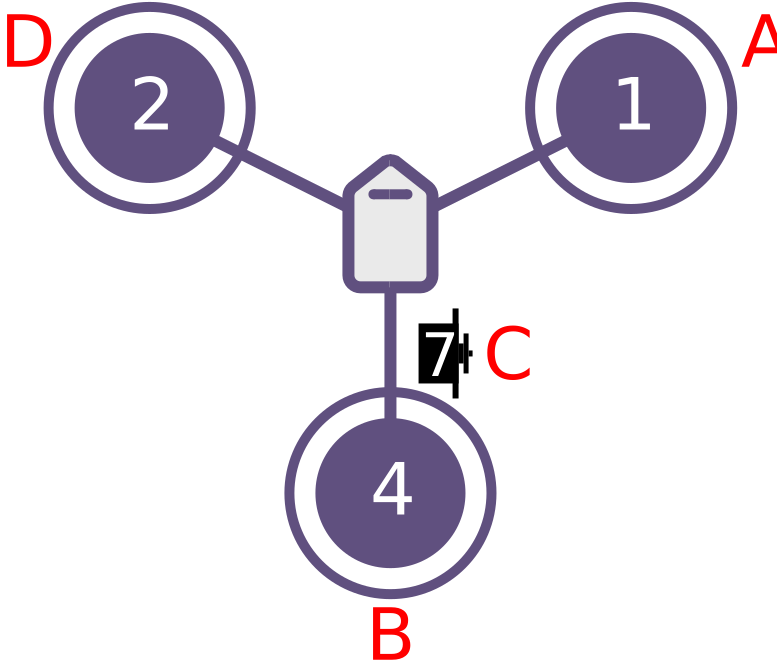
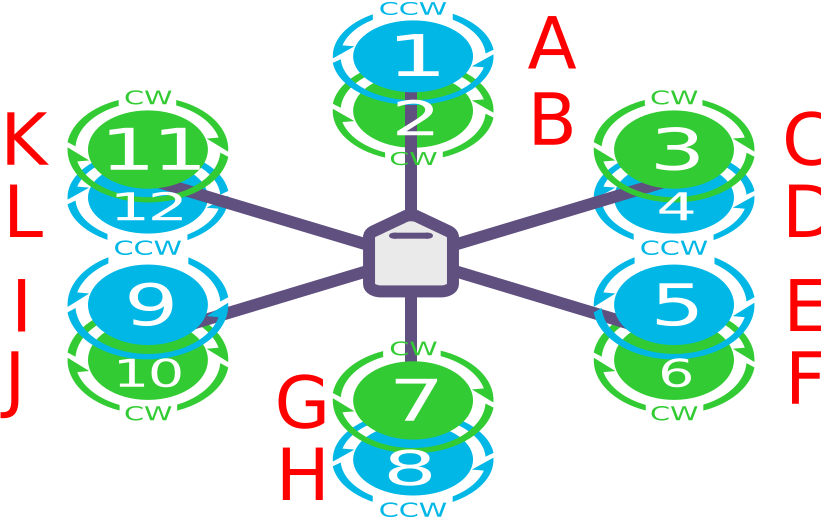
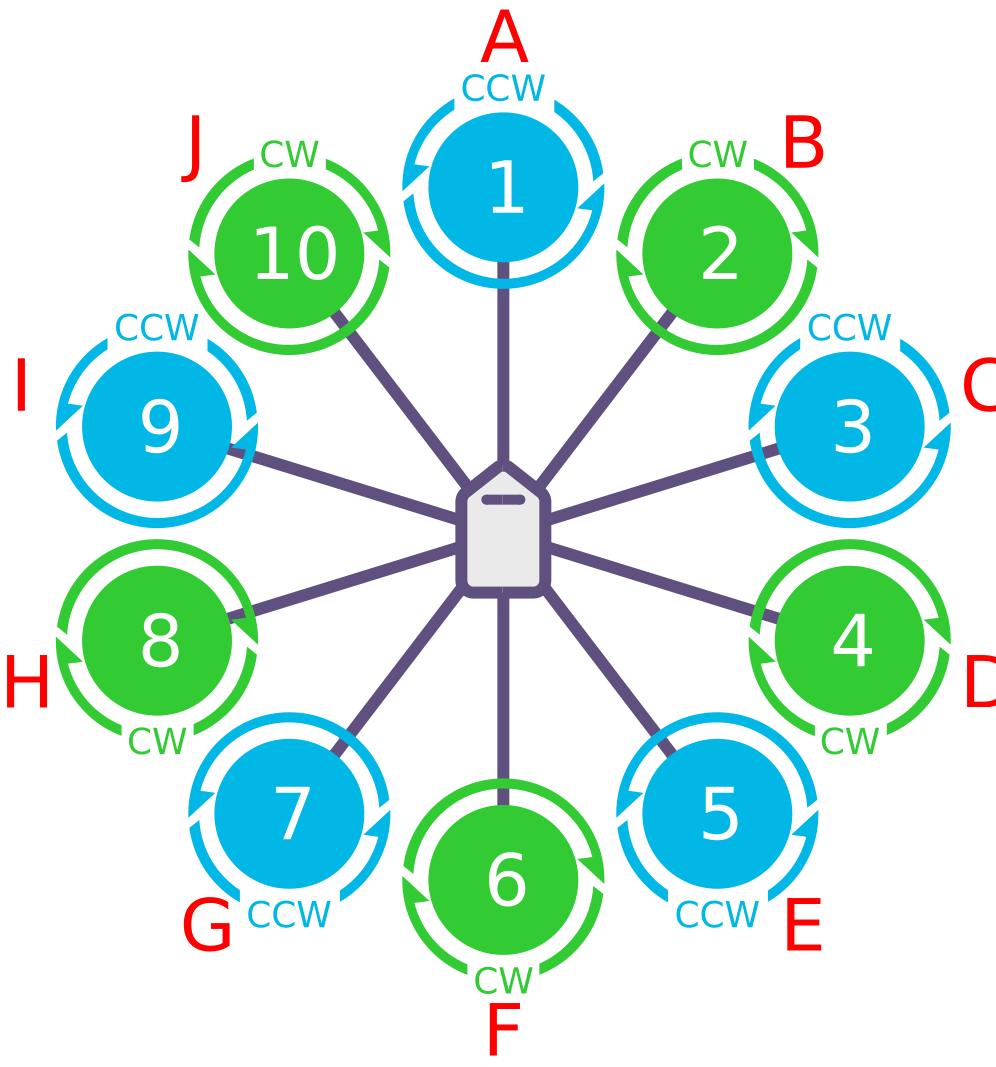
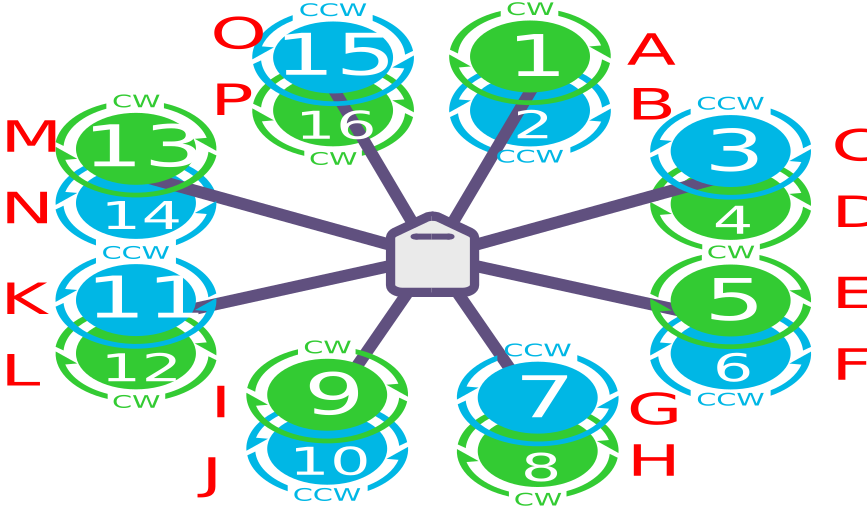
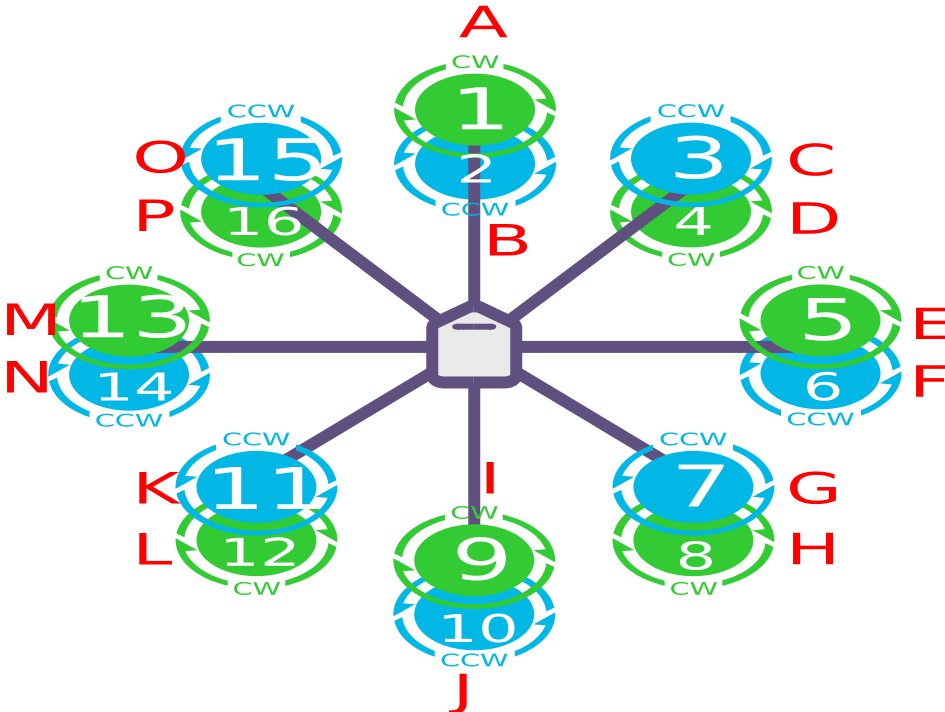
Use the layout diagrams below to work out which motor and ESC goes where. The numbers correspond one to one with the controller's M1~M16 markings. On boards with an IOMCU, M9~M16 are usually labelled A1~A8.
Quadcopter layouts
TIP
On Quad A-tail and V-tail frames, yaw control does not rely on the front motors (NYT mode). Motor rotation direction does not affect basic operation, but if the front motors are not counter-rotating, roll and pitch inputs will produce adverse yaw coupling and narrow the dynamic range of yaw control.
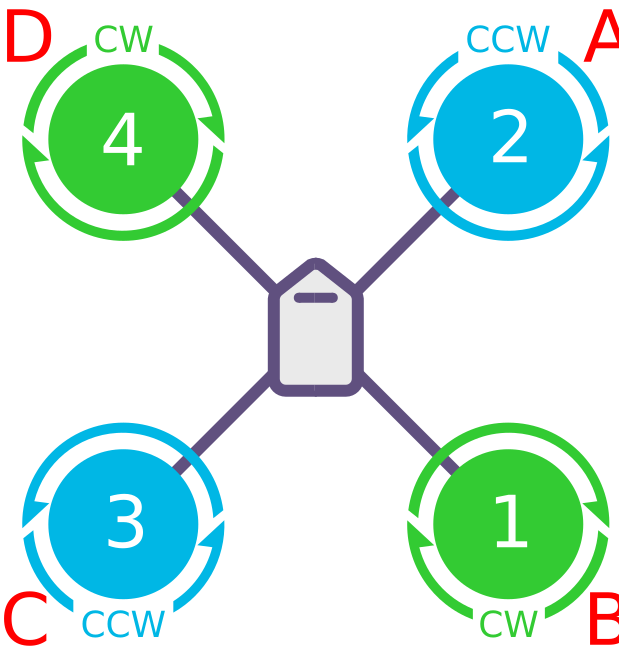
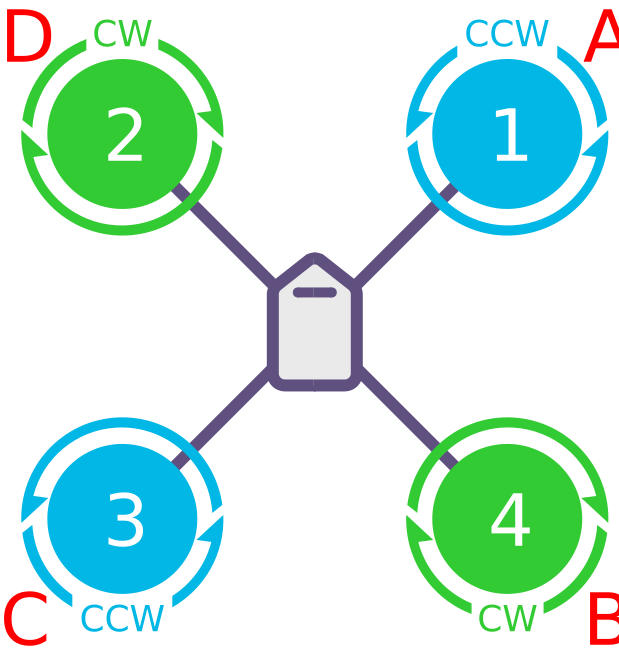
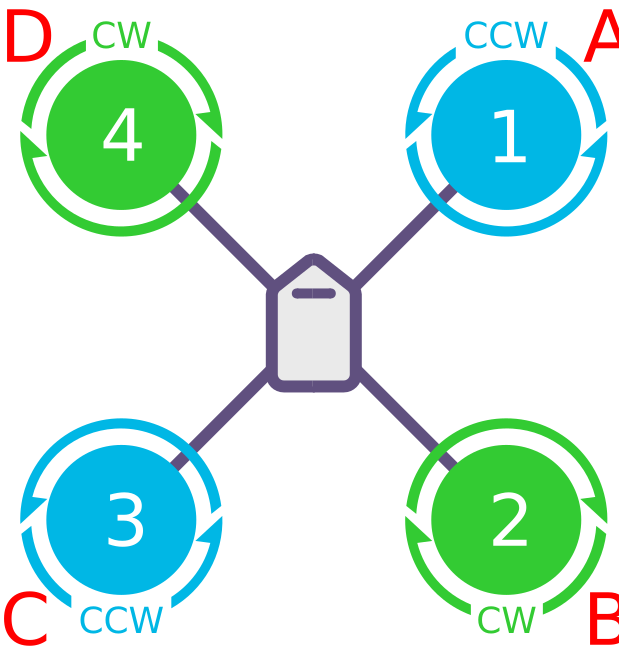
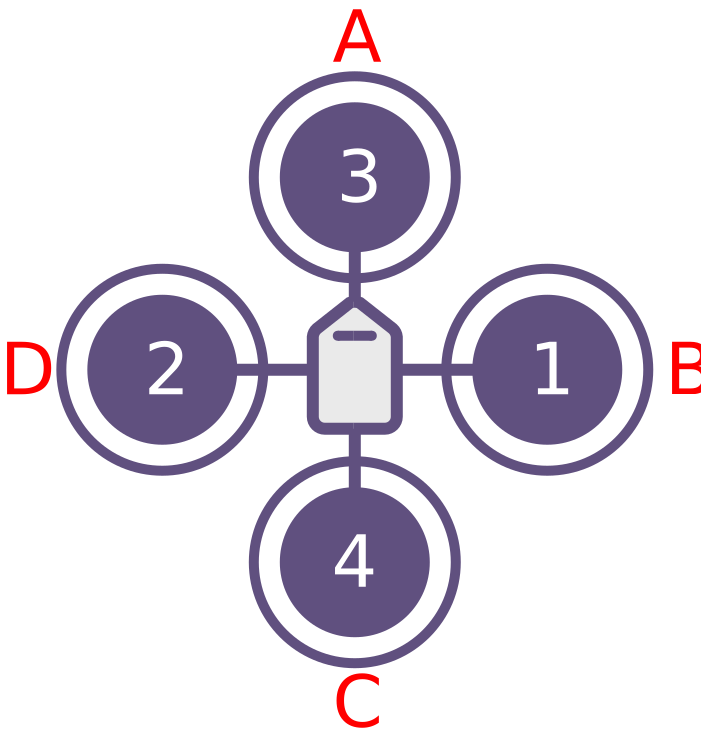
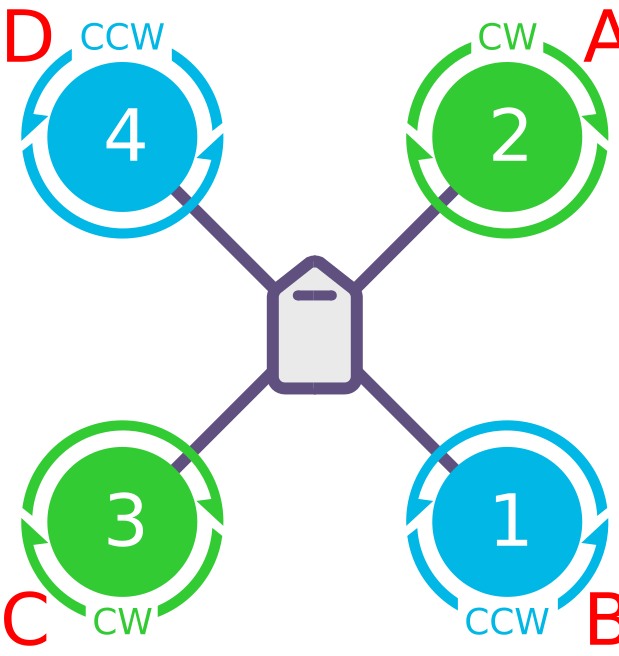
TIP
The quadcopter "NO YAW TORQUE" frames suit VTOL tail-sitter layouts fitted with large control surfaces. Motor rotation direction has no critical effect on basic operation there, but if the motors do not turn the way a standard quadcopter does, roll and pitch inputs will induce adverse yaw and reduce the authority the fixed-wing control surfaces have over yaw.
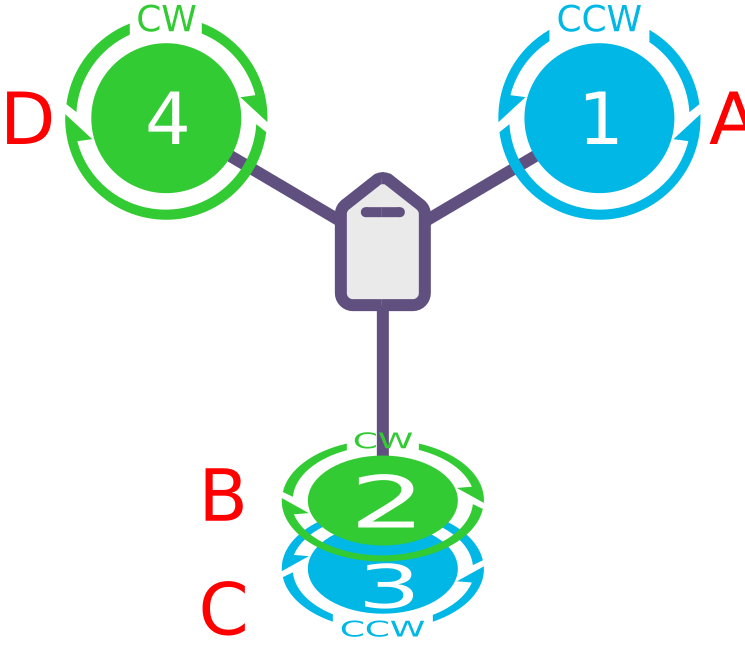
Hexacopter layouts
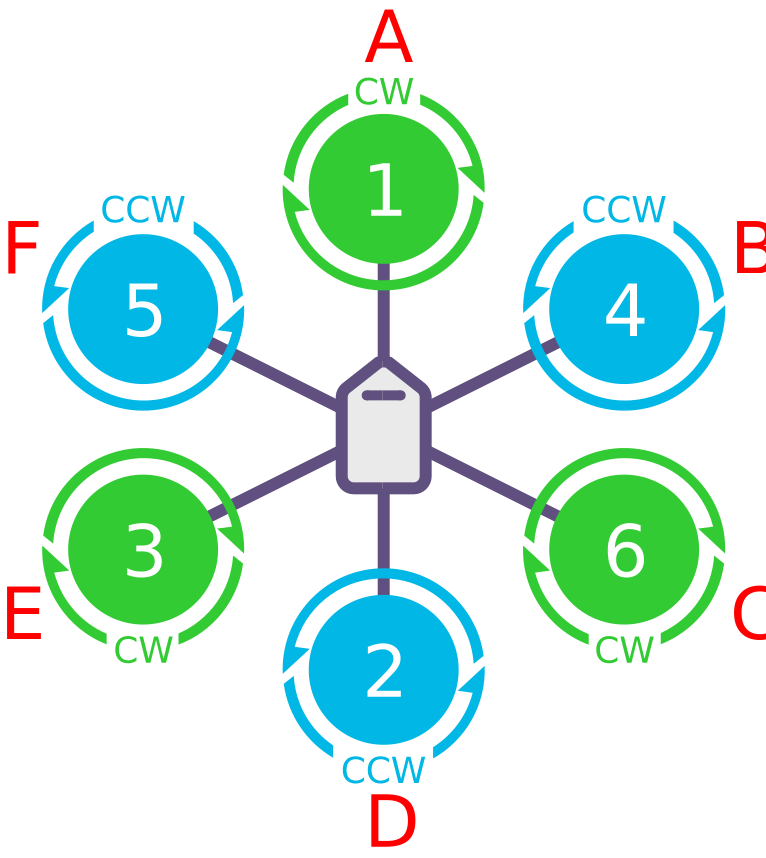
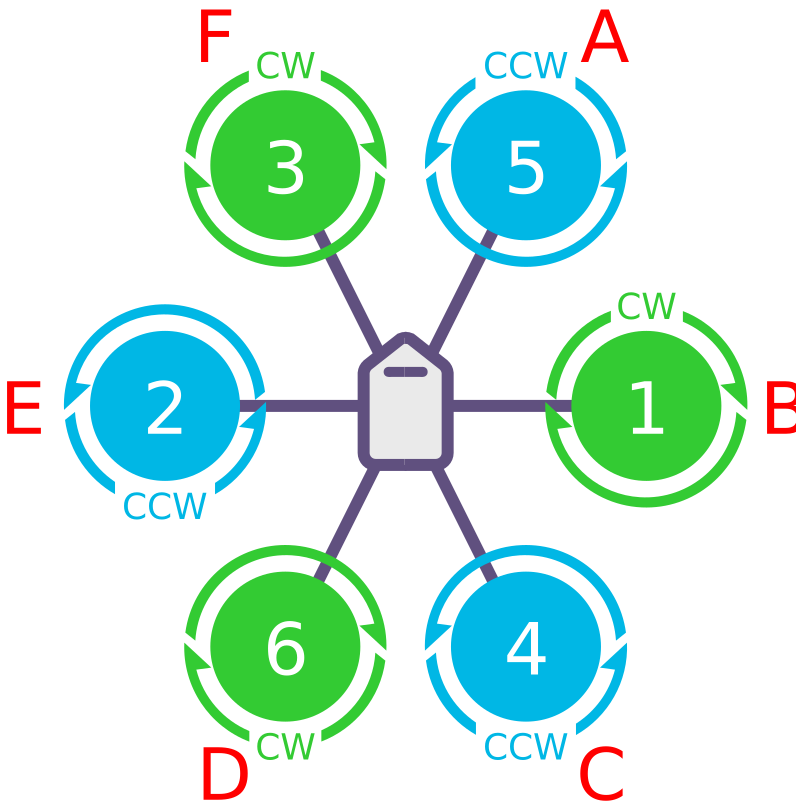
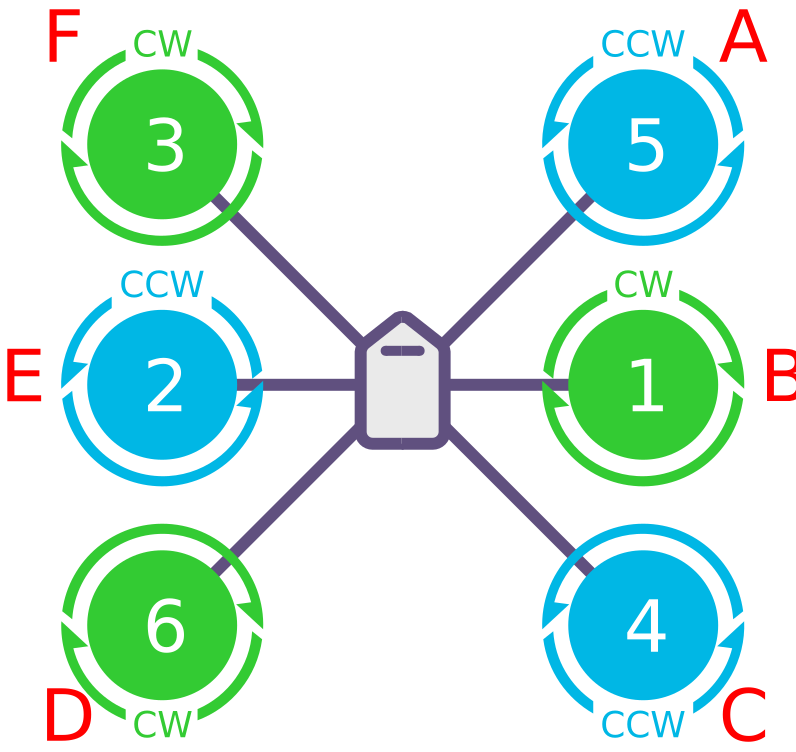
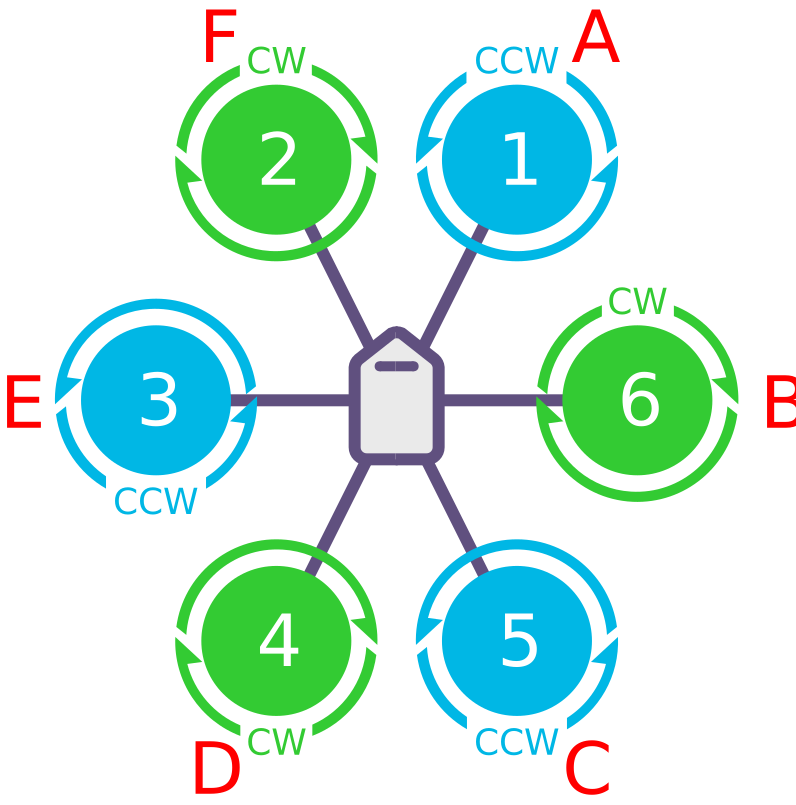
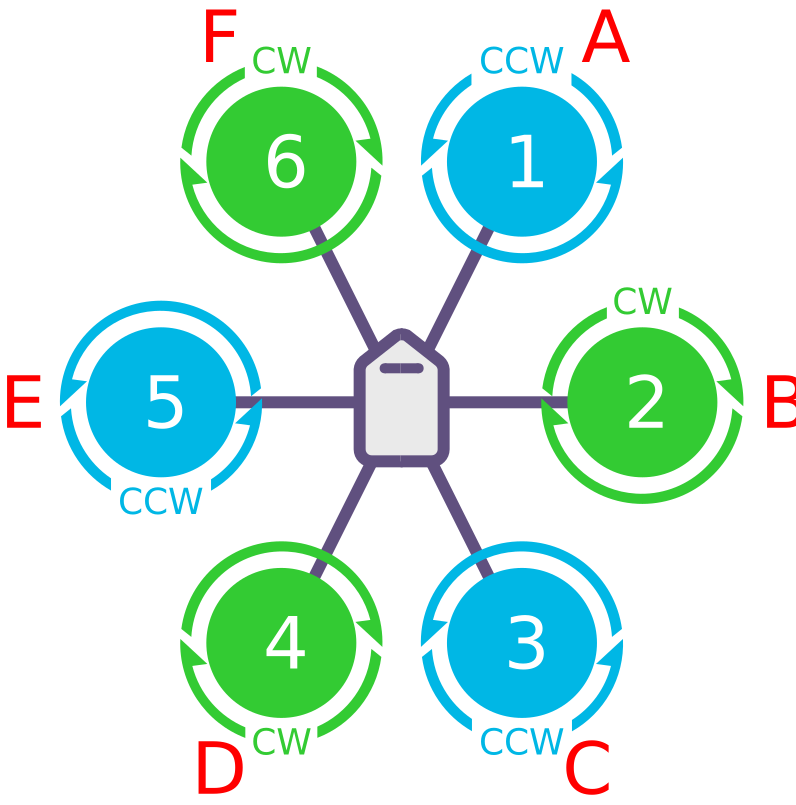
Octocopter layouts
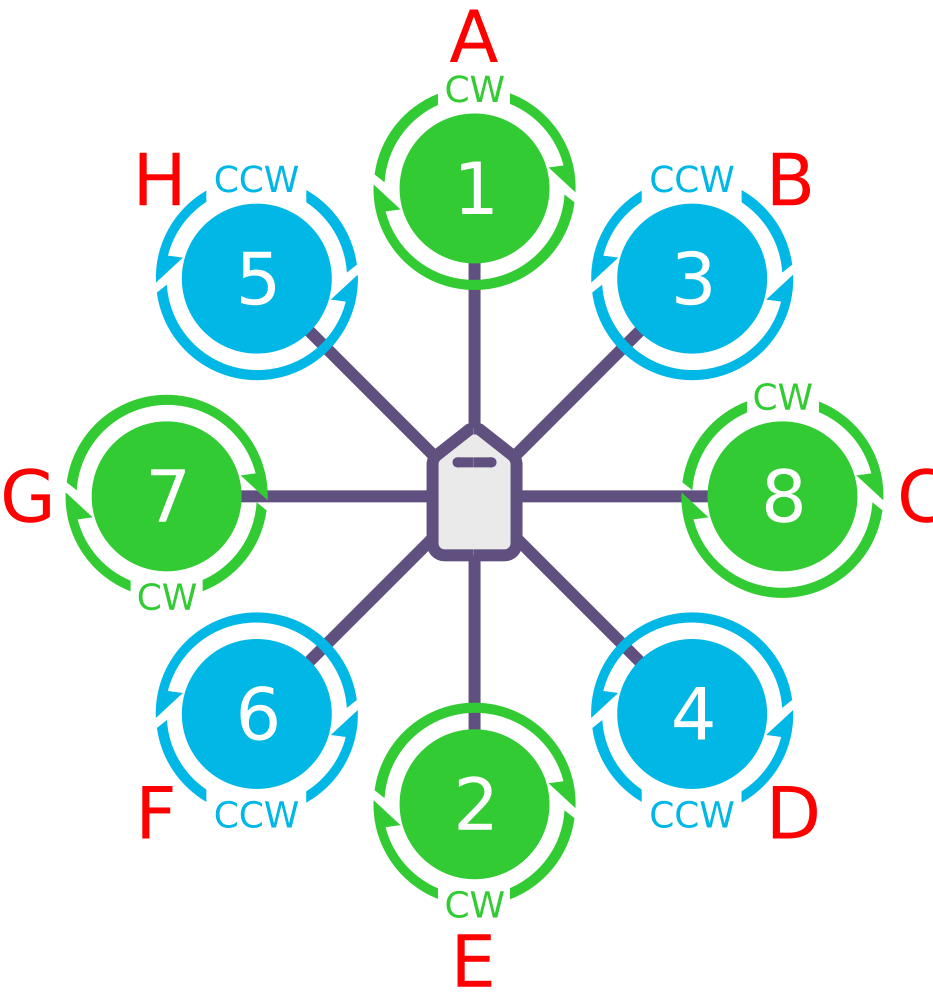
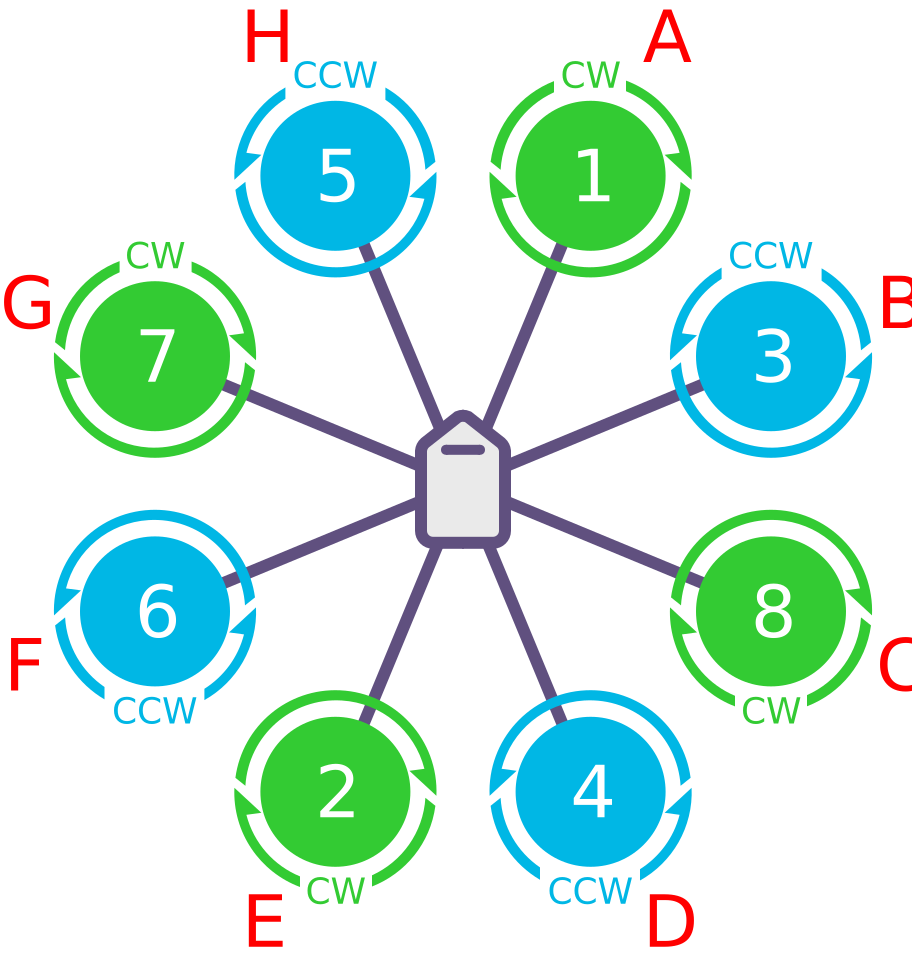
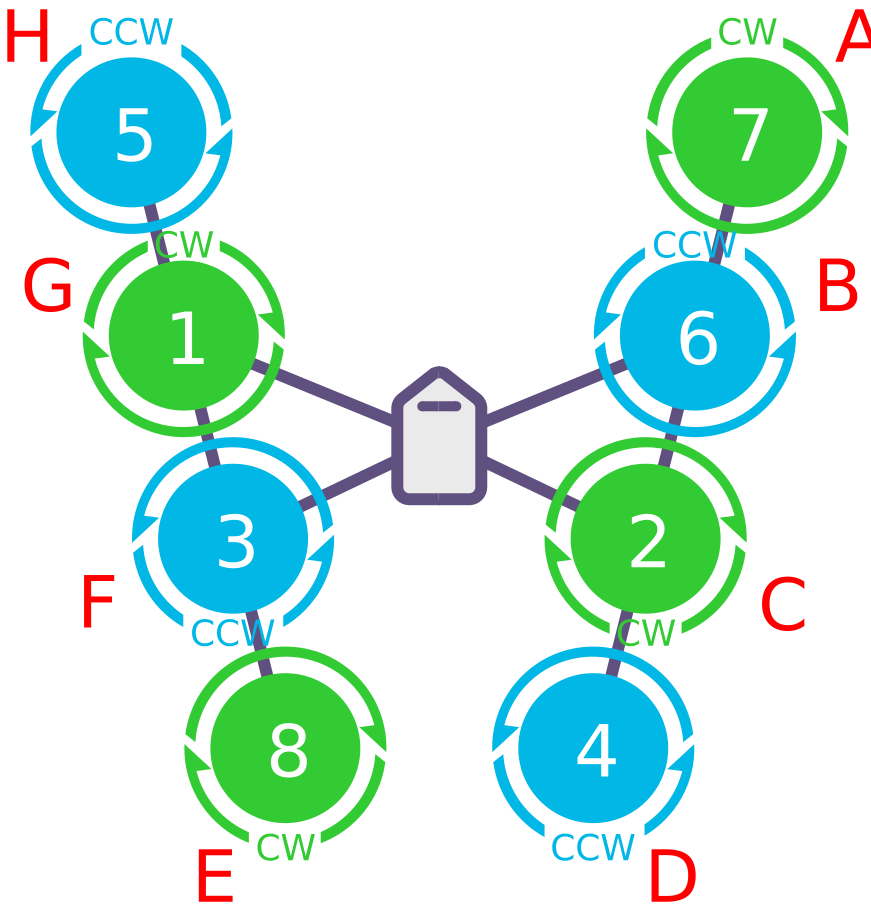
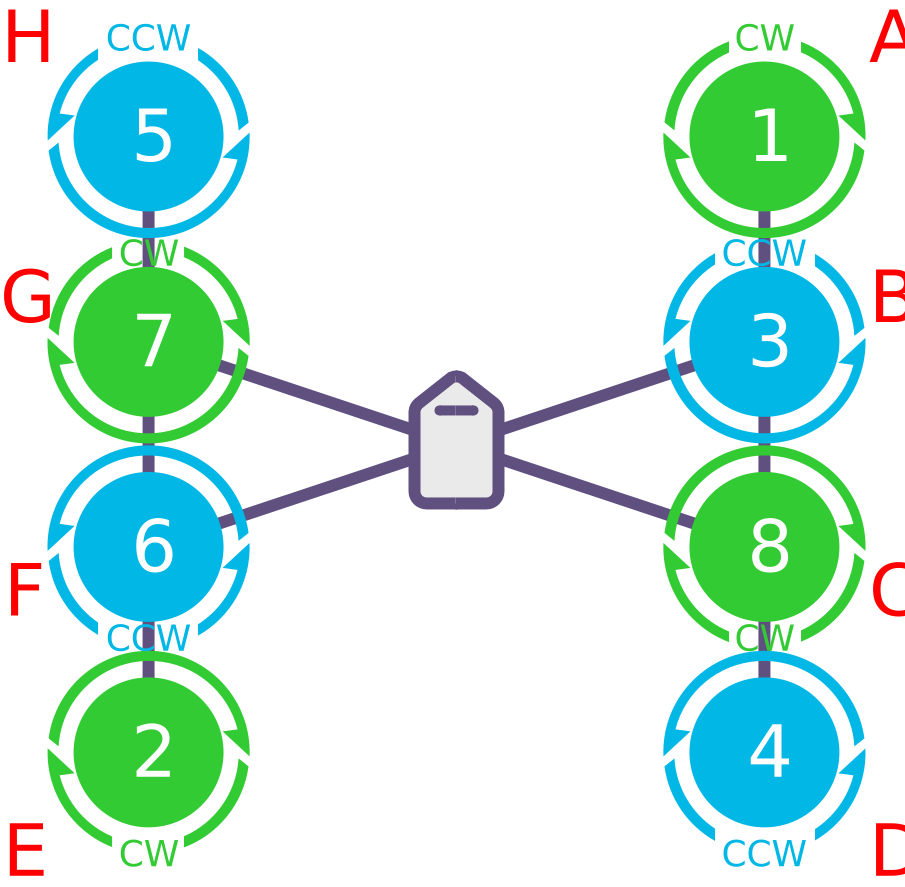
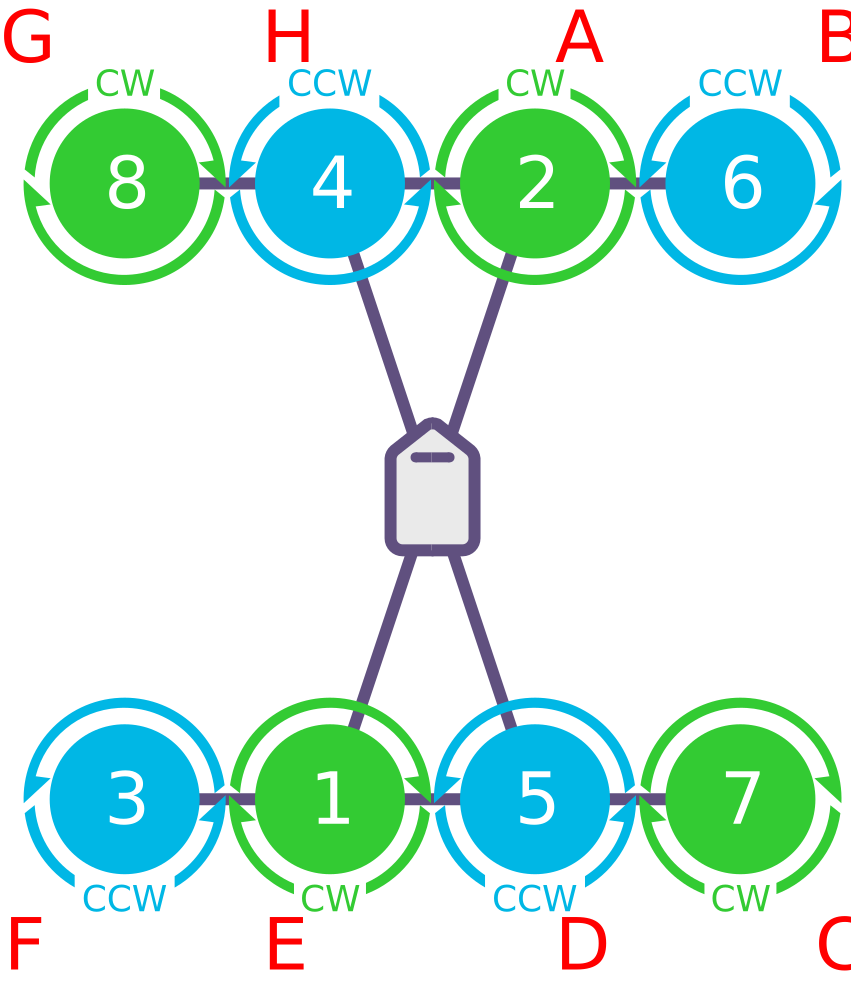
Octa-quad (four arms, eight motors) layouts
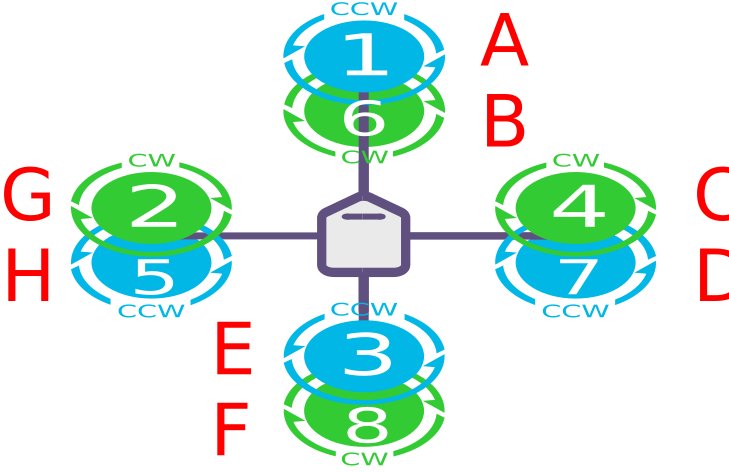
<figure style="margin: 0; text-align: center; width: 30%;">
    <a href="/assets/controller/octa-quad/OCTA-QUAD-X.svg" target="_blank">
        <img src="/assets/controller/octa-quad/OCTA-QUAD-X.svg" style="width: 100%; height: 200px; object-fit: contain; border-radius: 4px; border: 1px solid #eee;" />
    </a>
    <figcaption style="margin-top: 8px; font-size: 14px; font-weight: bold; background: #1677ff; color: white; padding: 4px 8px; border-radius: 4px;">OCTA QUAD X</figcaption>
</figure>
<figure style="margin: 0; text-align: center; width: 30%;">
    <a href="/assets/controller/octa-quad/OCTA-QUAD-V.svg" target="_blank">
        <img src="/assets/controller/octa-quad/OCTA-QUAD-V.svg" style="width: 100%; height: 200px; object-fit: contain; border-radius: 4px; border: 1px solid #eee;" />
    </a>
    <figcaption style="margin-top: 8px; font-size: 14px; font-weight: bold; background: #1677ff; color: white; padding: 4px 8px; border-radius: 4px;">OCTA QUAD V</figcaption>
</figure>
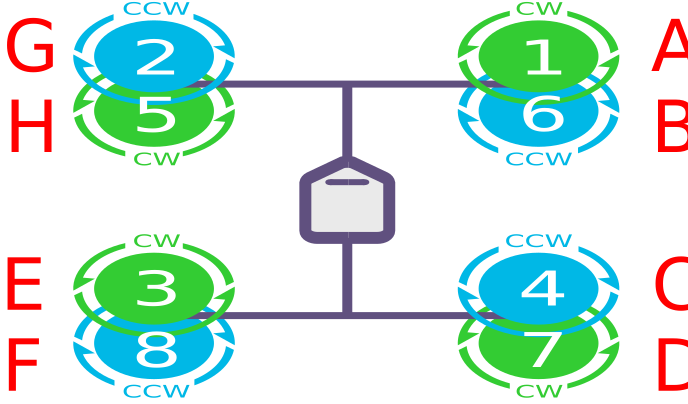
<figure style="margin: 0; text-align: center; width: 30%;">
    <a href="/assets/controller/octa-quad/OCTA-QUAD-X-BETAFLIGHT.svg" target="_blank">
        <img src="/assets/controller/octa-quad/OCTA-QUAD-X-BETAFLIGHT.svg" style="width: 100%; height: 200px; object-fit: contain; border-radius: 4px; border: 1px solid #eee;" />
    </a>
    <figcaption style="margin-top: 8px; font-size: 14px; font-weight: bold; background: #1677ff; color: white; padding: 4px 8px; border-radius: 4px;">OCTA QUAD X BETAFLIGHT</figcaption>
</figure>
<figure style="margin: 0; text-align: center; width: 30%;">
    <a href="/assets/controller/octa-quad/OCTA-QUAD-X-CLOCKWISE.svg" target="_blank">
        <img src="/assets/controller/octa-quad/OCTA-QUAD-X-CLOCKWISE.svg" style="width: 100%; height: 200px; object-fit: contain; border-radius: 4px; border: 1px solid #eee;" />
    </a>
    <figcaption style="margin-top: 8px; font-size: 14px; font-weight: bold; background: #1677ff; color: white; padding: 4px 8px; border-radius: 4px;">OCTA QUAD X CLOCKWISE</figcaption>
</figure>
Y6
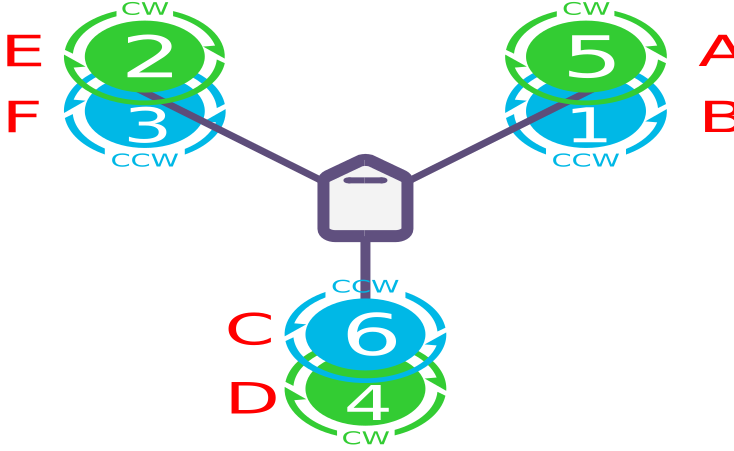
<figure style="margin: 0; text-align: center; width: 30%;">
    <a href="/assets/controller/Y6/Y6-B.svg" target="_blank">
        <img src="/assets/controller/Y6/Y6-B.svg" style="width: 100%; height: 200px; object-fit: contain; border-radius: 4px; border: 1px solid #eee;" />
    </a>
    <figcaption style="margin-top: 8px; font-size: 14px; font-weight: bold; background: #1677ff; color: white; padding: 4px 8px; border-radius: 4px;">Y6 B</figcaption>
</figure>
<figure style="margin: 0; text-align: center; width: 30%;">
    <a href="/assets/controller/Y6/Y6-F.svg" target="_blank">
        <img src="/assets/controller/Y6/Y6-F.svg" style="width: 100%; height: 200px; object-fit: contain; border-radius: 4px; border: 1px solid #eee;" />
    </a>
    <figcaption style="margin-top: 8px; font-size: 14px; font-weight: bold; background: #1677ff; color: white; padding: 4px 8px; border-radius: 4px;">Y6 F</figcaption>
</figure>
Tricopter
<figure style="margin: 0; text-align: center; width: 30%;">
    <a href="/assets/controller/Tricopter/TRICOPTER-PITCH-REVERSED.svg" target="_blank">
        <img src="/assets/controller/Tricopter/TRICOPTER-PITCH-REVERSED.svg" style="width: 100%; height: 200px; object-fit: contain; border-radius: 4px; border: 1px solid #eee;" />
    </a>
    <figcaption style="margin-top: 8px; font-size: 14px; font-weight: bold; background: #1677ff; color: white; padding: 4px 8px; border-radius: 4px;">TRICOPTER PITCH REVERSED</figcaption>
</figure>
TIP
A tricopter controls yaw with the tail (or nose) servo, so motor rotation direction does not affect basic operation. But if the front motors are not counter-rotating, roll and pitch inputs cause adverse yaw and reduce the dynamic range of yaw control. If the tail (or nose) servo yaws the wrong way, set RCn_REVERSE (transmitter input) or SERVOn_REVERSE (tilt servo) to 1 (default 0) — see the tricopter setup page.
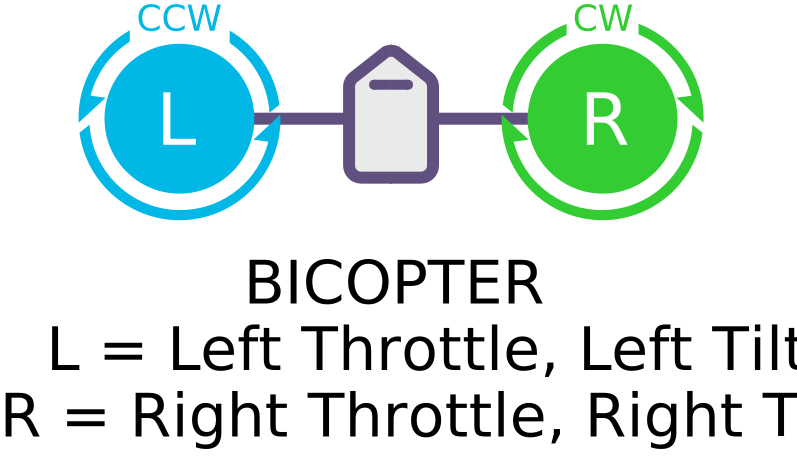
Bicopter
TIP
If you need to, the bicopter motors can turn opposite to the directions shown (left clockwise, right anticlockwise, for example).
Dodecahexa (six arms, twelve motors)
<figure style="margin: 0; text-align: center; width: 40%;">
    <a href="/assets/controller/dodecahexa/DODECAHEXA-X.svg" target="_blank">
        <img src="/assets/controller/dodecahexa/DODECAHEXA-X.svg" style="width: 100%; height: 200px; object-fit: contain; border-radius: 4px; border: 1px solid #eee;" />
    </a>
    <figcaption style="margin-top: 8px; font-size: 14px; font-weight: bold; background: #1677ff; color: white; padding: 4px 8px; border-radius: 4px;">DODECAHEXA X</figcaption>
</figure>
Decacopter
<figure style="margin: 0; text-align: center; width: 40%;">
    <a href="/assets/controller/deca/DECA-X.svg" target="_blank">
        <img src="/assets/controller/deca/DECA-X.svg" style="width: 100%; height: 200px; object-fit: contain; border-radius: 4px; border: 1px solid #eee;" />
    </a>
    <figcaption style="margin-top: 8px; font-size: 14px; font-weight: bold; background: #1677ff; color: white; padding: 4px 8px; border-radius: 4px;">DECA X</figcaption>
</figure>
Custom frames
ArduPilot can drive up to 32 motors from a LUA script, which is how you build a custom frame. The roll, pitch and yaw coefficients for every motor have to be computed in the script and loaded — set FRAME_CLASS to 15, the scripted matrix. For a typical 16-motor octocopter, the 8-axis 16-propeller setup guide walks through the details.
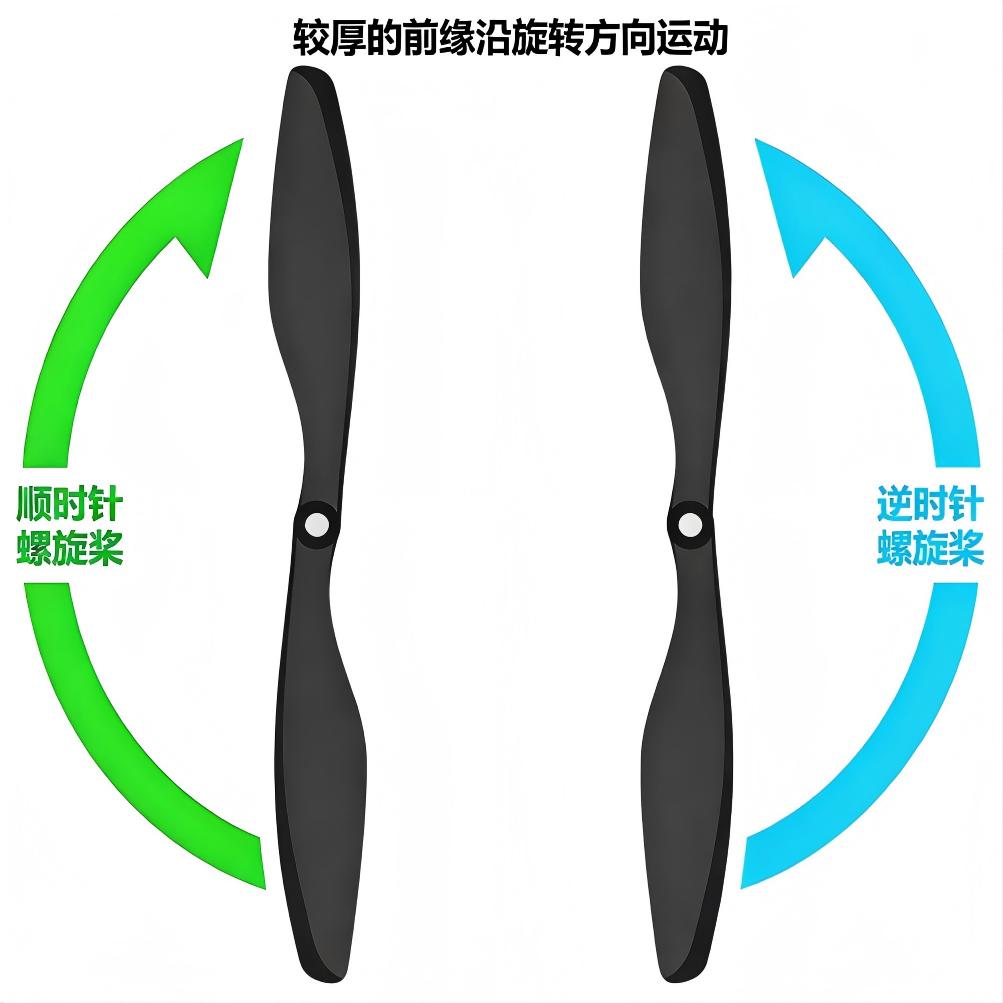
Telling clockwise and anticlockwise propellers apart
The diagram shows the two propeller types: pusher propellers, which turn clockwise, and tractor propellers, which turn anticlockwise. Telling them apart by blade shape is the most reliable method. The thick side of the blade is the leading edge, and it travels in the direction the propeller turns; the trailing edge is more sharply scalloped, and usually thinner.