ArduPilot User Guide
ArduPilot has a complete documentation system. The latest and most detailed setup instructions are in the ArduPilot WIKI.
NOTE
If you are new to this, read Hardware Connection and System Composition first and get the aircraft assembled.
CUAV® has translated parts of the ArduPilot WIKI and added some material of its own:
Ground station
For the ArduPilot stack we recommend LGC Ground Station — it is compatible with more platforms, Android in particular, and has a clean interface with plenty of features. Mission Planner works as well.
NOTE
LGC has a clean interface, runs on Android and also supports PX4 firmware, which makes it a good fit for end users and commercial operators. Mission Planner does not support PX4 and its Android compatibility is limited, but it is far richer for debugging and configuration, so it suits people who tune unmanned systems.
Loading ArduPilot firmware
NOTE
Firmware can be flashed online or from a local file. If the online download is slow, download the firmware to your computer first and flash it locally.
Online flashing
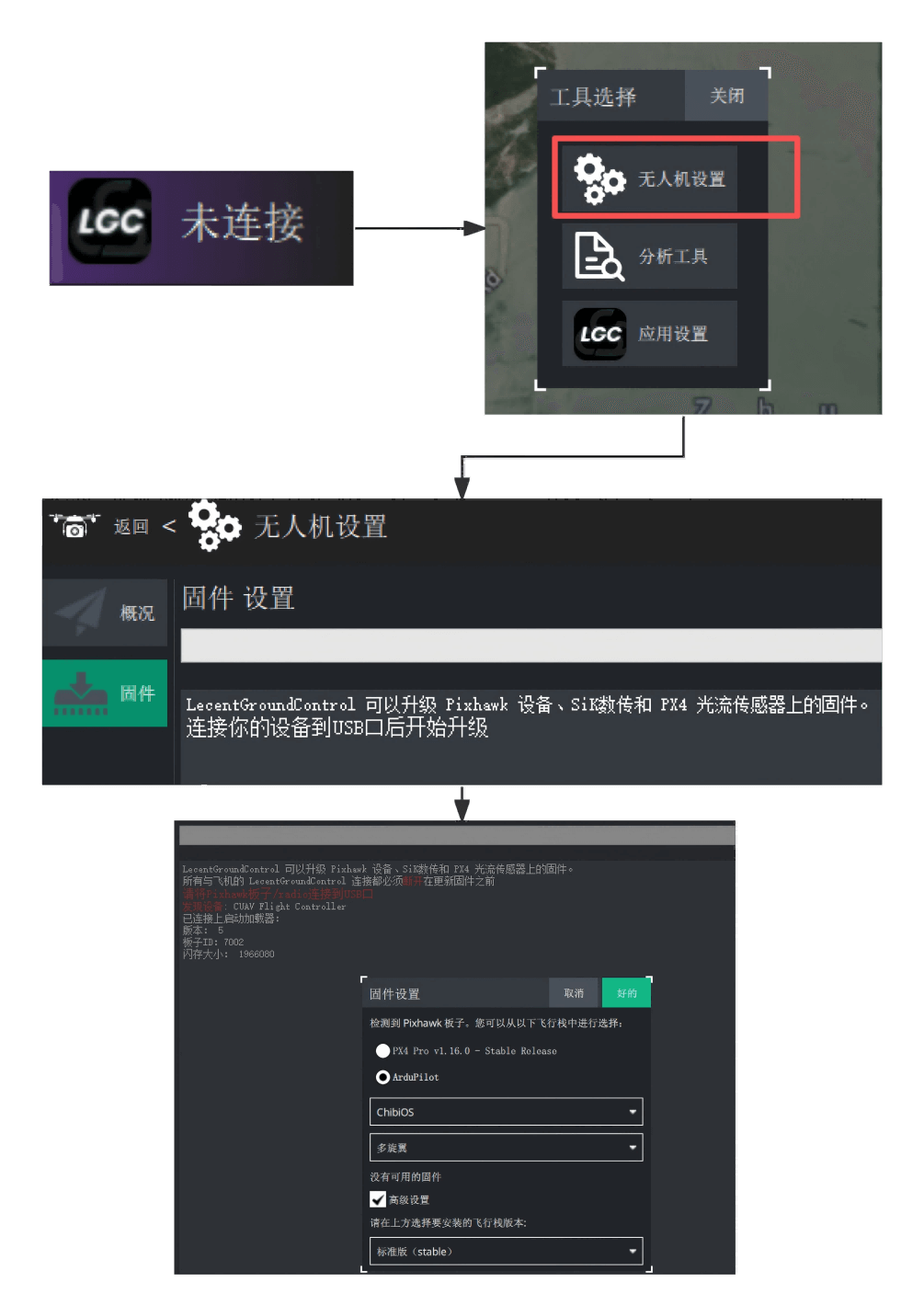
Run LGC Ground Station, click the LGC icon, then UAV Setup > Firmware. Connect the controller to the computer over USB and pick the firmware type you want to flash.
TIP
ArduPilot firmware runs on ChibiOS. The available types are Copter, Heli, Plane, Rover and Sub. The version number reads 4.Y.XX, where Y marks a major release that adds features and XX is the minor build — the higher the minor number, the more stable the build generally is. Tick Advanced settings to choose the release channel: Stable, Beta, Developer (daily build) or a custom firmware file.
Local flashing
Download the firmware to your computer, then in LGC go to the firmware screen, connect the controller over USB, tick Advanced settings > Custom firmware... and select the file to write.
NOTE
† Firmware for X25 MEGA and X25 SUPER is maintained by CUAV® as a backport (X25 MEGA tracks 4.6.3, X25 SUPER tracks 4.7.1). All other models use the official ArduPilot stable builds directly.
ODID firmware (Open Drone ID, remote identification) is optional and only available for some models: Copter and Plane are covered most widely, while Heli currently covers only X25 MEGA and X25 SUPER. Rover and Sub have no ODID build. Every ODID file is a _with_bl.hex image (bootloader included) and can be flashed over DFU or through the DEBUG port.
Frame type and motor order
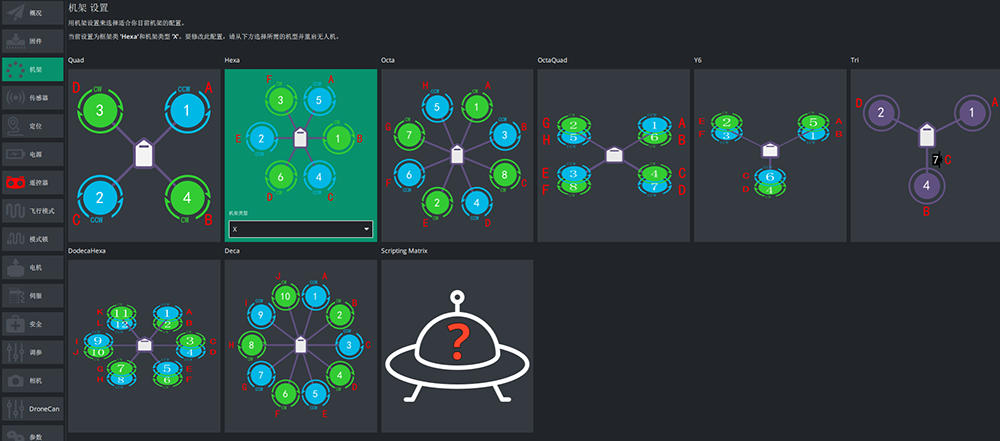
In LGC, open UAV Setup > Frame and configure the frame type.