

Sensor Calibration
In ArduPilot, accelerometer and compass calibration are mandatory.
Accelerometer calibration
TIP
If the controller is not mounted in the standard orientation (arrow not pointing to the front of the airframe), set AHRS_ORIENTATION correctly before you calibrate the accelerometer.
- Connect the controller and open UAV Setup > Sensors > Accelerometer.
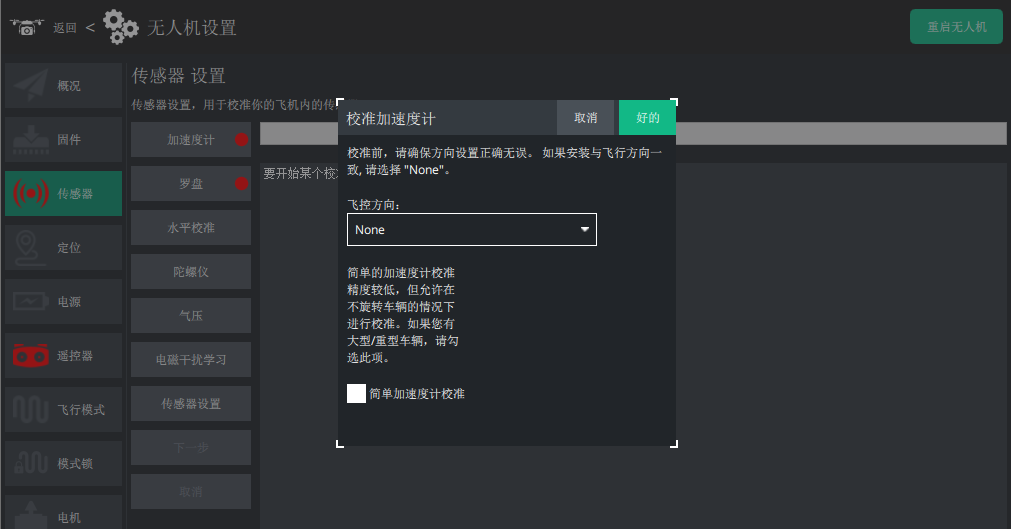
- Place the aircraft level, right side up, and wait until the icon below turns into a yellow box, then click Next.
- Following the pictures on screen, rest the aircraft on its left side, right side, nose down, nose up and finally upside down.
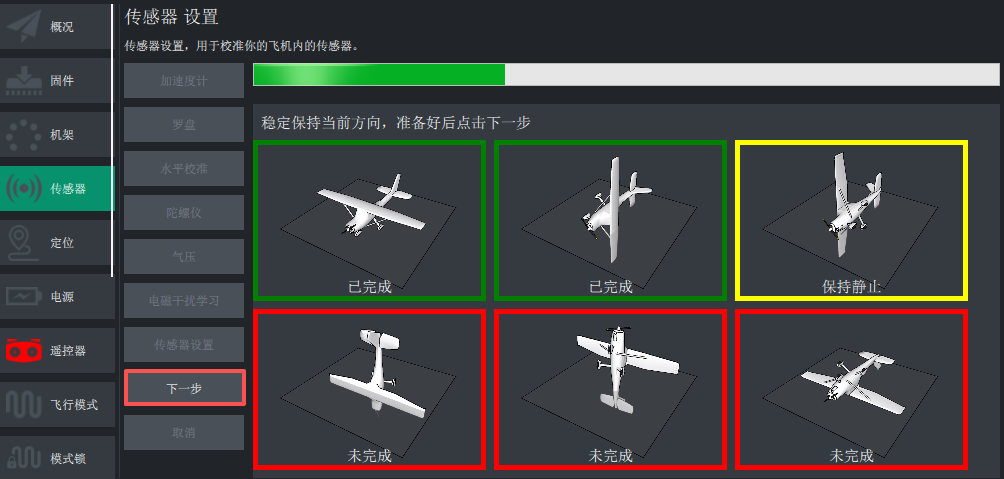
- When calibration finishes, click Restart the aircraft in the dialog.
NOTE
The frame colour around each illustration means: green — that face is calibrated; yellow — the controller has detected this attitude and is waiting for you to confirm with Next; red — not done yet or in progress.
Compass calibration
- Open UAV Setup > Sensors > Compass.
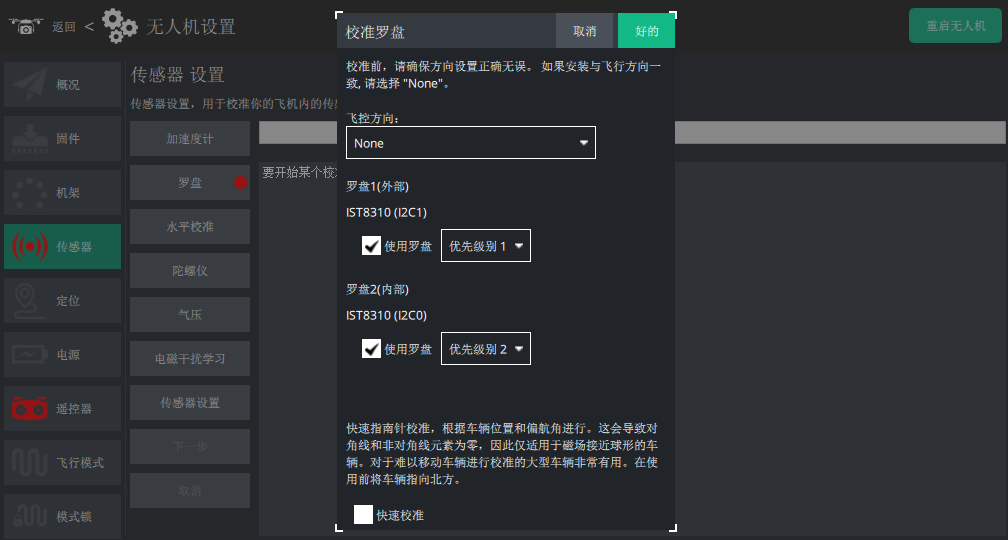
- If needed, set the controller orientation and the compass priority (the defaults are usually fine), then click OK to start the 720° rotation calibration.
- Lift the aircraft and rotate it in every direction, holding each side (front, back, left, right, top, bottom) pointing down at the earth for a few seconds.
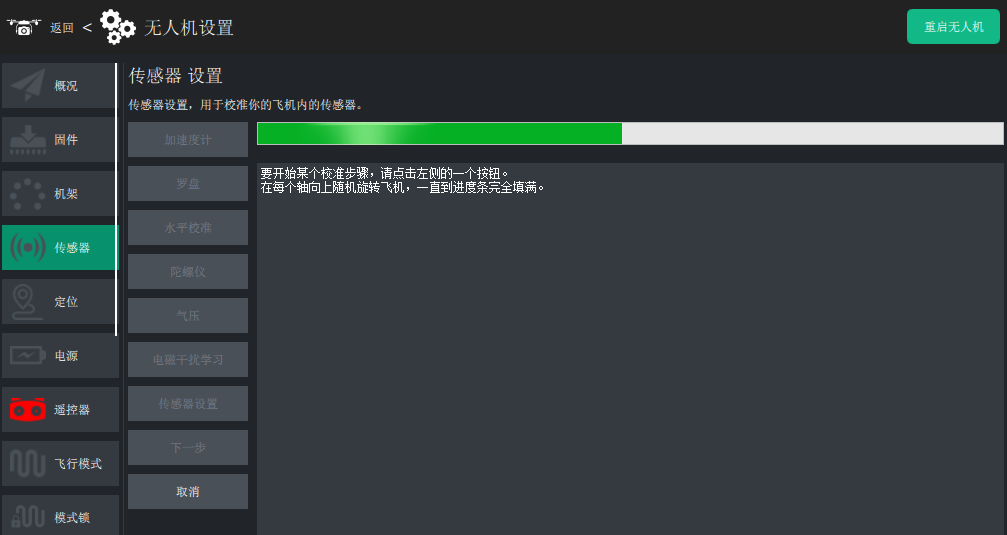
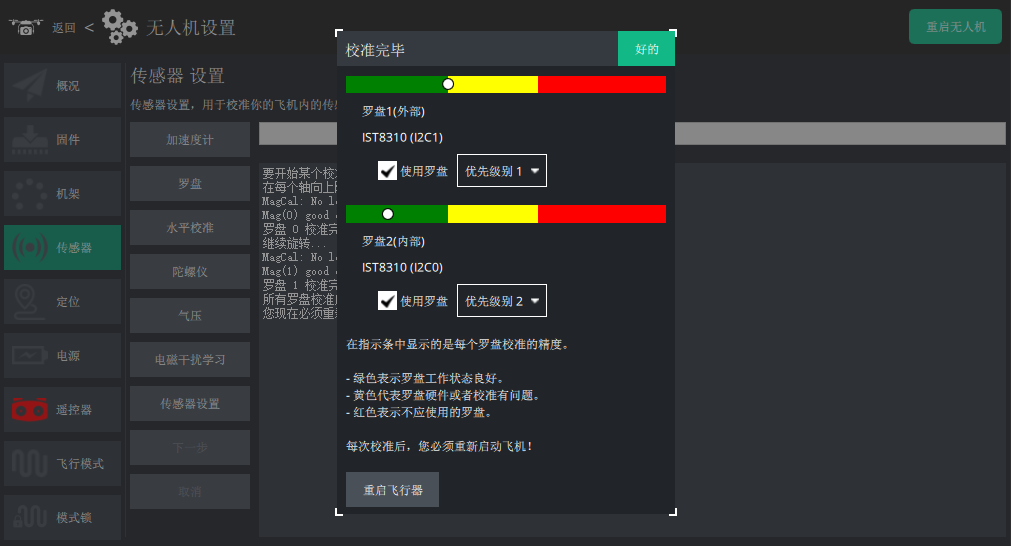
The green bar at the top extends further to the right as each side is covered, until calibration completes.
Untick any compass you do not need or that is performing badly.
TIP
The completion dialog shows green, yellow and red offset bars for each compass. Red means unhealthy, green means the offset is a little high — you normally want every bar green.
Level calibration
Level calibration keeps the aircraft from drifting when it flies without GPS, so it is worth doing accurately.
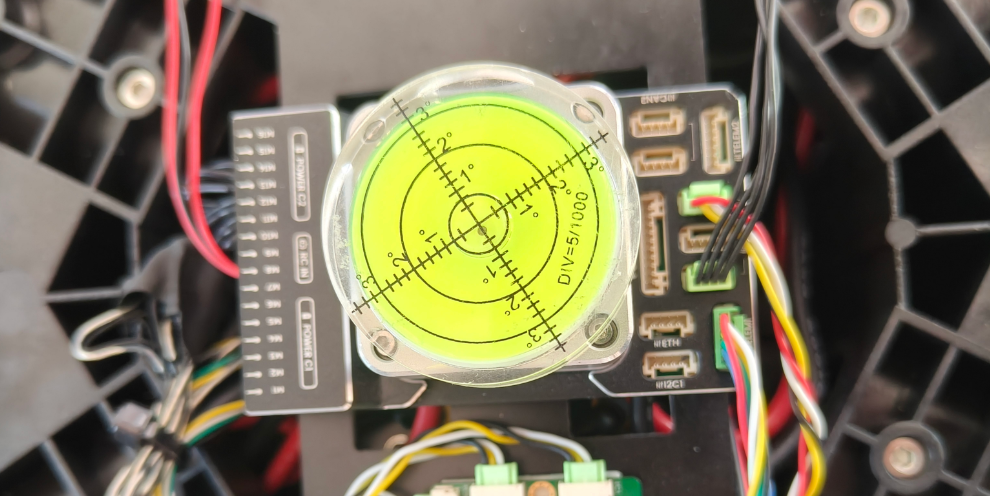
Put a bubble level on a surface parallel to the controller IMU. Shim the aircraft until the bubble sits inside the centre circle — the aircraft is now level.
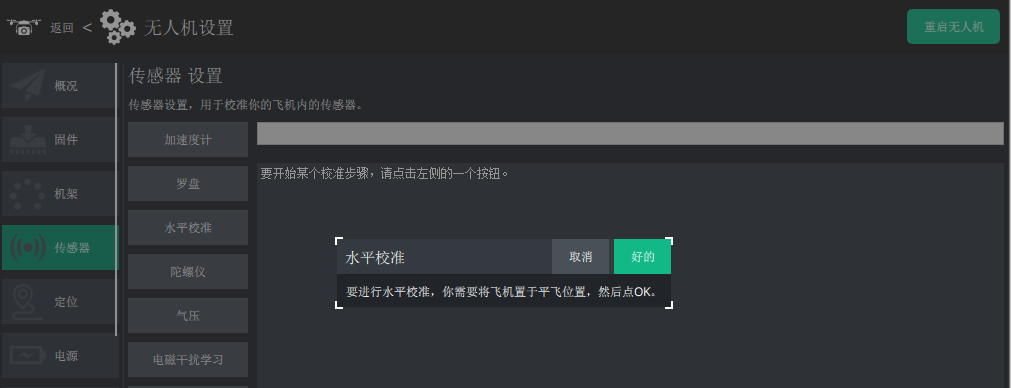
Open UAV Setup > Sensors > Level calibration.
- Click OK in the dialog to start.
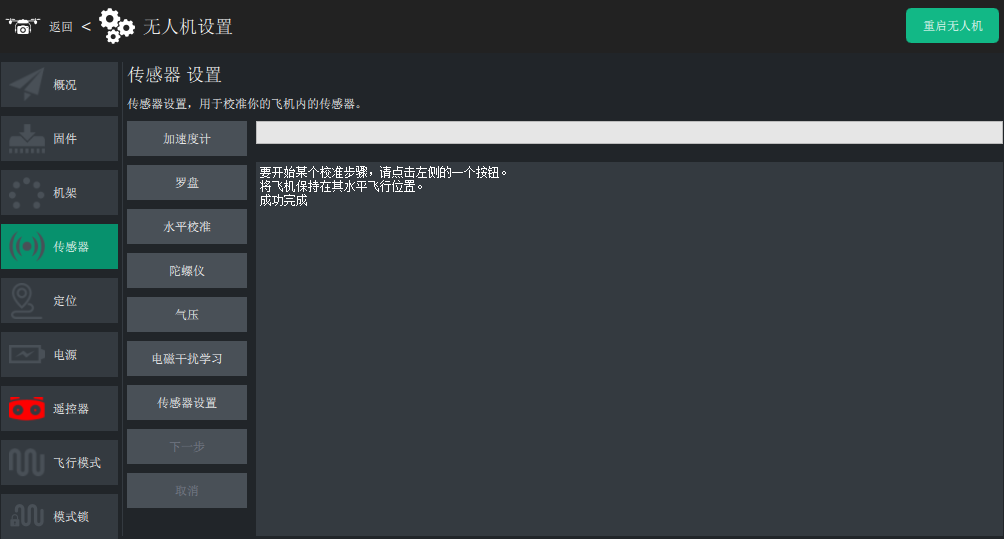
- Calibration completes.
Gyro calibration
TIP
ArduPilot runs its gyro alignment automatically at boot, so you normally do not need to calibrate the gyro. Do it only when the system asks for it or when the data is offset.
- Open UAV Setup > Sensors > Gyro.
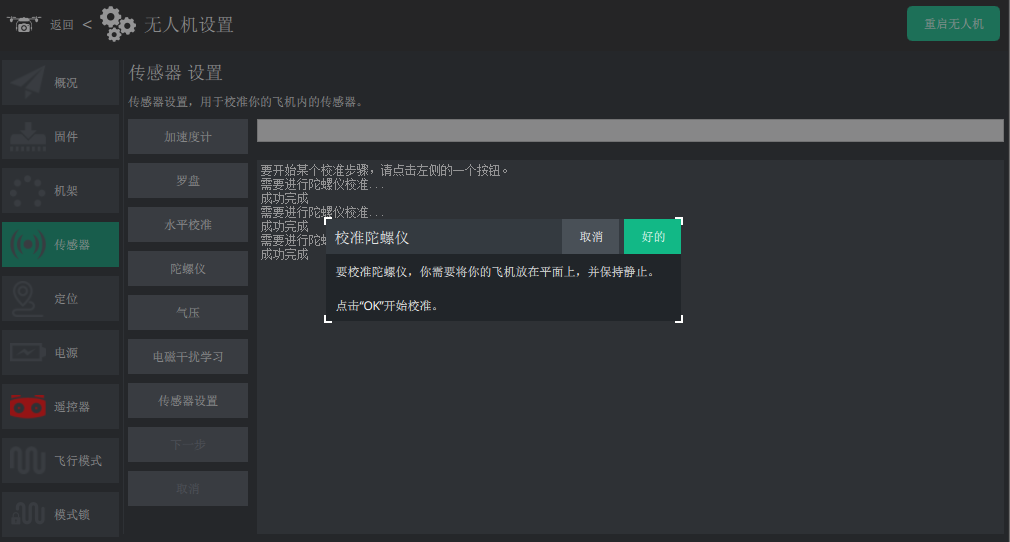
- Place the controller level and keep it still, then click OK in the dialog to start.
NOTE
Barometer calibration, compass-motor interference learning and the sensor settings in LGC Ground Station do not need any action. Fixed-wing and VTOL aircraft also need the airspeed sensor calibrated.