

Pre-flight Check
Run a pre-flight check before every flight. It is not optional — it is what keeps the flight safe. LGC Ground Station supports a pre-flight checklist.
- Connect LGC Ground Station, then open App Settings > Flight View and tick Use pre-takeoff checklist to force the checklist on.
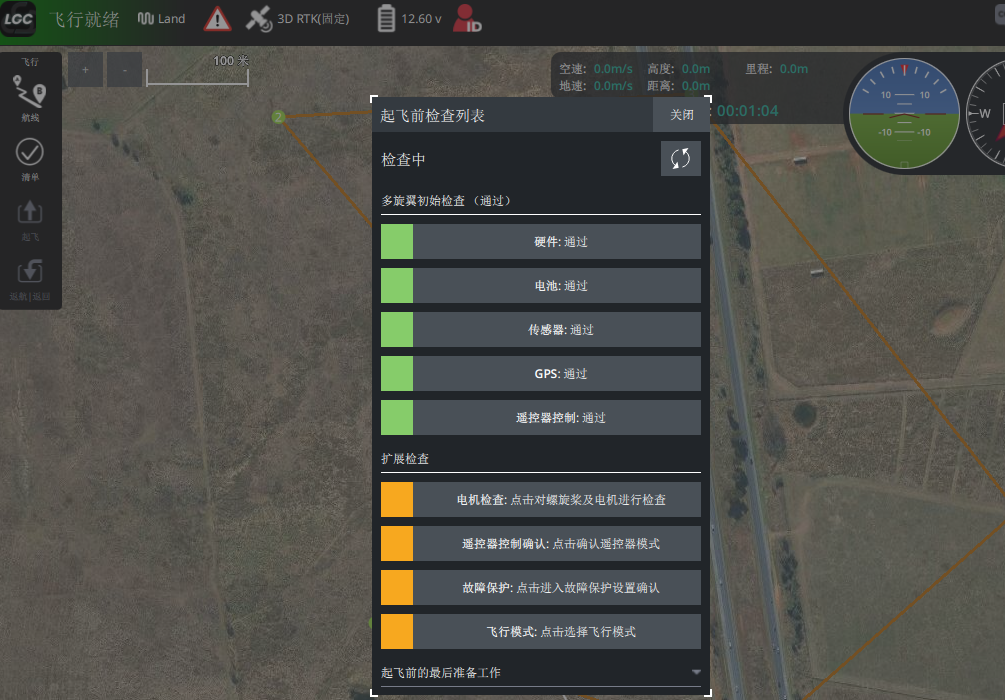
- The flight screen then shows a mandatory checklist. Work through the items; the aircraft will not arm until they are done.
Multirotor pre-flight checklist
NOTE
The camera check is not enforced. If you have no camera fitted, open the camera check and close the dialog — the system counts it as passed.