

RC Transmitter Connection and Calibration
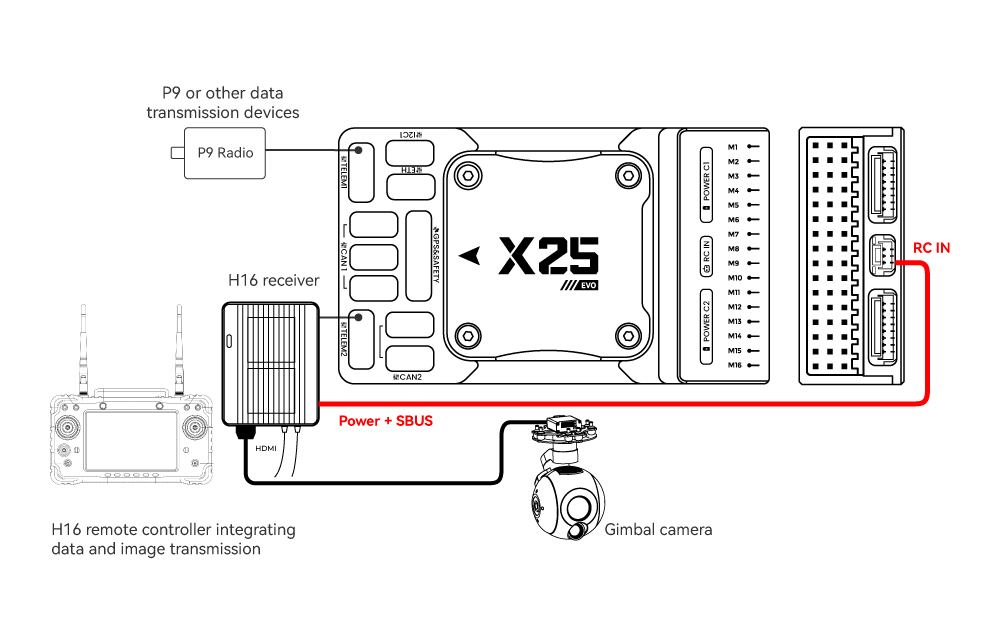
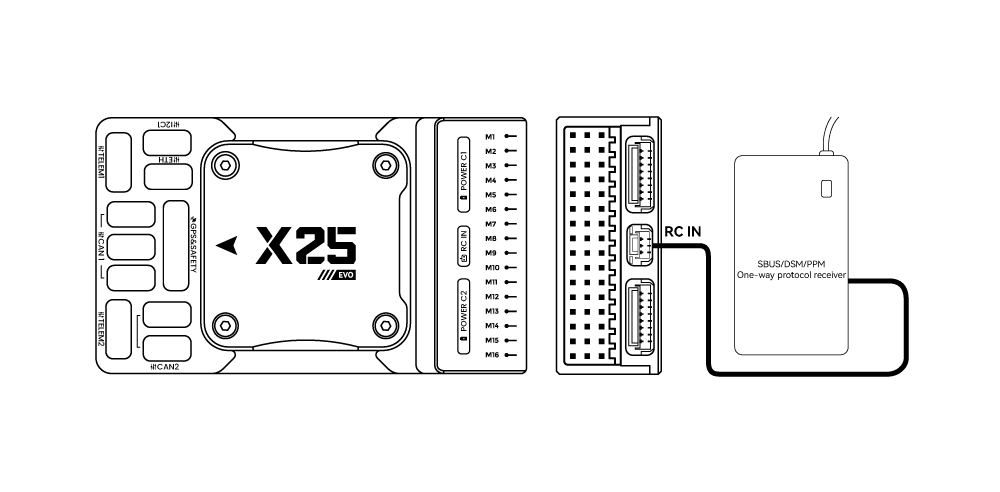
Use the dedicated cable supplied with the CUAV® controller family. A SBUS receiver plugs into the RCIN port, or into the SBUS/DSM port.
For an Android all-in-one remote controller:
For a hobby RC transmitter:
Calibration
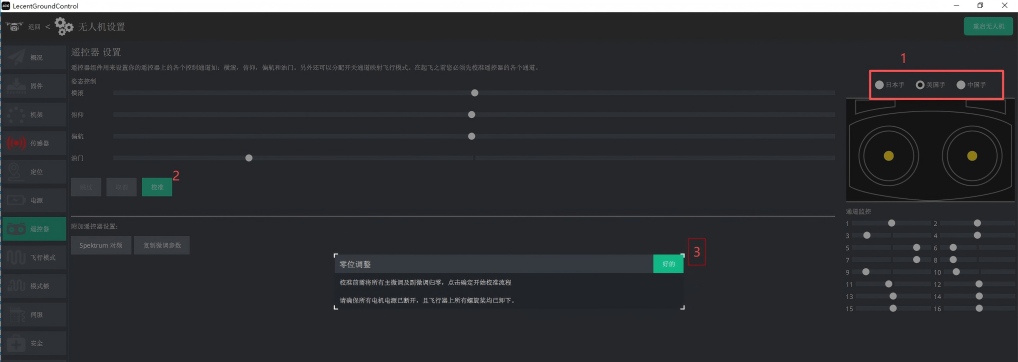
- In LGC Ground Station open the UAV configuration screen and go to RC. Power on the transmitter and let it bind to the receiver.
- Choose the stick layout you fly (Mode 1, Mode 2 or Mode 3) — what is the difference between the three stick layouts?.
- Click Calibrate on the left.
- Zero any transmitter trims and take the propellers off.
- Follow the diagram on the right and the text on the left: pull the throttle stick to its lowest position, then click Next.
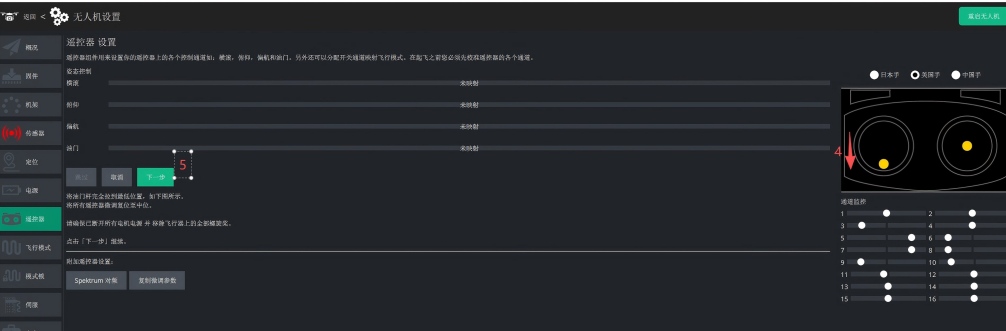
- Follow the on-screen prompts. The system detects each movement and runs the stick calibration automatically.
- Move the other switches and channels you use (at minimum the sticks and the flight mode switch), then click Next.
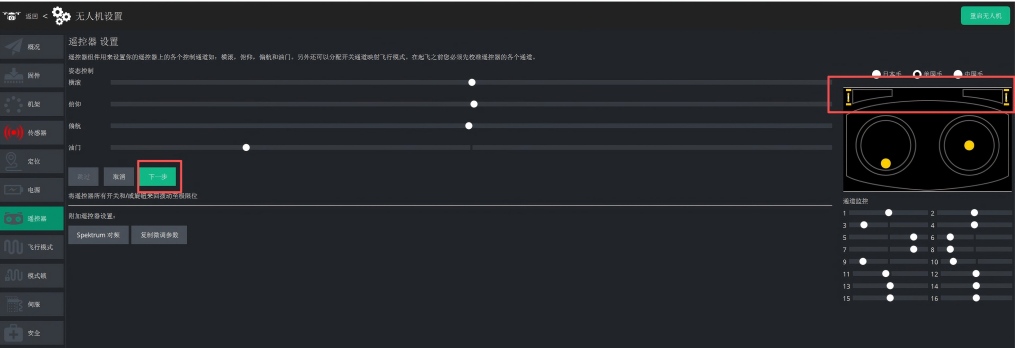
- Click Next to write the calibrated values to the controller.

- Calibration is complete.