

Power Monitor
A power monitor reports battery current and voltage to the controller in real time. The aircraft uses that data to decide when to come home, which is what stops a flight from ending in a crash when the battery runs out.
Current sensor setup
TIP
On 7-Nano, the X7 series, Pixhawk V6X and X25 EVO, the power module is already matched to the kit. Do not change it unless you have to.
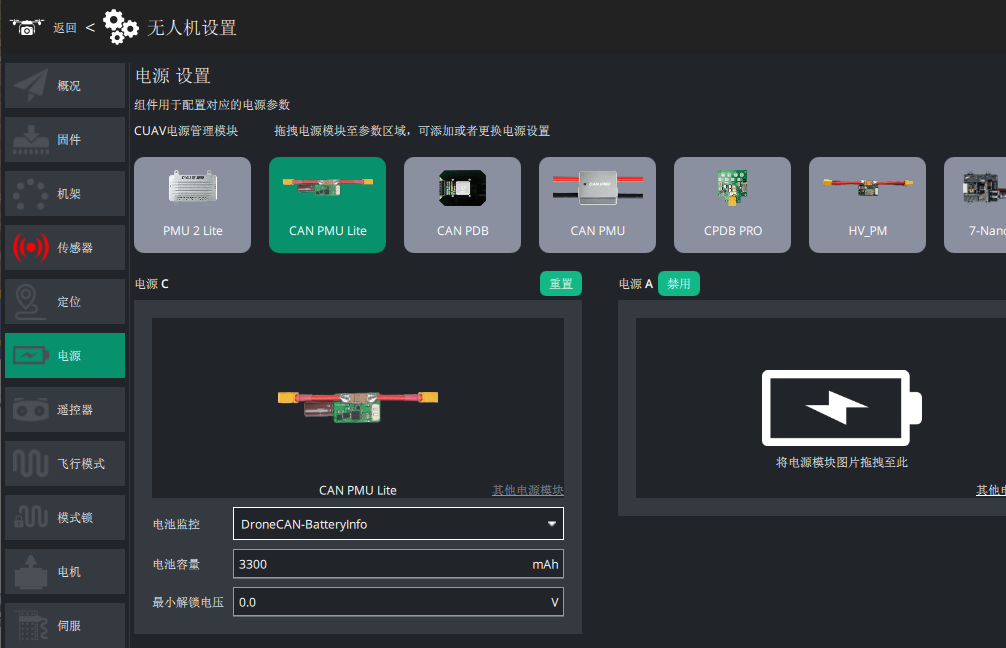
- LGC Ground Station configures the power monitor graphically — drag the module icon onto the matching monitor position.
TIP
CAN power modules need no further setup. Charge counting, current and voltage are all computed and compensated inside the module, and it is calibrated at the factory, so accuracy is higher and more dependable. Analogue power modules do need the battery capacity entered and a calibration run.
Current sensor calibration
On analogue power modules such as HV-PM and the one on 7-Nano, the system provides voltage and current calibration.
- Drag the power module into the power configuration window.
- Restart the controller as prompted.
- The power module configuration options are then refreshed.
Calibrating voltage
- Feed a stable voltage into the power module.
- Click Fix next to the voltage multiplier to open the voltage calibration settings.
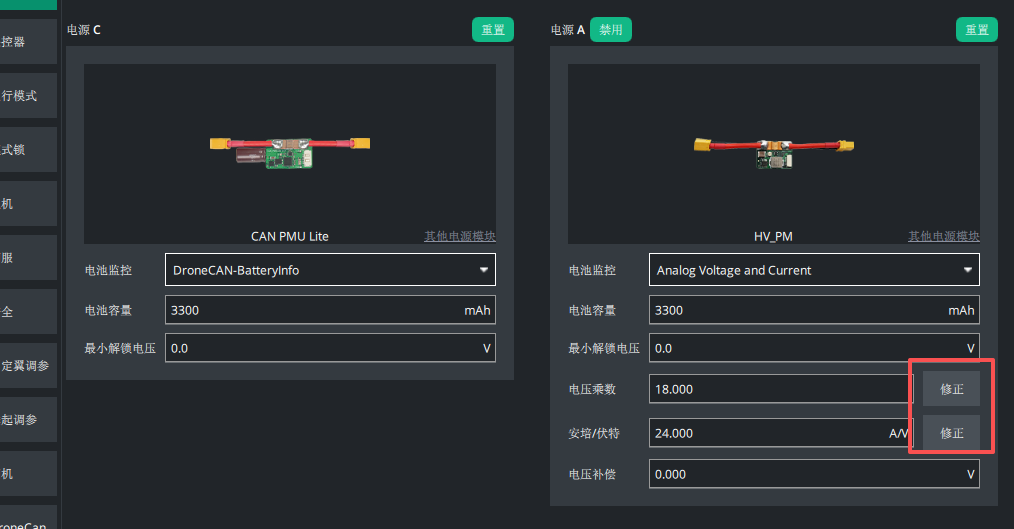
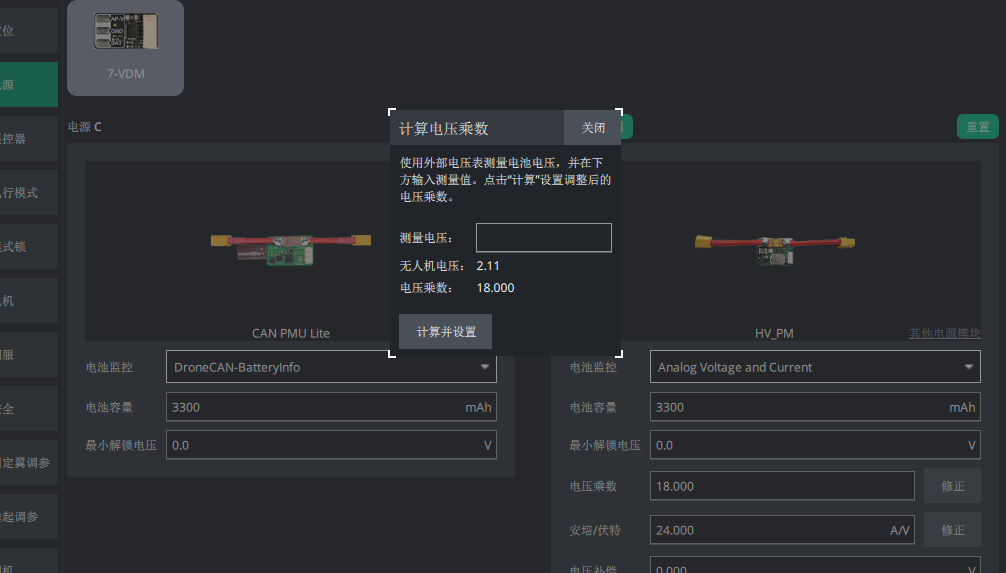
- Measure the supply voltage with a multimeter or similar instrument and enter it as the measured voltage.
- The system adjusts the voltage multiplier automatically so the reported voltage matches the measured value.
Calibrating current
- Connect a steady load and supply to the power module.
- Click Fix next to amps per volt to open the current calibration settings.
- Measure the current flowing through the power module with a high-accuracy meter and enter it as the measured current.
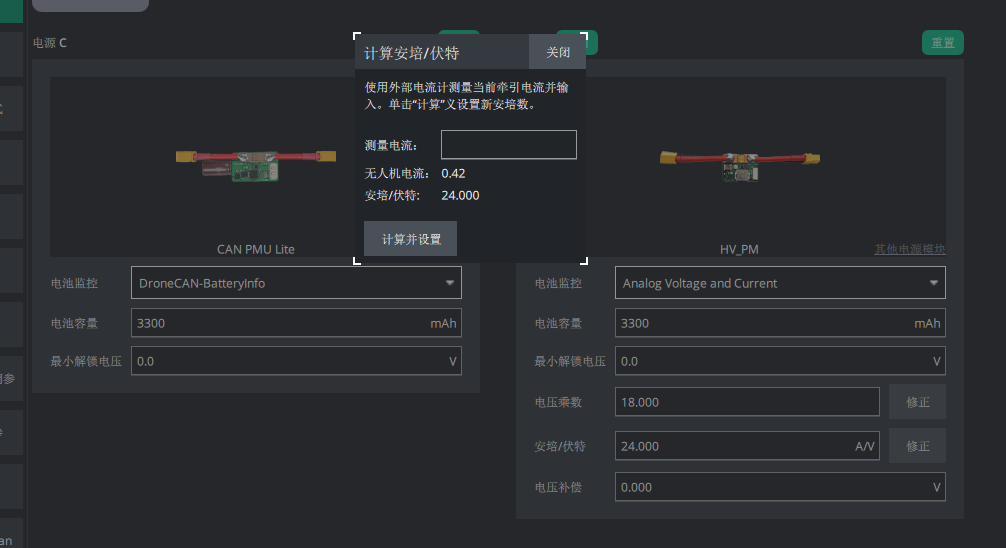
- The system adjusts amps per volt automatically so the reported current matches the measured value.