

LBA3 Quick Configuration Guide
This chapter describes the quick configuration of LBA3 based on the WEB platform.
Factory preset
LBA3 link settings and firmware upgrades can be performed through the WEB platform. The LBA3 system is preset at the factory and is plug-and-play. For a better experience, do not modify the settings unless necessary. After changing settings or upgrading the system, the mobile terminal AG module and the LBA3 base station may have inconsistent configurations and fail to establish communication; in that case, connect to the AG module's WIFI to configure it, or configure the AG module first.
Log in to the Web
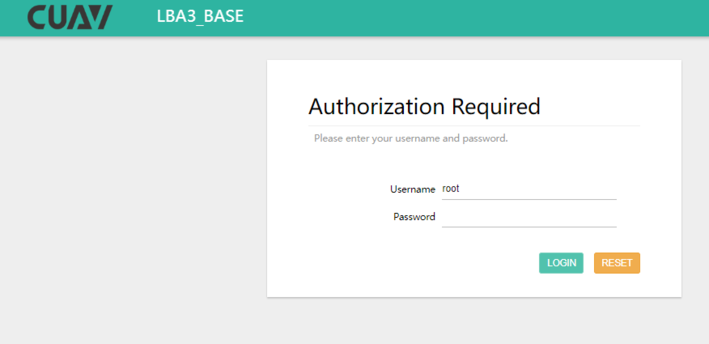
- Method 1: connect the LBA base station to the computer with a network cable, then enter the mobile terminal IP (192.168.10.2) or base station IP (192.168.10.1) in the browser to access the WEB platform (user root, empty password).
- Method 2: connect to the base station / mobile terminal WIFI (First Time Use), then enter the mobile terminal IP (192.168.58.1) or base station IP (192.168.10.1) in the browser to access the WEB platform (user root, empty password).
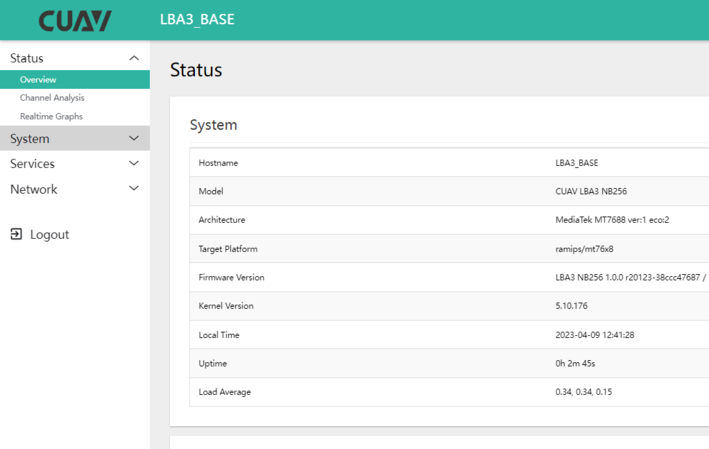
Accessing the mobile terminal WEB from the base station uses IP 192.168.10.2, while accessing it from the mobile terminal WIFI uses 192.168.58.1; both are the same interface with different WIFI network segments.
System Pairing
Key verification
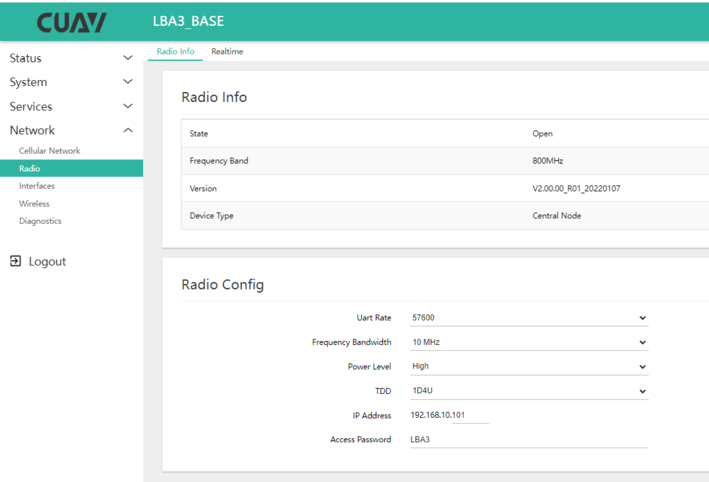
Key verification is the authentication method for the connection between the mobile terminal and the base station; communication is established only when both use the same access key.
Set the access key in "Network > Radio > Radio info > Radio Config".
Modify Serial Port Data Format (Baud Rate / Service Port)
The default serial baud rate is 57600; modify the relevant parameters in the device WEB management interface under "Service > ser2net".
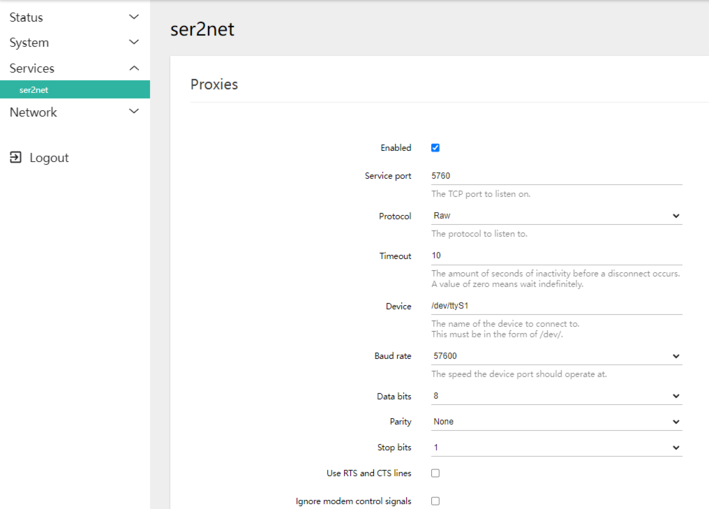
You should also set the radio baud rate in "Network > Radio > Radio Info".
Matching baud rates
The radio baud rate, system baud rate and Controller serial baud rate must be the same.
Point-to-Multipoint Setup
For one ground terminal with multiple mobile terminals, modify the mobile terminal AG module and radio IP (all devices on the same LAN must be in the same network segment with unique IPs).
Modify the AG Module IP / Base Station System IP
- Log in to the AG (192.168.10.2 or 192.168.58.1) or base station (192.168.10.1) WEB management platform.
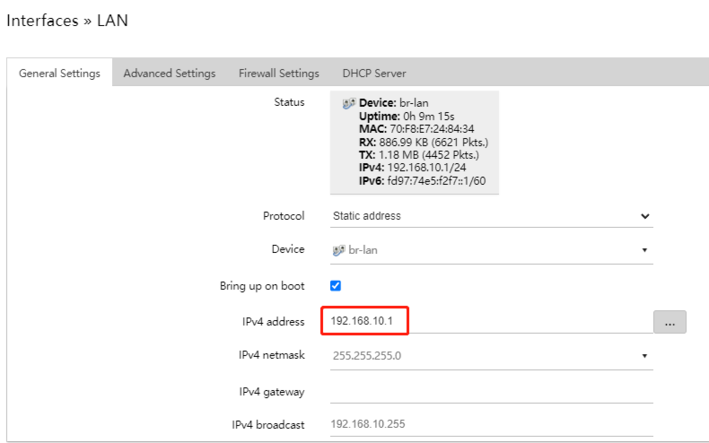
- Set the IPv4 address in "Network > Interfaces > LAN > Edit > General Settings".
IP address range
Change it to the range 192.168.10.3–192.168.10.20; a device restart is required after saving. Afterwards, log in to the WEB platform with the new IP address.
Modify the Radio IP
Radio IP
Write the IP address in "Network > Radio > Radio Info > Radio Config > IP Address". The default is 192.168.10.102; 192.168.10.103–192.168.10.120 is recommended.
Repeater Mode
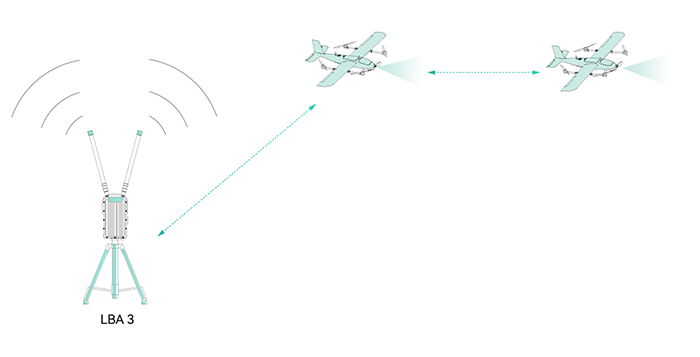
The LBA3 micro base station link supports one-level relay; set the central node as the repeater (contact technical personnel for the configuration method).
Modify the Base Station / AG Module WIFI Settings
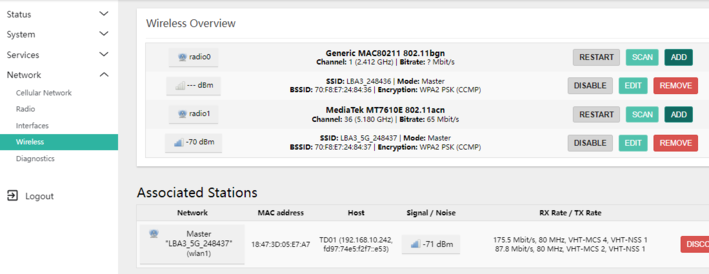
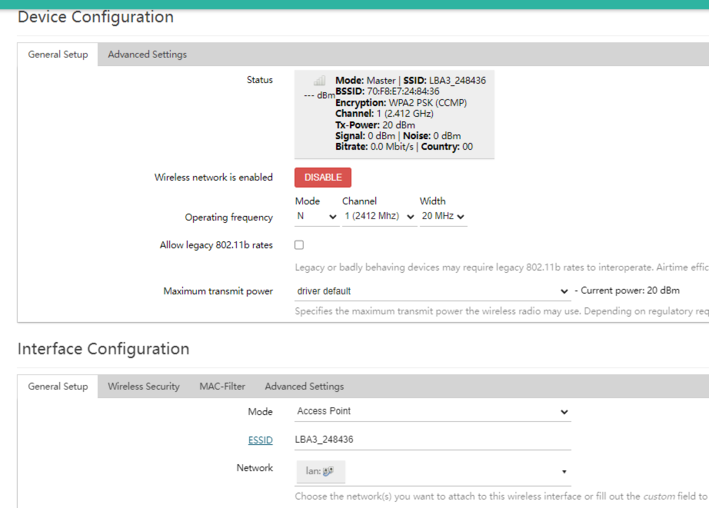
Go to the device WEB interface "Network > Wireless > Device configuration > General setup" to change the WIFI name and password.
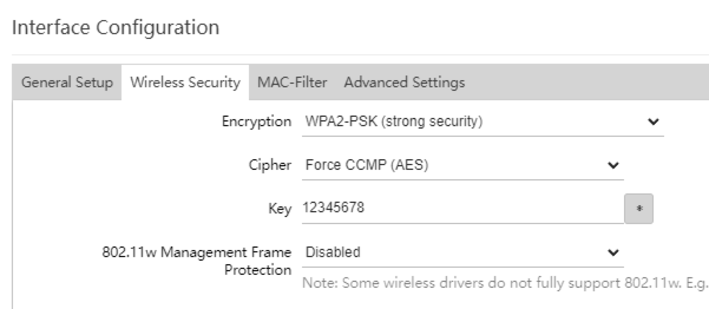
Upgrade the System Firmware
Upgrade the system through the mobile terminal or AG module WEB platform under "System > Backup/Flash Firmware > Flash operations".
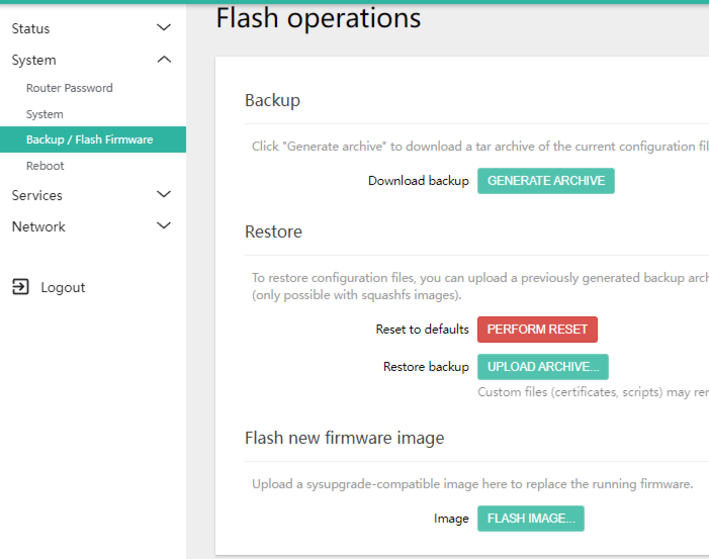
Flash the firmware.
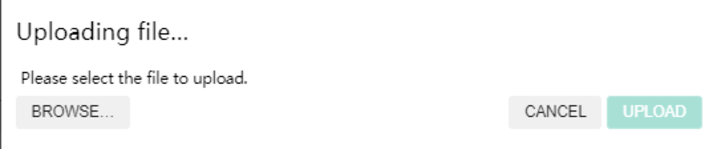
Click "Browse" to load the firmware file, then upload it.
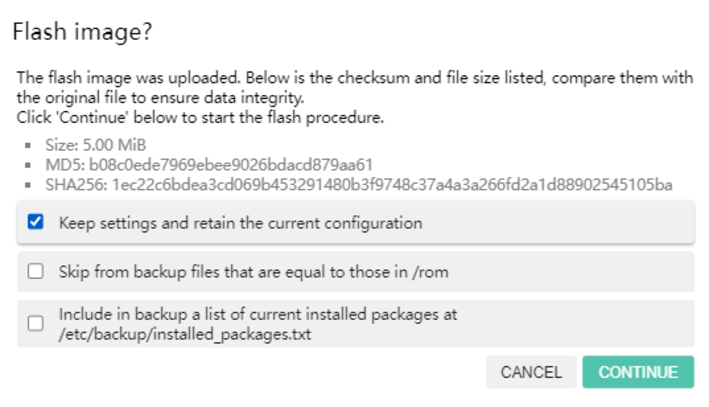
If there is no configuration to update, select "Keep the current configuration", click "Continue" and wait for the firmware flashing to finish.