

LBA3 Hardware Connection
Install the LBA3 base station
- Elevate the LBA3 base station on a tripod, fix the quick release to the base with M4×8 screws, then mount the quick release into the fixing rod.
- Install the antenna; mount the Type N antenna to the base station.
Installation notice
Starting the device without an antenna may cause irreversible damage; install the antenna before connecting power. The tripod must be purchased separately and supports a fixing rod of 20–25 mm diameter.
Power supply
- AC power: connect the POE power module to mains to power the LBA3 base station.
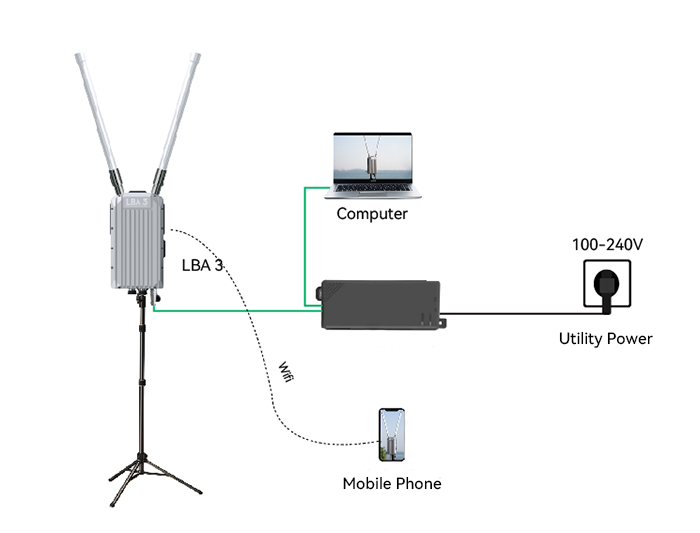
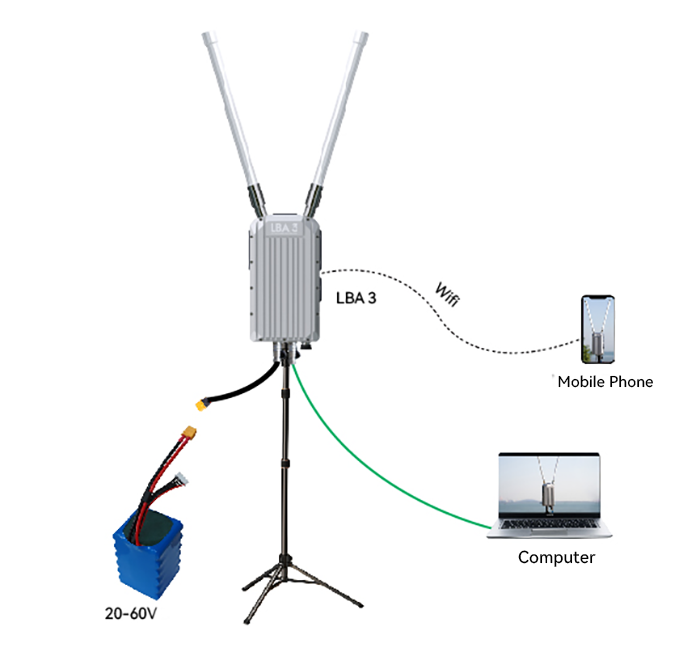
- Power bank / battery (DC) supply; supports 20–60 V.
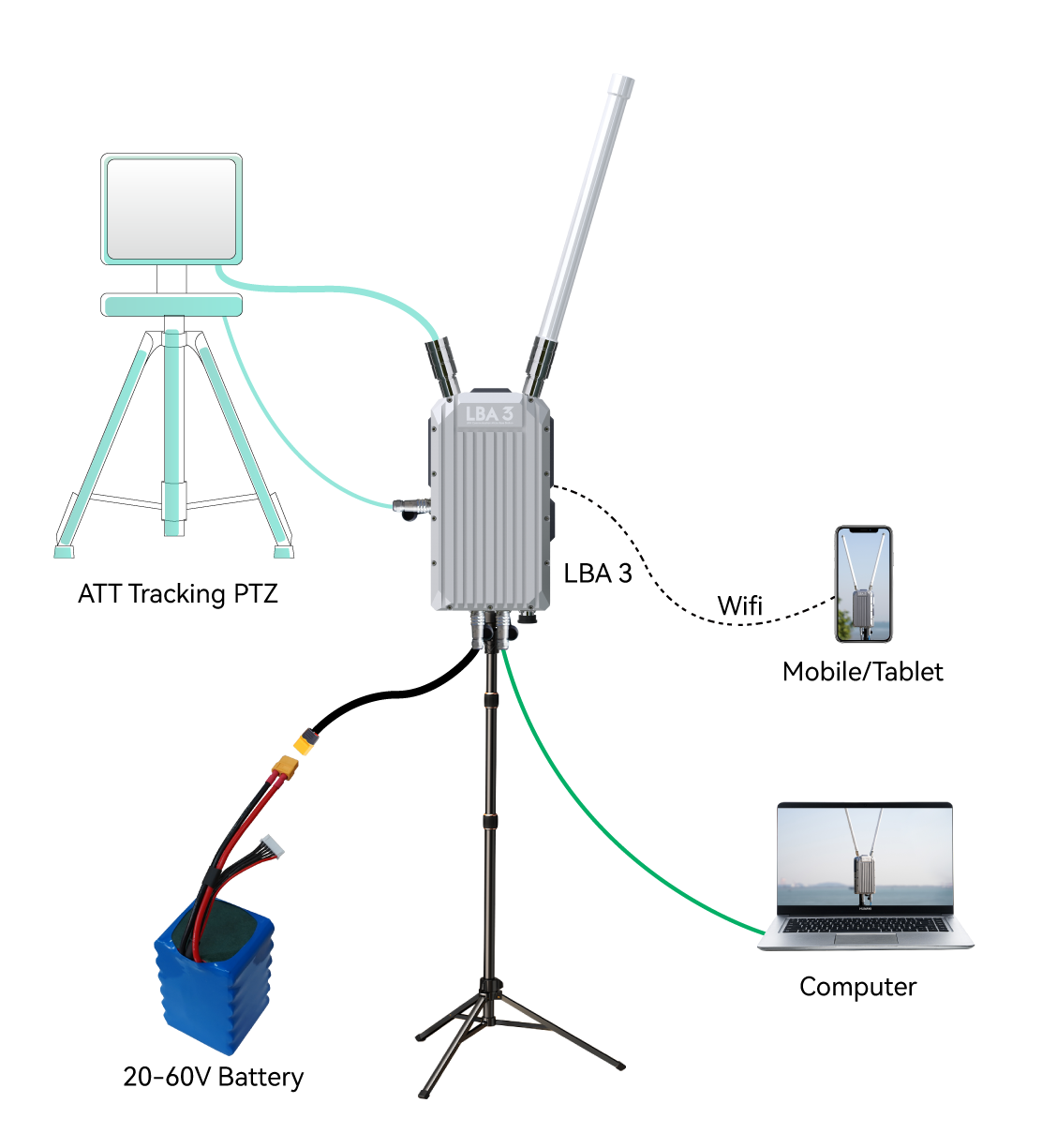
AAT (tracking gimbal)
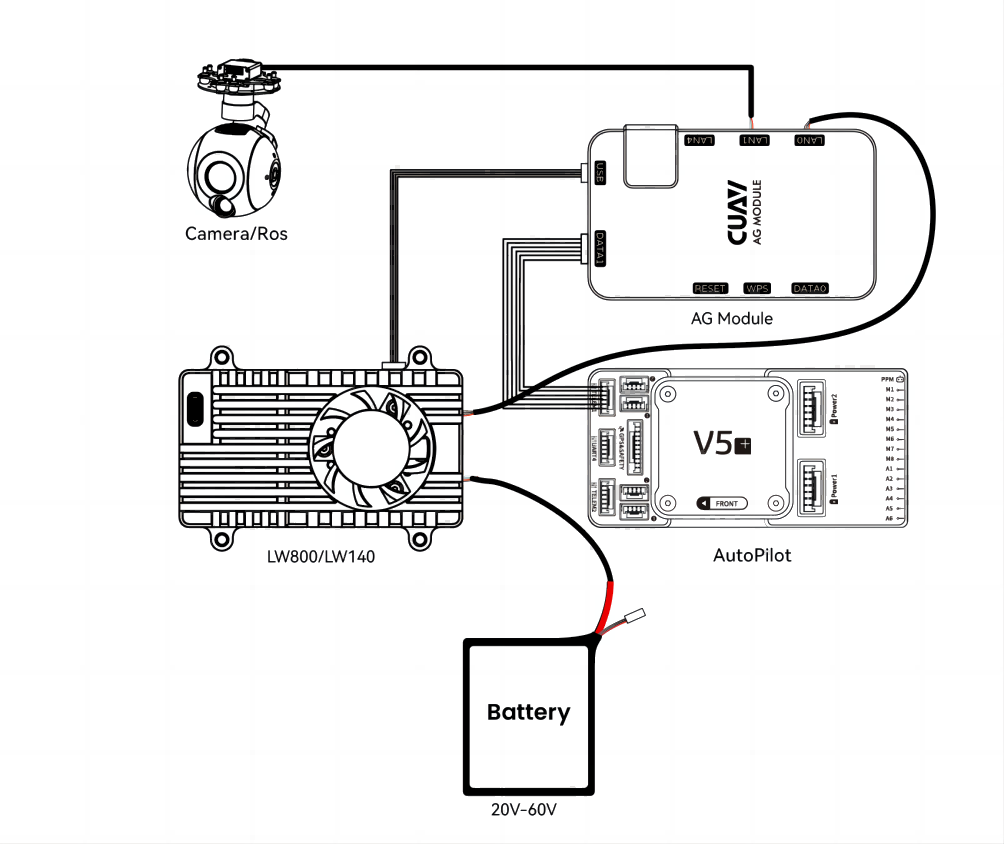
Install the mobile terminal and AG module
- Insert the supplied MCX feeder into the LW antenna interface, tighten the antenna, and mount it in the aircraft with the antenna pointing vertically up or down.
- Connect the Controller (TELEM1/2) to the AG DATE interface (AG-FC Cable).
- Connect the USB port of the LW mobile terminal and the AG module (USB cable).
- Connect the LW mobile terminal Ethernet interface to the AG module LAN0 interface (ETH-LAN0).
- Connect a network camera or ROS to the AG gateway LAN1/LAN4.
Network segment
The IP camera or ROS device must be on the same network segment as the LBA link (IP 192.168.10.X), and the IP must not conflict with other devices; follow the supplier's tutorial or consult technical personnel.