

Connect Android Devices
Summary
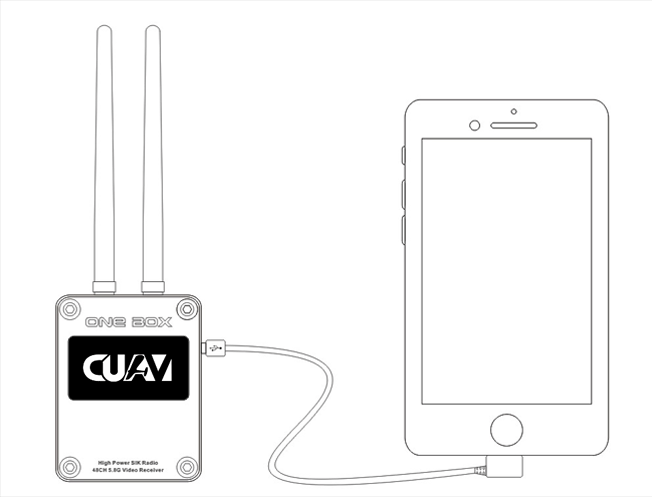
ONE BOX uses an OTG cable to connect with Android devices
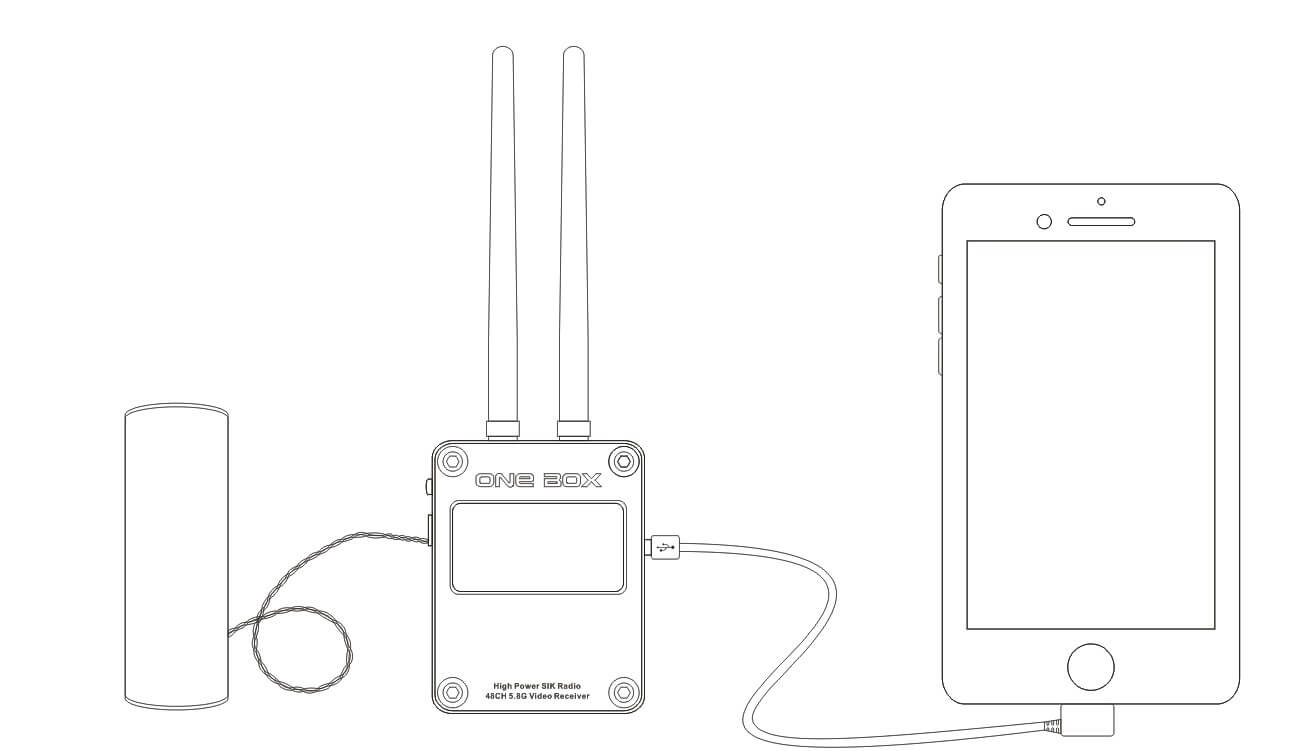
Note: If your phone's OTG output power is not enough, it may cause the ONE BOX to restart repeatedly. At this time you need to plug in a battery.
How to use
Power up the aircraft's equipment (aircraft control, SIK data transmission, 5.8G transmitters, AV cameras, etc.)
Use the standard OTG cable to insert into ONE BOX and mobile phone (elbow inserted phone)
Use external battery wiring diagram!
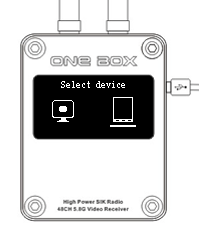
SelectTablet Icon Options Enter **Tablet/Phone ** Use Mode
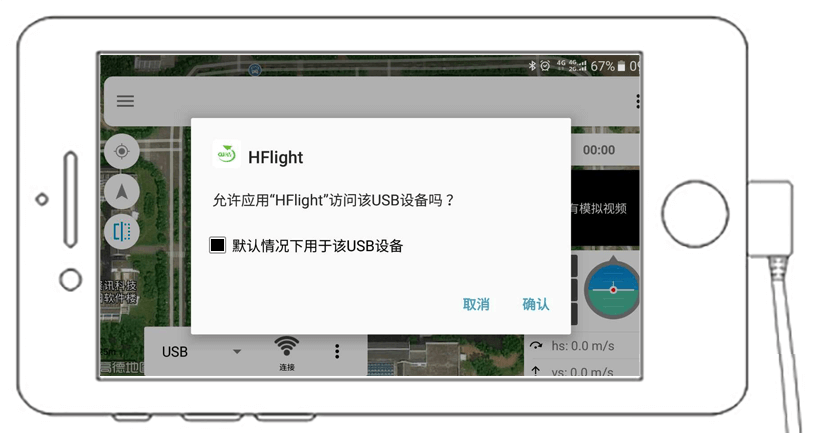
- Open CUAV HFlight APP phone will prompte open HFlight USB when connecting to this USB device?,Click to confirm
Select USB and click the Connect button. After successful data connection
Should it pop up again to open HFlight when connecting to this USB device?
Then you can see the blue UVC video, then you can search for the channel
Automatic search channel
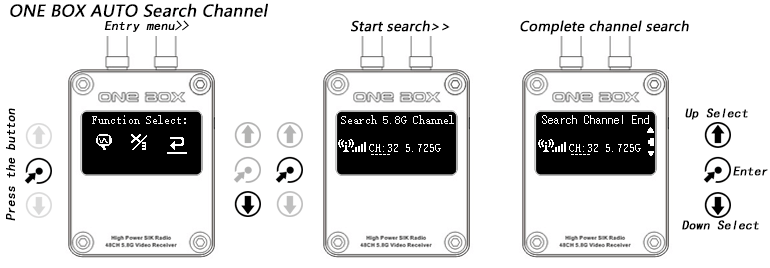
After the mobile phone APP is connected successfully, it shows:
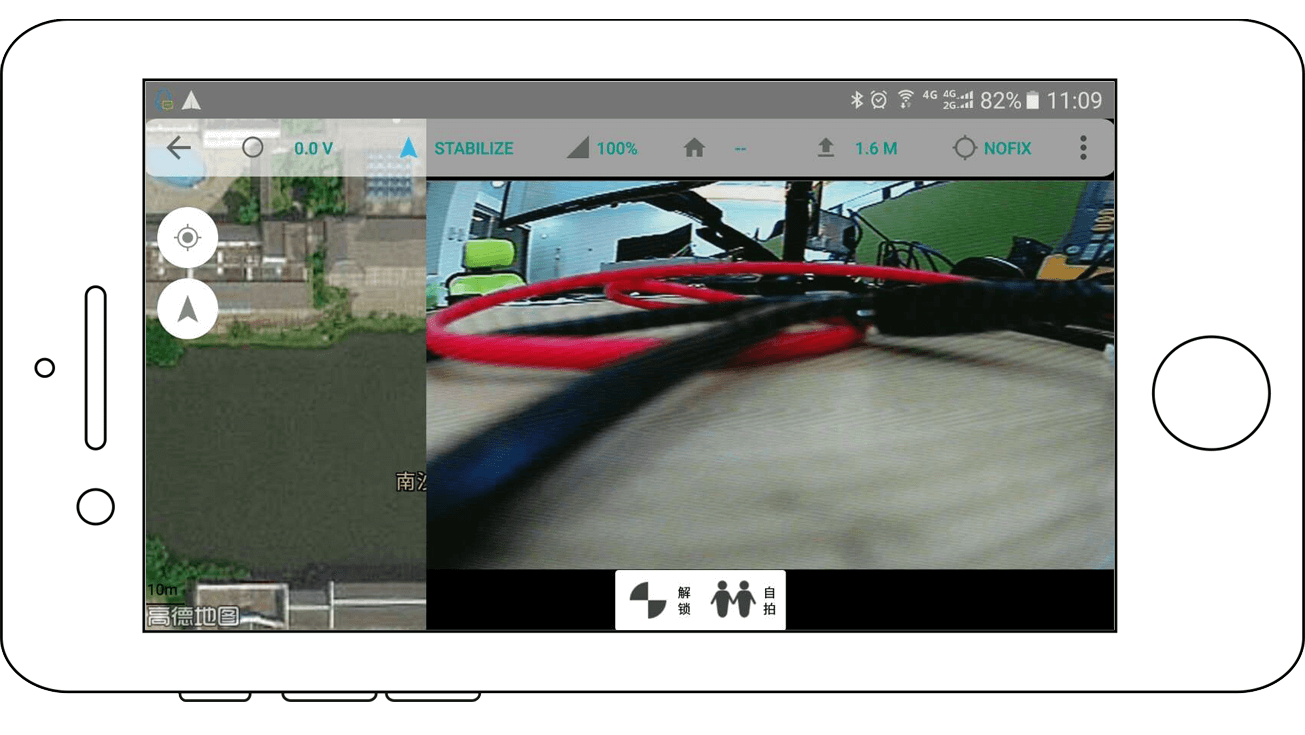
Troubleshooting
- ONE BOX restarts after selecting mode
Solution: The mobile phone OTG output power is insufficient, please plug the battery, according to testing, many models of foreign brands mobile phones can be driven without an external battery
Digital data link, UVC cannot detect
Generally speaking, there is no UVC driver at the bottom layer of the mobile phone system. Because Android cannot add drivers for 2 times, there is no solution at this time. Only the mobile phone or tablet can be changed.